

The club is yours.
So is the brand.
Domain, color, logo, menu, emails and certificate. Students see your school, from login to certificate.
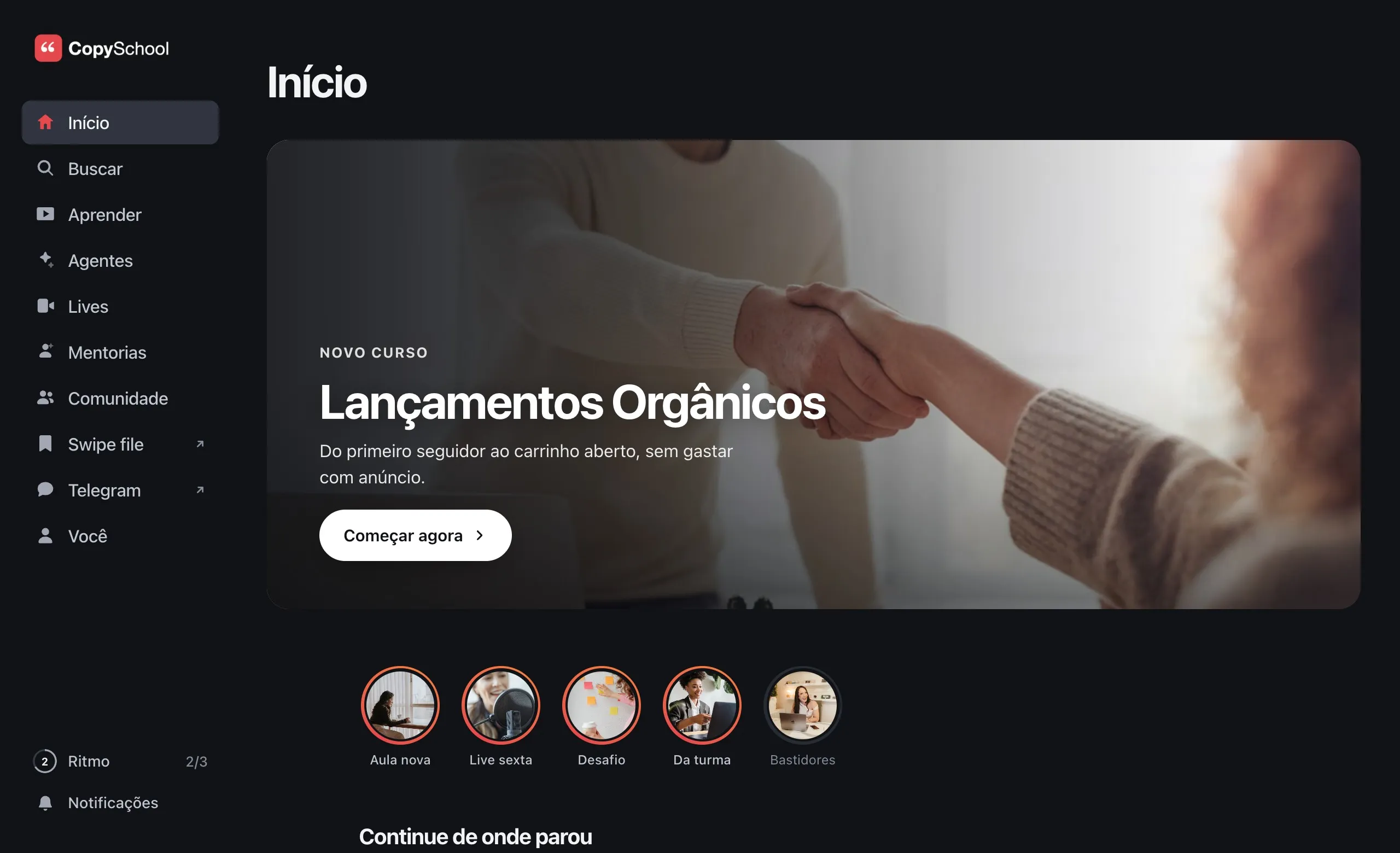
members.yourschool.com.
Not ours.
Choose the address, publish a DNS record and the club starts answering there.
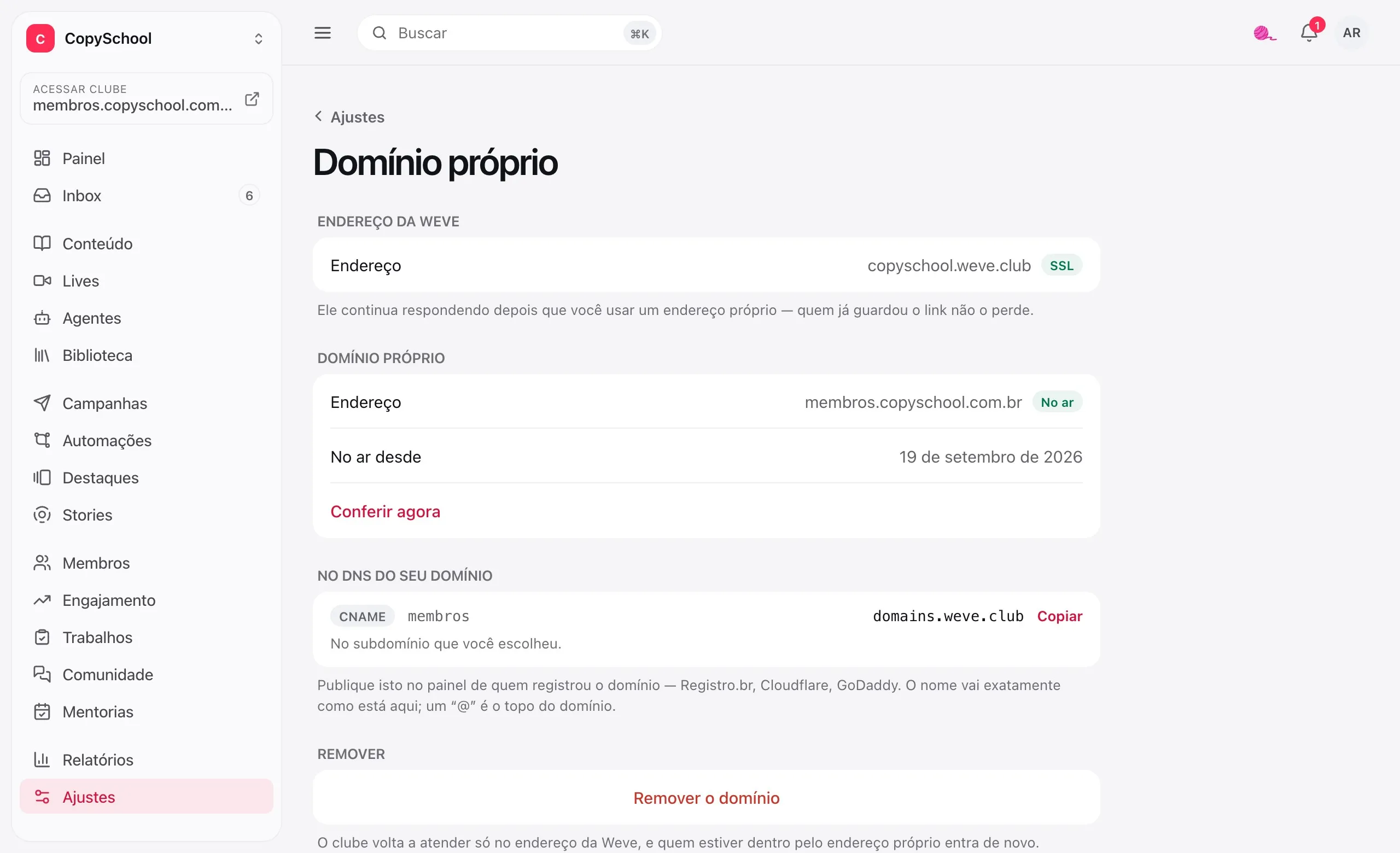
One CNAME and you're done
The screen tells you the record to publish. The HTTPS certificate is issued on its own.
The old address keeps working
yourclub.weve.club keeps responding. Whoever saved the link won't get lost.
Links follow the domain
Once the domain is live, emails and certificates send the student to it.
Your color, your logo.
In light and dark.
A single screen sets how the club looks to students, from the login screen to the avatar of those without a photo.
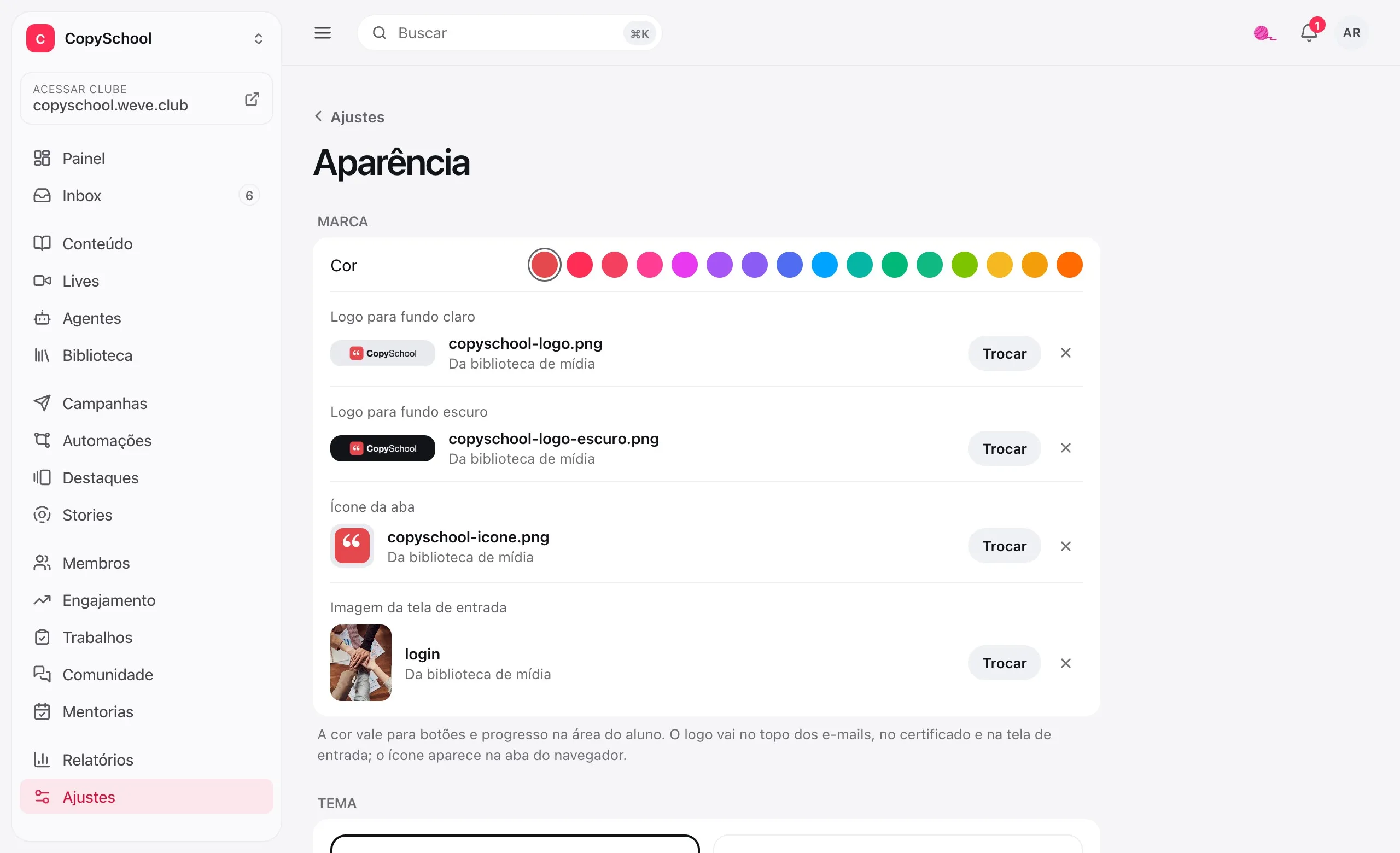
One color
Buttons, progress and the highlighted menu item come out in the club's color.
Two logos
One for light backgrounds, another for dark. Plus the browser tab icon.
Light or dark theme
You choose the club's theme and whether students can switch it in their preferences.
Login screen and avatar
The photo next to the login and the face of those without a photo: initials, an image or illustrations.
The menu and the pages.
In the order you want.
Rename, reorder and add outside links to the menu. Build Home and Learn with the blocks that make sense for your class.
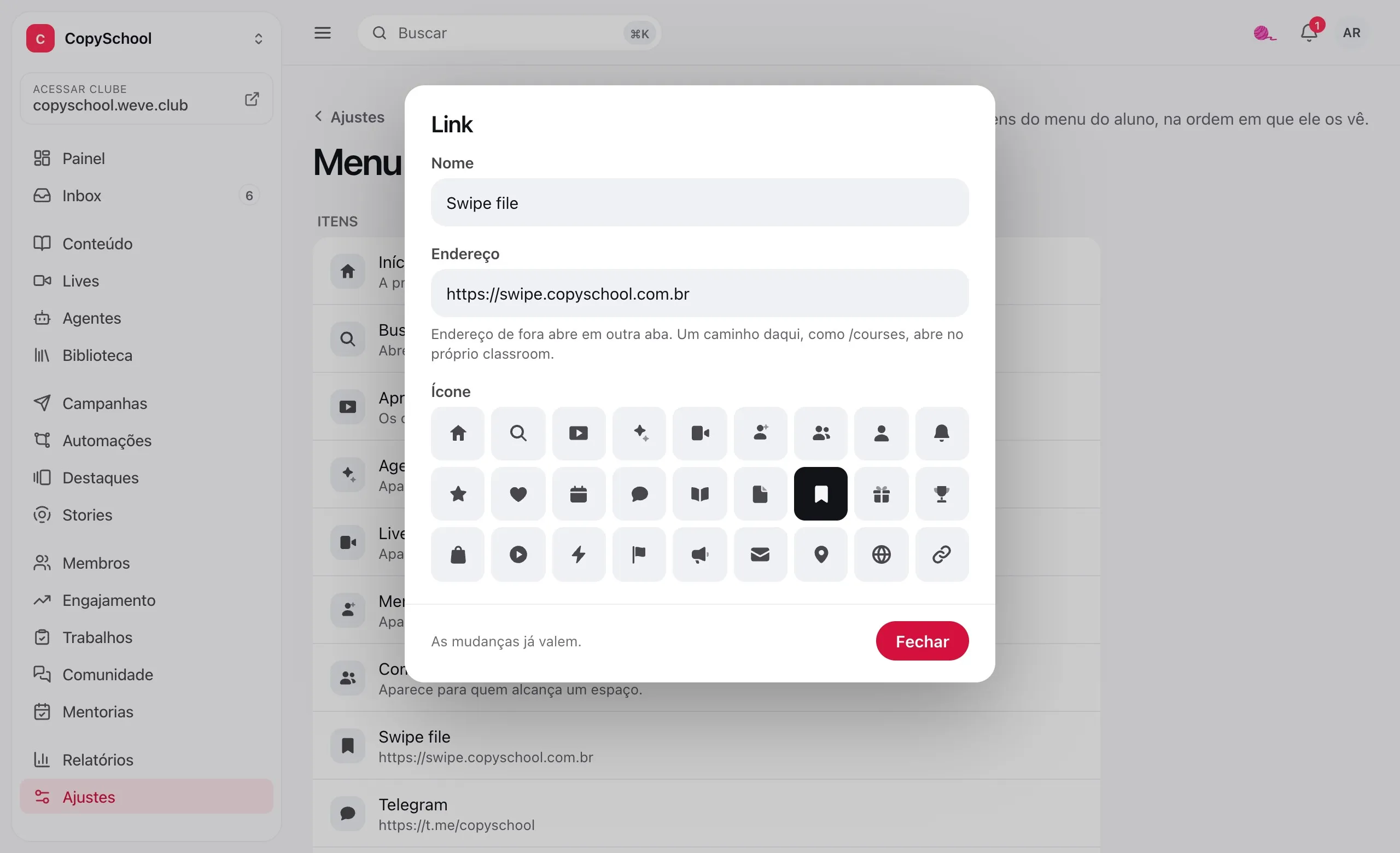
Your menu, your way
Order, name and icon for each item, and links to what lives elsewhere, like the class group chat.
Home and Learn in blocks
Choose the blocks, the order and the headings, and write your own text.
Highlights up front
The banner at the top of Home, with a button to the course, lesson or live. It goes up and down on the dates you set.
It arrives with your name.
It leaves with your signature.
The welcome email, the access notice and the certificate speak in the club's voice.
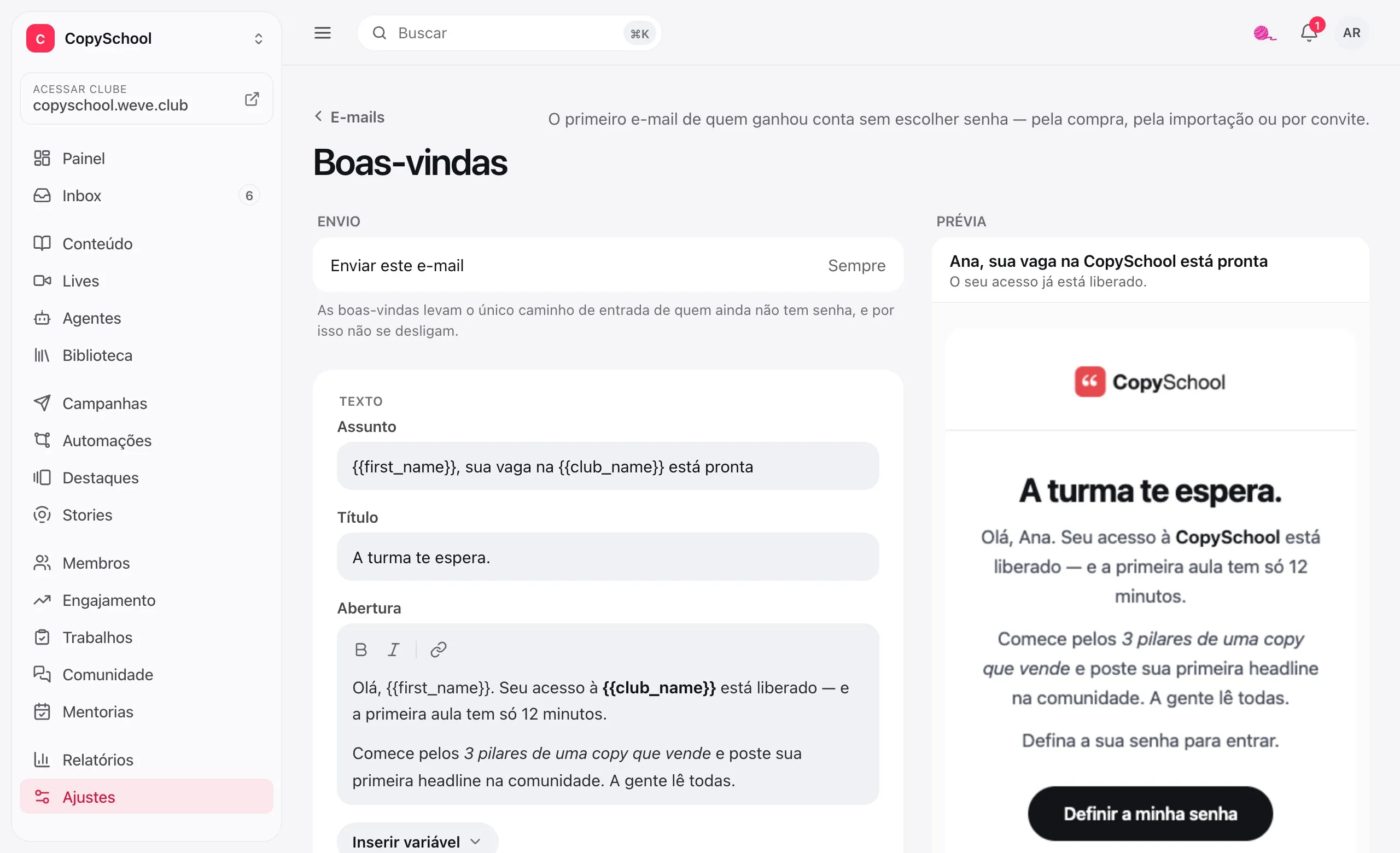
The club's name as the sender
Students see your brand in their inbox, with your logo and your color at the top.
Four emails in your words
Welcome, access granted, access ending and certificate issued.
Preview and test
The preview changes as you write. Send a test to your email first.
Certificate with your brand
Logo, color and signature on the PDF, with a code to check it's genuine.
The brand comes with the club.
Color, logo, menu, pages, emails, certificate and custom domain, no add-on. To remove Weve from every screen, get in touch.
Questions about your brand.
Can I use my own domain?
Yes, one per club. The weve.club address keeps working alongside it.
Do I need to touch a server or buy a certificate?
No. You publish a CNAME in the dashboard of wherever you registered the domain, like Cloudflare or GoDaddy, and Weve takes care of the rest, HTTPS included.
Do the emails come from my own email address?
They go out with the club's name as the sender, your logo and your color, from a Weve sending address. That way you don't need to set up anything on your email domain.
Can I remove Weve from every screen?
Yes, with white label: the “made with Weve” disappears from the entire student area. It isn't sold on the website. Get in touch with us.
Open the club looking like you.
Create the club, upload the logo and pick the color. Students walk right into your school.