

This week's news,
at the top of the club.
Full-screen stories, frame by frame, with a button that goes straight to the lesson or the live.
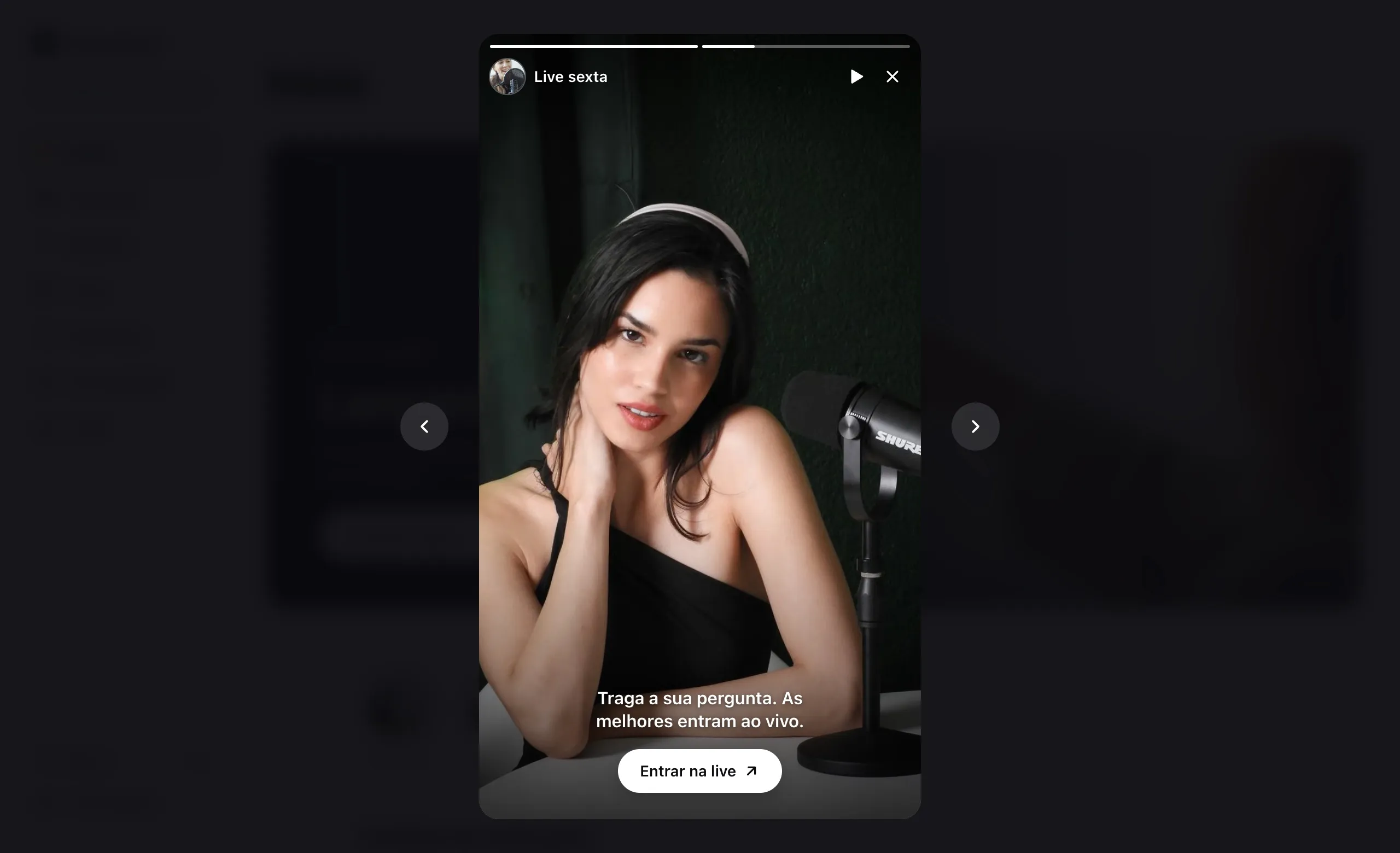
Opened the club,
saw what changed.
Stories sit on Home, above the courses. What the student hasn't seen yet lights up and comes first.
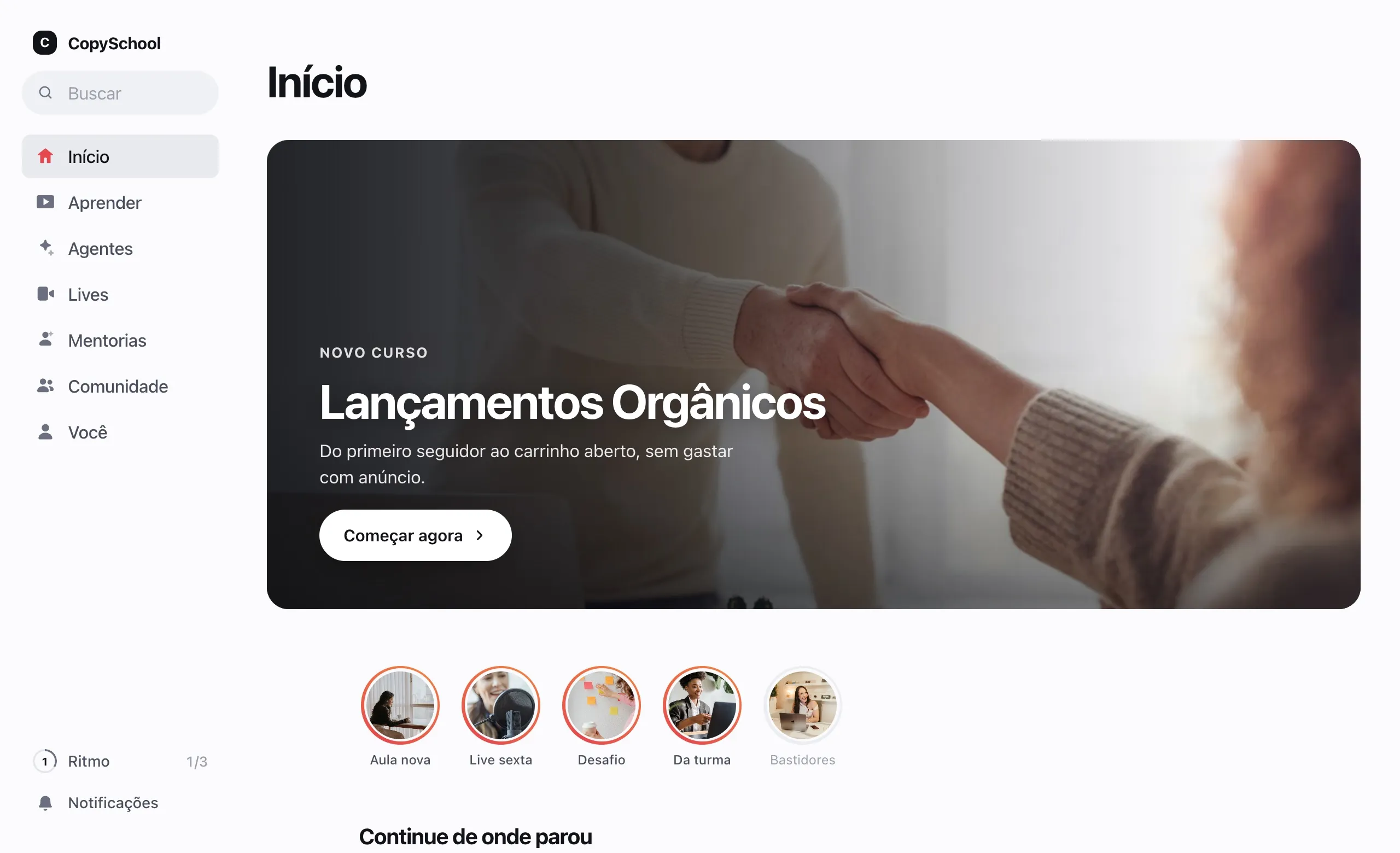
At the top of Home
The row of circles is the first thing students see when they open the club.
Unseen first
The ring lights up on what the student hasn't seen yet, and those come first in the row.
Full screen
Tap to go forward or back and hold to pause, on phone and computer.
Build it in minutes.
See it as students do.
Pick the photos and videos, write the caption and add the button. The preview on the side is the student's screen.
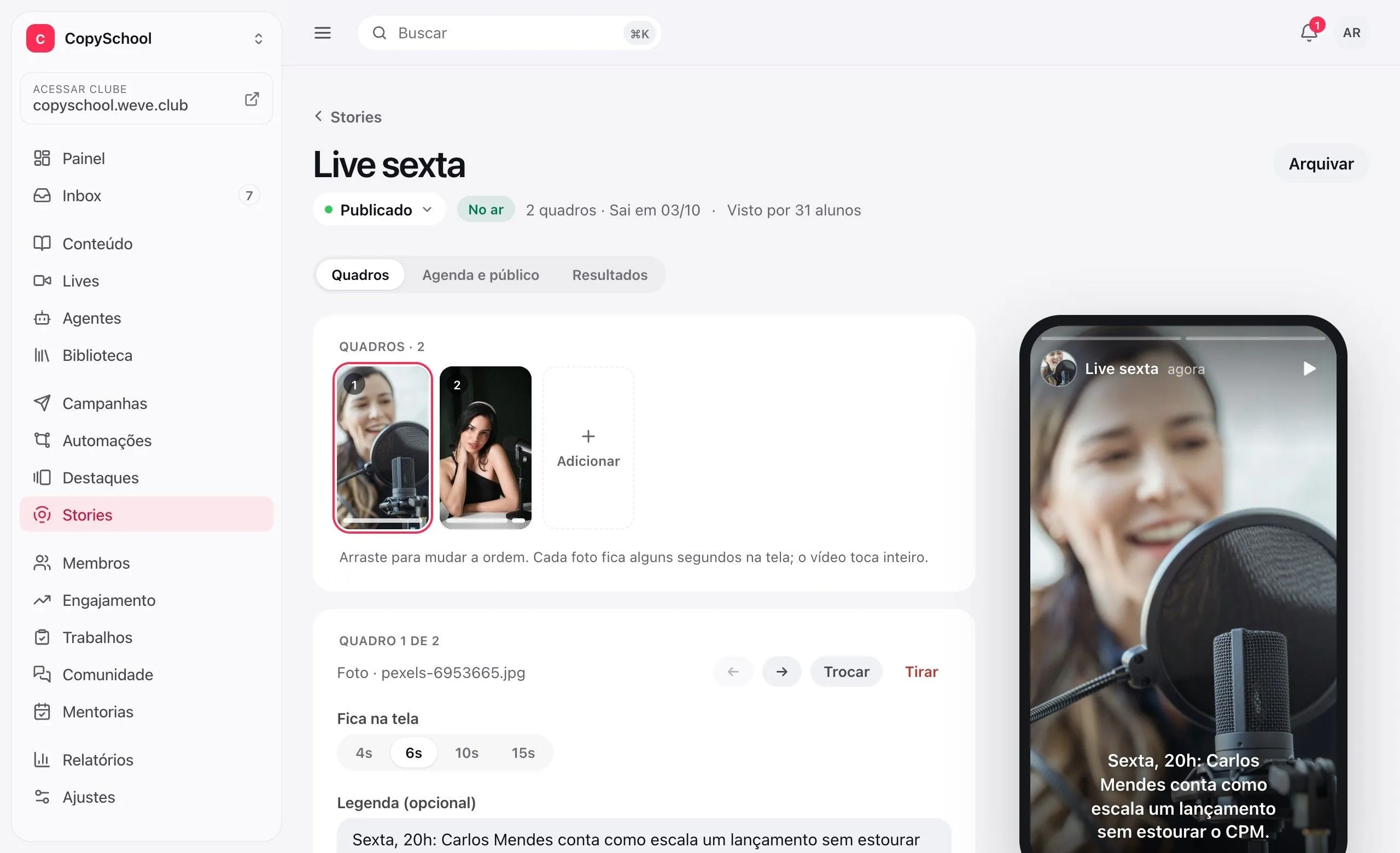
Up to 30 frames
Photos and videos from your library. A photo stays up for as many seconds as you choose; a video plays in full.
Caption and button
Each frame can lead to a course, a lesson, a live or an outside link.
Preview on the side
The phone on the dashboard is the student's own screen. What you see is what they'll see.
Starts as a draft
Build it calmly and publish when it's ready. Nothing shows up half-done.
Live at the right time.
For the right people.
Schedule it, give it an end date and choose who sees it. The list splits what's live, the drafts and the scheduled ones.
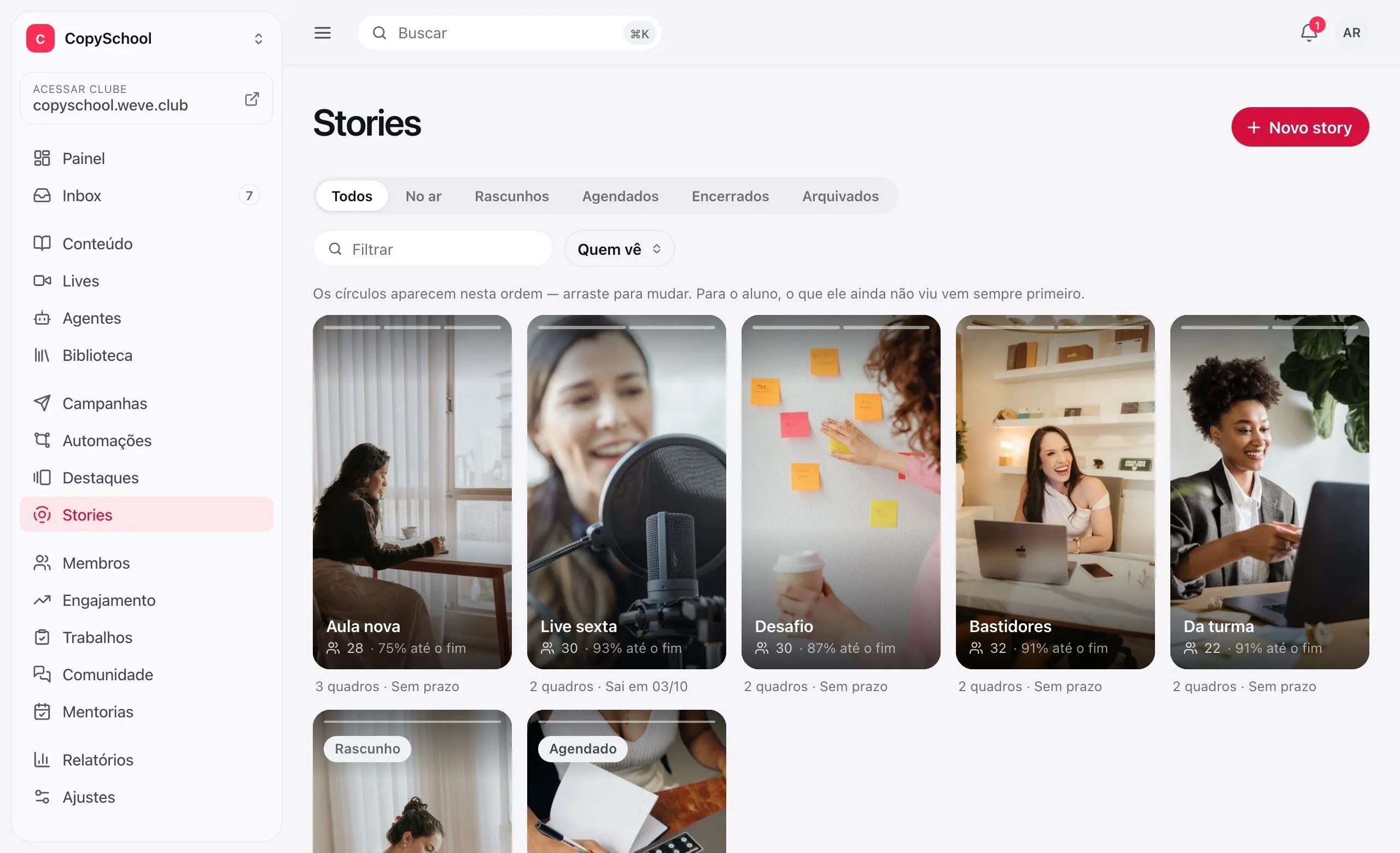
Schedule it
Have the live's story ready on Monday and it goes up at the set time.
Comes down on its own
From one hour to 30 days after it's published, or until you archive it.
For those with the course
Show it to the whole club or only to those who have a course or repository.
In the order you want
Drag the cards to order the row. An archived story comes back with one click.
Who saw it.
And how far.
Each story shows its reach, how many watched to the end, the button taps and the names of who saw it.
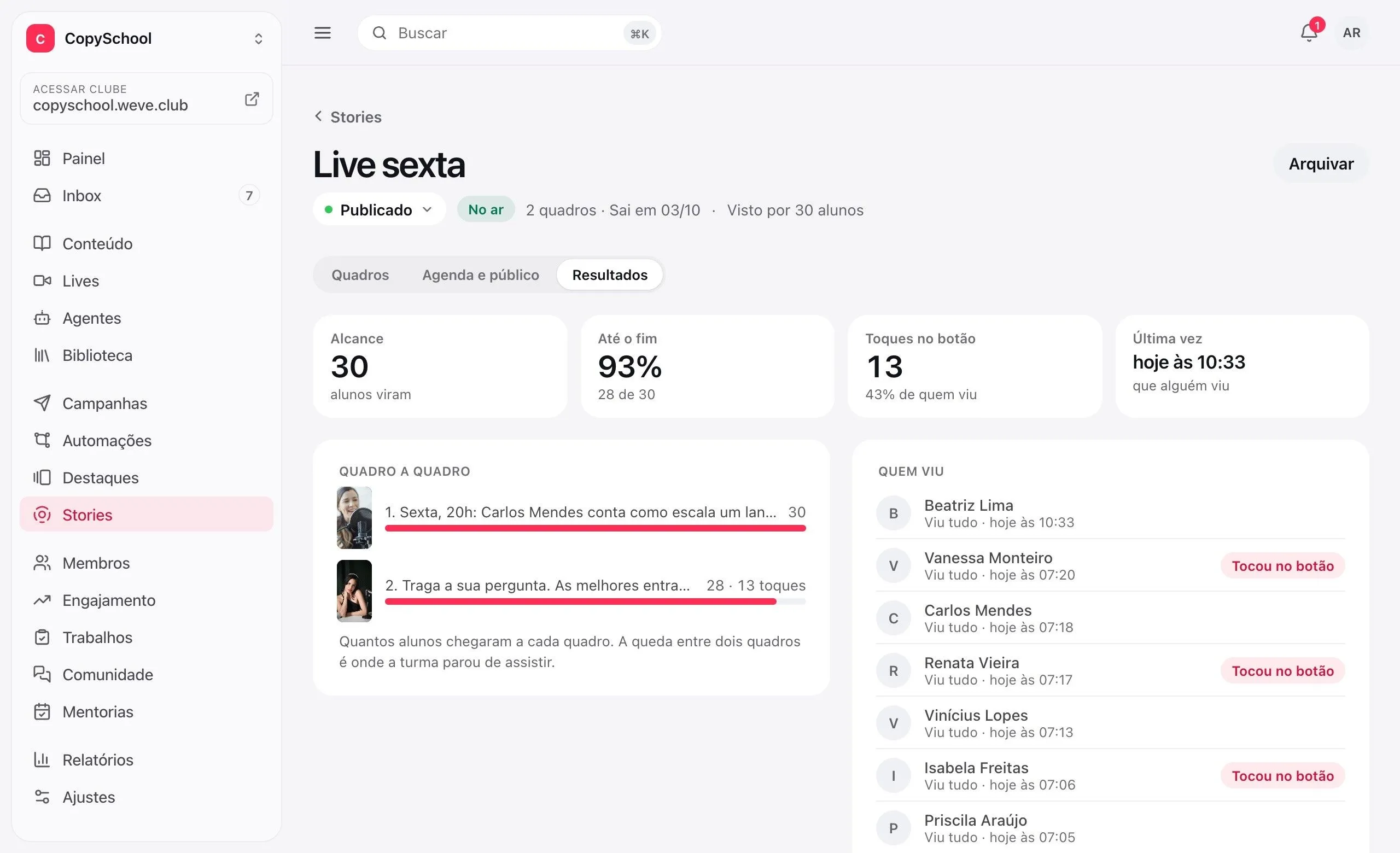
Reach and completion
How many students saw it and how many reached the last frame.
Frame by frame
The drop between two frames shows where the class stopped watching.
Button taps
How many went to the lesson, the live or the link, and who they were.
Comes with the club.
Stories aren't an add-on. The photos and videos come from the club's library.
Questions about stories.
Do I pay extra for stories?
No. Stories come with the club. The photos and videos come from the club's library.
Can I use a video from YouTube or Vimeo?
No. A story fills the whole screen, with no player controls, and those videos only play inside their own frame. Use photos or videos uploaded to the library.
Does a story disappear after 24 hours?
If you want it to. The duration ranges from one hour to 30 days and counts from when it's published. With no duration set, the story stays up until you archive it.
Do students need to download an app?
No. Stories open in the members area, in the browser on a phone or computer, with your brand.
Share the news in the first tap.
Create the club, upload the first photo and publish the welcome story.