

Your videos,
under your roof.
Lessons play in the club's player, with no ads and no one else's logo, with chapters and the transcript on the side.
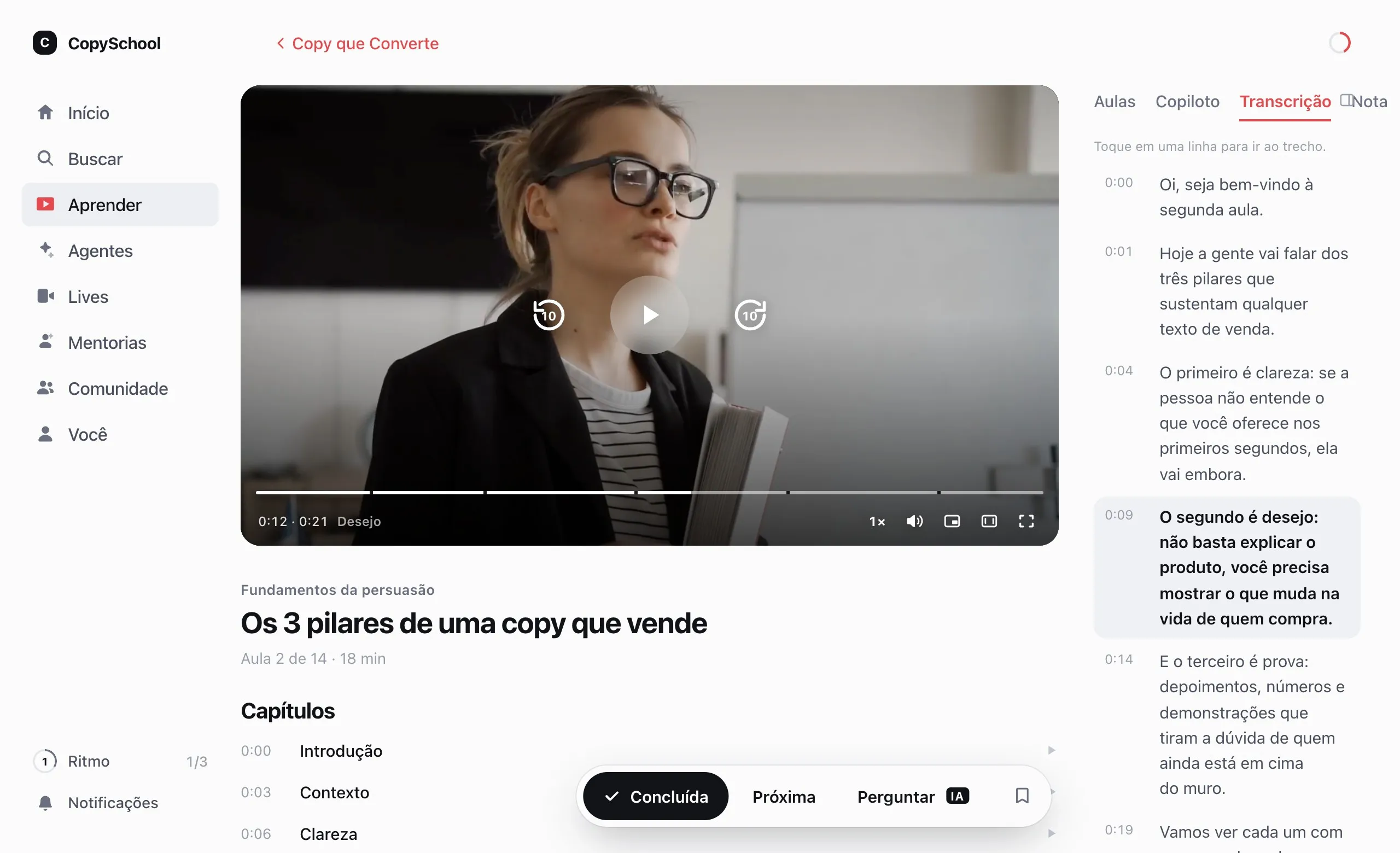
Mark the chapters.
Students find the moment.
Name the parts in the lesson editor. In the player, they show up on the bar, and the video resumes where the student left off.
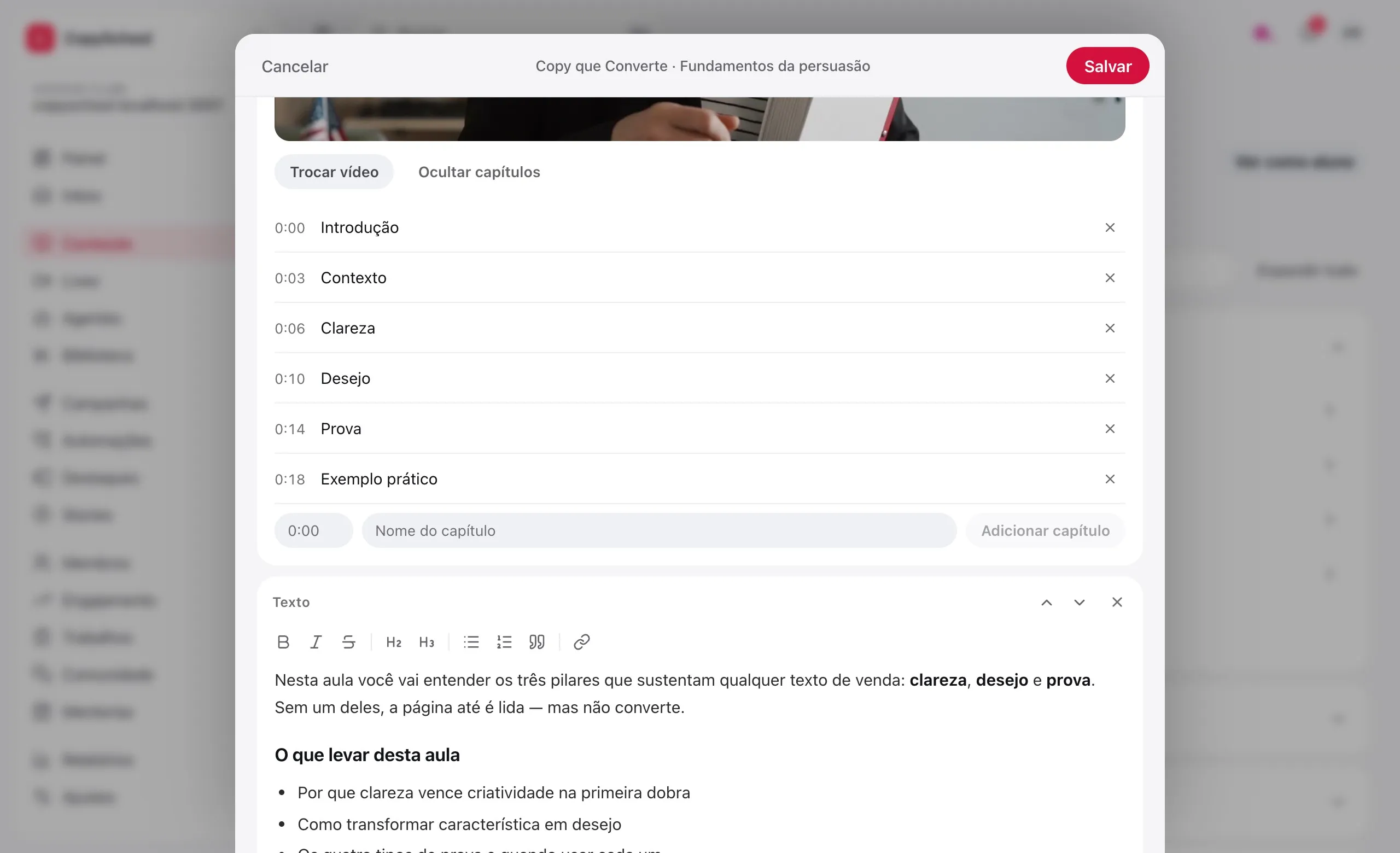
Picks up where they left off
A student closes the lesson halfway and, on coming back, the video resumes at the exact second.
Chapters on the bar
Each chapter is marked on the video's timeline, with its name. One tap jumps to it.
Made for studying
A playback speed that holds across every lesson, theater mode, Picture in Picture and keyboard shortcuts.
Quality that adapts
The video follows the student's connection, on phone or computer, without waiting for the whole file to load.
Upload once.
Use it in any lesson.
Videos live in the club's library, in folders. The lesson just points to them.
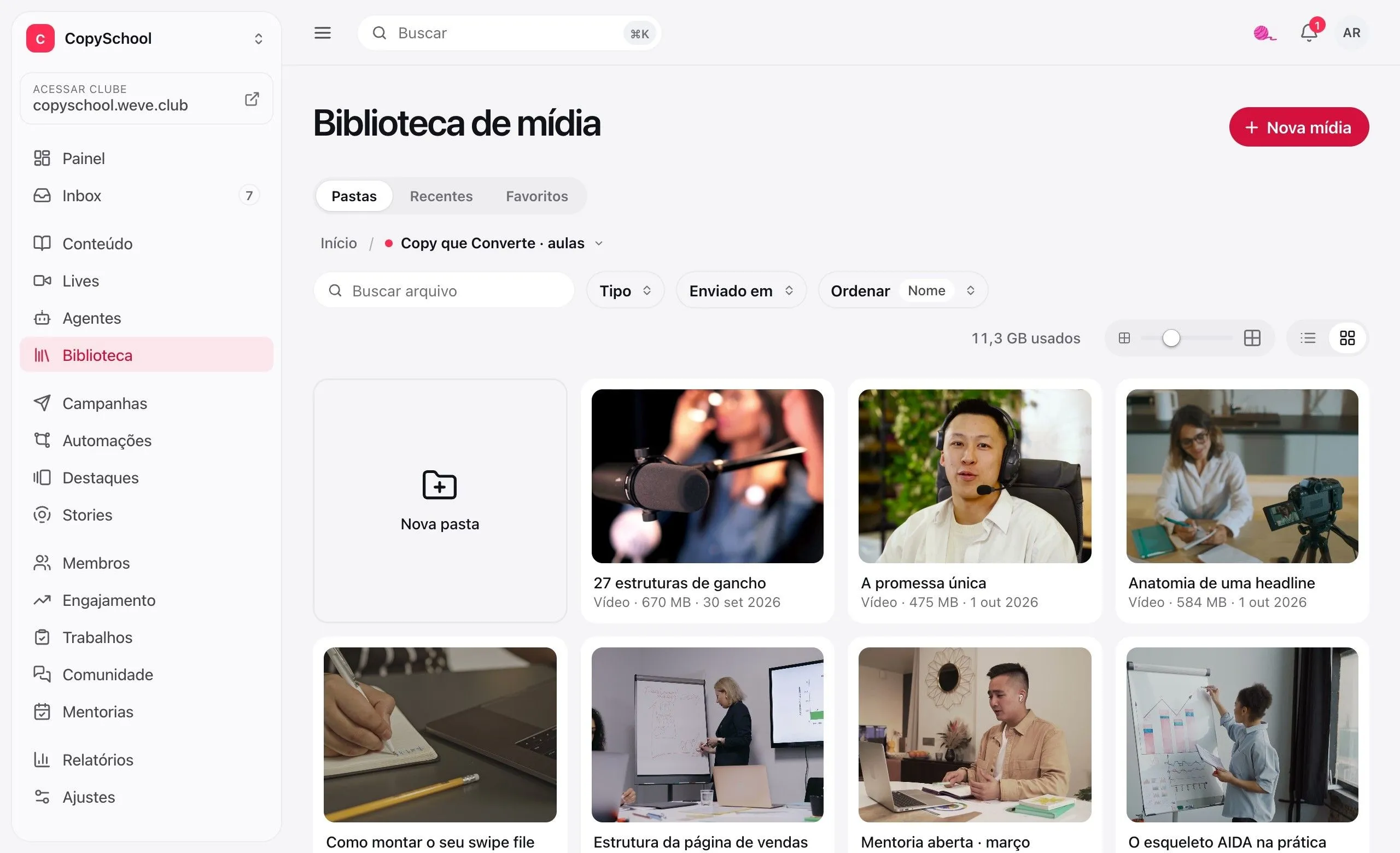
Direct upload
The file goes from your browser straight to hosting, and the thumbnail appears on its own.
Folders and favorites
Organize by course or by class. The same video can be in as many lessons as you want.
Replace without redoing
Re-recorded the lesson? Replace the file and every lesson using that video shows the new one.
The file is yours
Your team can download the MP4 of any video in the library whenever they need it.
Every lesson,
in text too.
What's said in the video becomes text with a timestamp for each sentence, to read alongside, jump to a moment and turn on as captions in four languages.
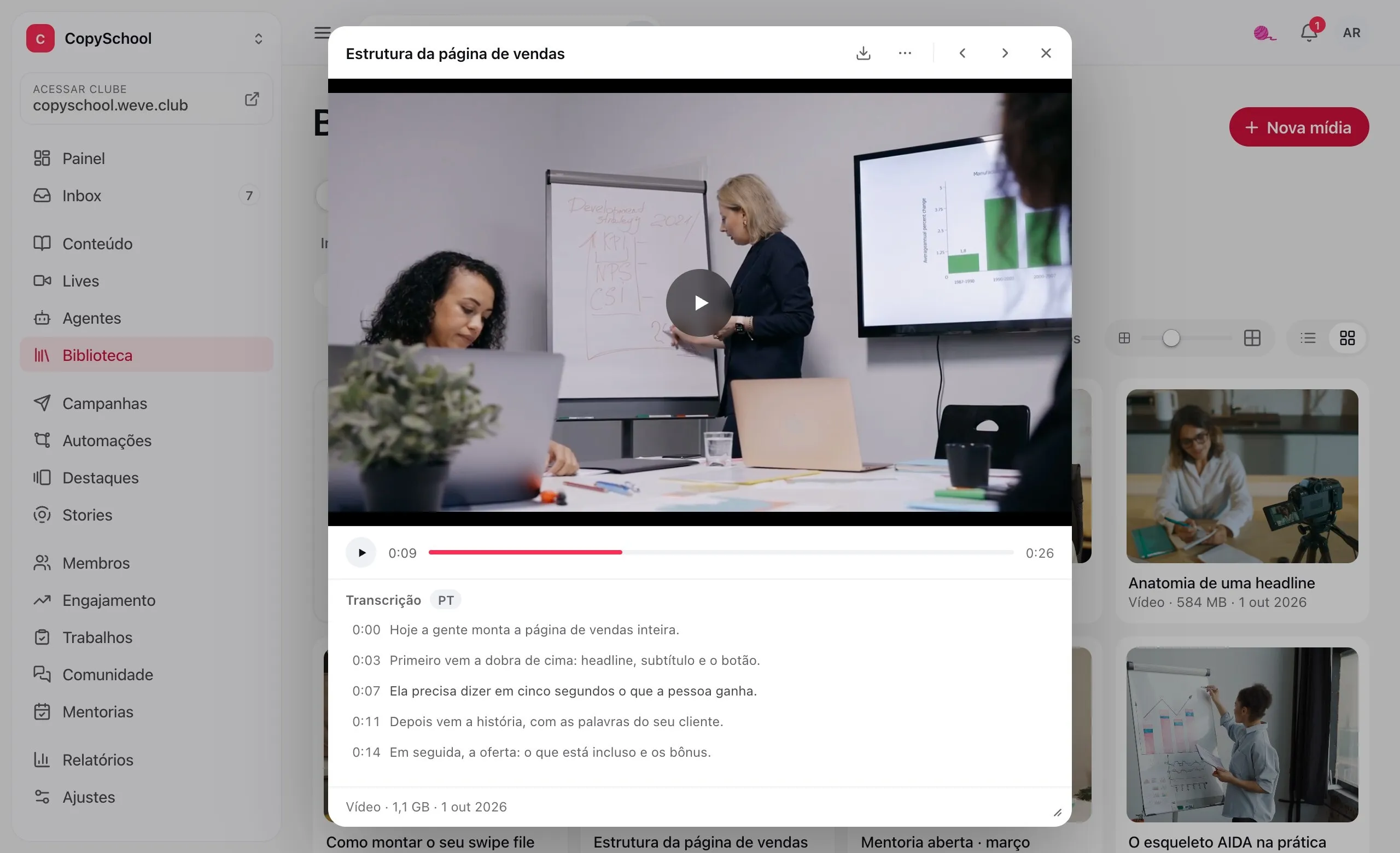
Line by line, with timestamps
Tap a line and the video jumps to that moment. The line playing now stays highlighted.
In the student's lesson
The transcript sits in a tab next to the video, for those who'd rather read or want to find a spot.
Captions in four languages
The transcript becomes captions in the player, in Portuguese, English, Spanish and French. Students turn them on and pick the language.
Material for the AI
With the AI add-on, the transcript becomes the lesson summary and the basis for the assistant's answers.
Only those with access
can watch.
The video has no public address. Each time it opens it gets a new link, good for only a few hours.
Links that expire
The video's address is signed on the spot and expires within a few hours. Copied, it stops opening.
No download button
The player is ours, with no menu to save the video, and it only opens for those with access to the lesson.
No one else's storefront
No ads, no platform logo and no suggested videos from someone else at the end.
YouTube, Vimeo,
SafeVideo or Panda.
Use what you already have: the video plays inside the lesson, and hosting can wait until it makes sense.
YouTube and Vimeo
Paste the link and the video plays in the lesson, with chapters and resume. At no cost.
SafeVideo
Bring the videos you already have there. In the lesson, they play with the student's name on top.
Panda Video
Connect the club's account and pick the videos from the library. With the DRM group, the student's name and email appear over the video.
A club add-on.
Video hosting is an add-on. The price comes up in the conversation with the expert.
Questions about hosting.
Do I need hosting to have video in my lessons?
No. Videos from YouTube or Vimeo play in the lesson, and the SafeVideo and Panda Video extensions use the account you already have there. Hosting is for those who want their videos stored on Weve, with transcripts and no third-party player.
Is every video transcribed?
Videos in the lessons of a course with an AI assistant are transcribed on their own. For the rest, you request the transcript in the library, video by video. Videos from YouTube, Vimeo, SafeVideo and Panda aren't transcribed: we don't have the file.
Do captions come in other languages?
Yes. Videos with a transcript get captions in the player, and students choose between the original language, Portuguese, English, Spanish and French. The translation is made the first time someone asks for that language and comes with hosting, at no extra cost.
Can I stop someone from recording the screen?
No player can. Expiring links and the missing download button close off the easy routes. If you need a leaked video to say whose it is, use SafeVideo or Panda Video with a watermark: the student's name appears over the video.
What about live recordings?
The recording of a live or a mentoring session goes to the library. Without hosting, it stays for 30 days, with an email warning before it's removed and a download button. With hosting, it stays forever.
Your next lesson goes up here.
Create the club, upload the first video and see how students watch it.