

Every lesson counts.
And the class sees it.
Points for studying and taking part, levels named by your club, badges and a leaderboard. The platform keeps count on its own.
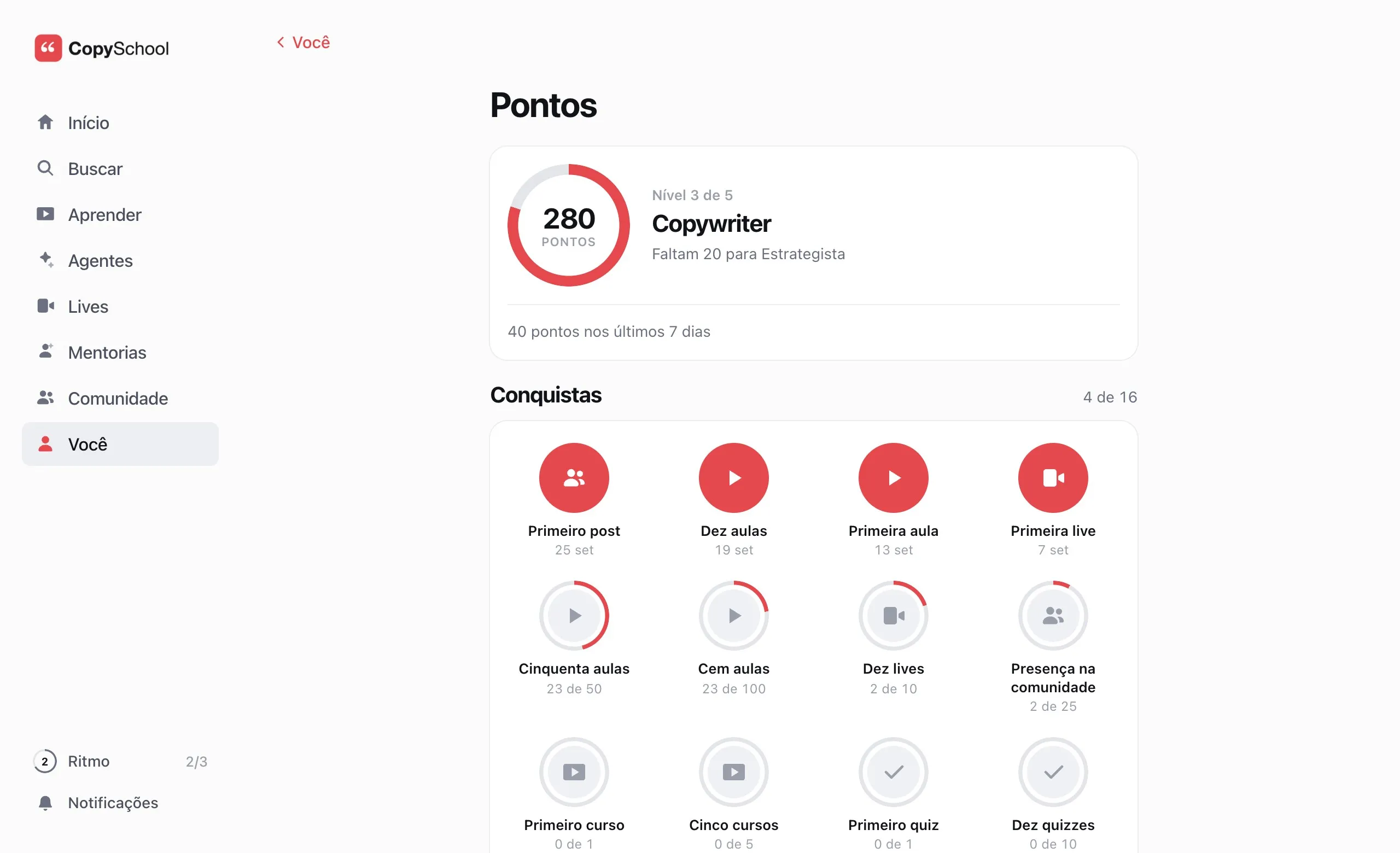
Where they are.
And how far to go.
Level and weekly pace sit side by side on the student's screen. Badges show what they've done and what comes next.
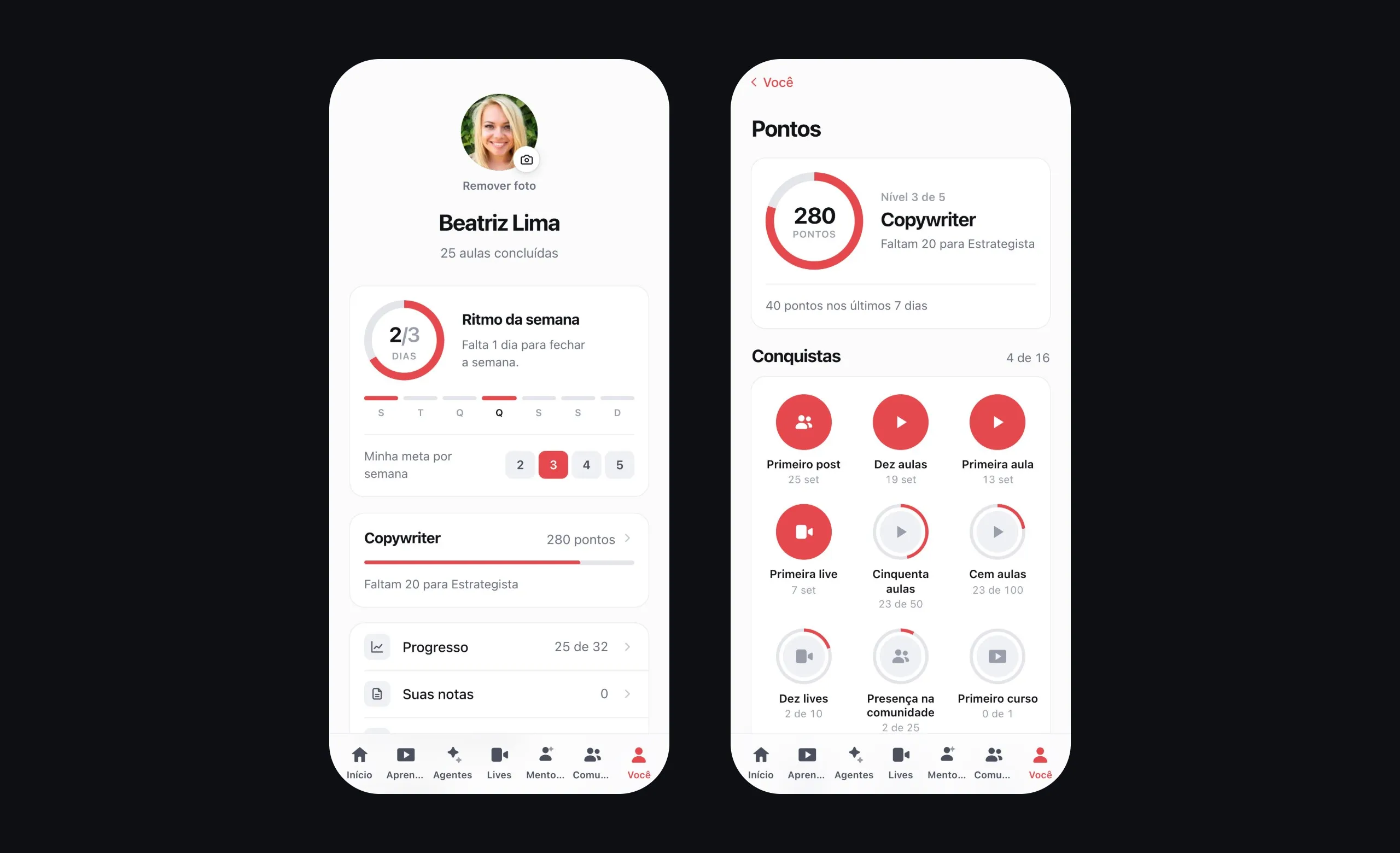
Level and what's left
The ring shows the points and how far it is to the next level.
Badges
First lesson, ten lessons, first live. The ones still missing show how far along the student is.
Statement
Every point with the lesson, live or post that earned it, and when.
The whole class,
on the same list.
By week, month or all time. Ties share the position, and those who'd rather study without an audience leave the list.
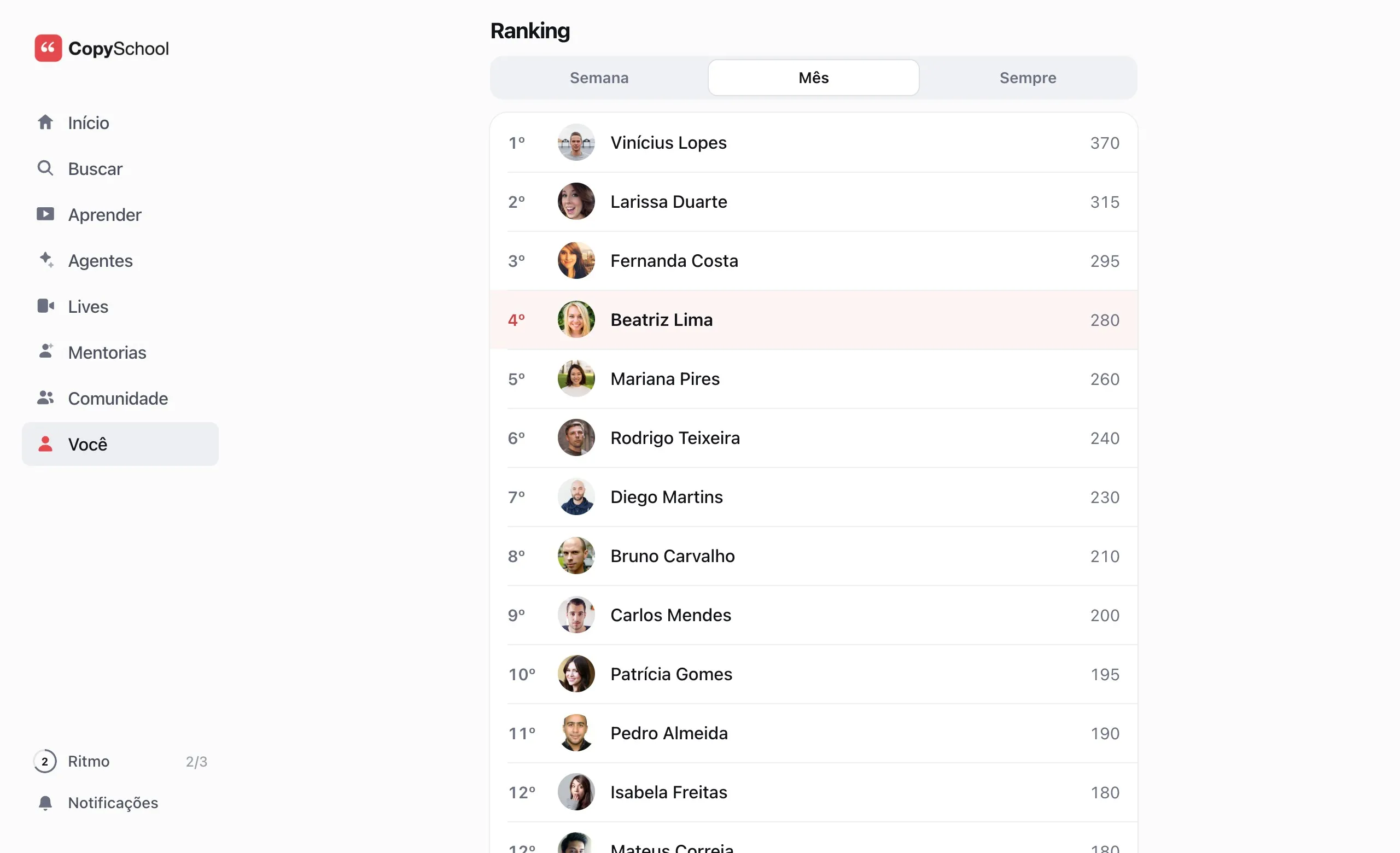
Week, month or all time
Those who just started also have a shot at the weekly leaderboard.
Your position
Students see themselves highlighted on the list, or pinned at the bottom when they're off it.
Leaving takes one tap
Those who don't want to show up for the class leave the leaderboard and still see their own position.
You decide whether to show it
Hide the leaderboard and keep points, levels and badges.
You set the value.
The platform counts.
Choose what each action is worth and name the levels. Nothing to log: the point is born with the finished lesson.
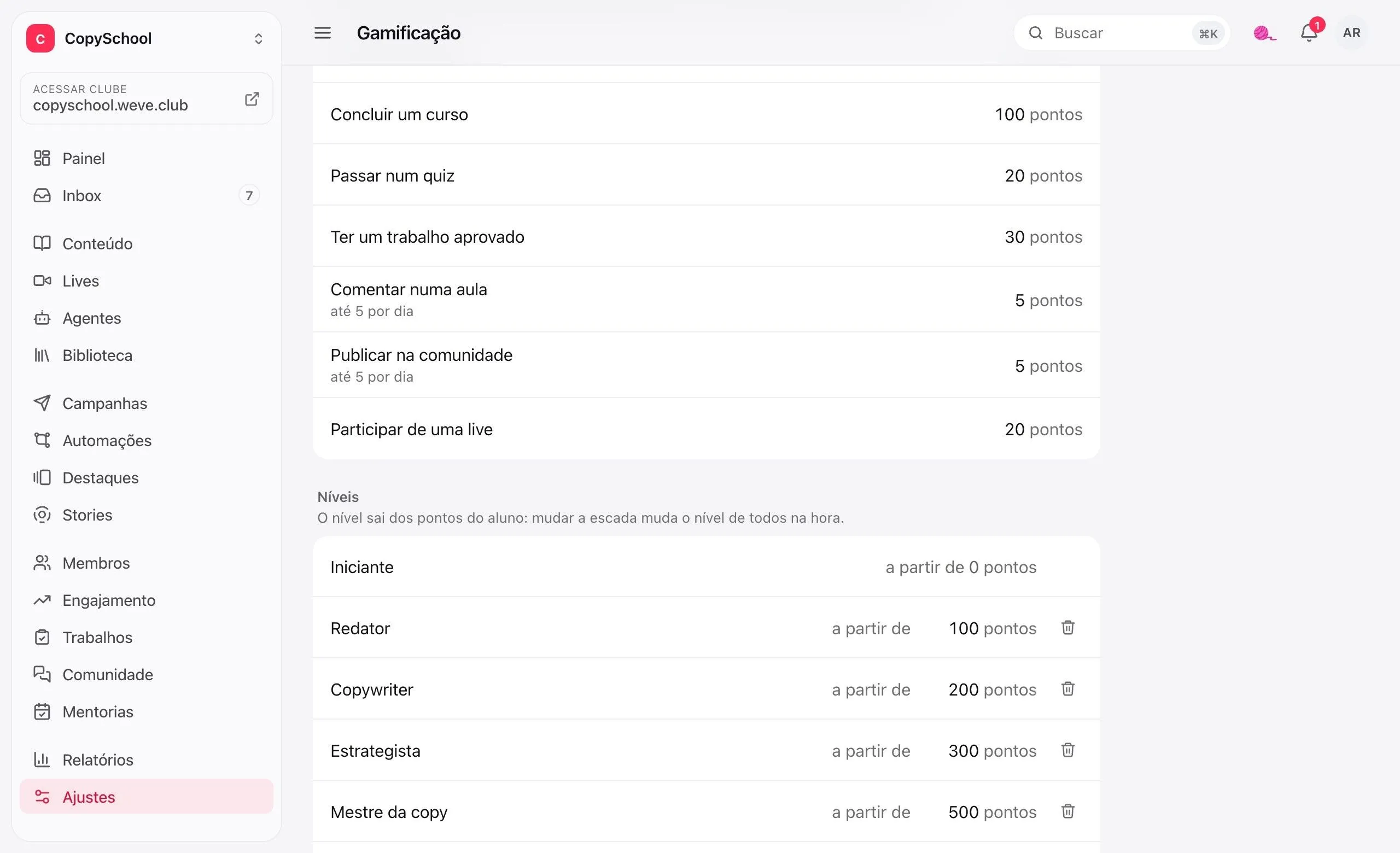
Seven actions, nothing to set up
Lesson, course, quiz, approved assignment, comment, post and live. The platform counts on its own.
What each one is worth
You choose the points. Zero turns the action off.
Levels with your names
From 2 to 12 steps, the way your club talks. Change the ladder and everyone's level changes on the spot.
No point farming
Comments and posts count up to five a day, and the same lesson never pays twice.
Leveled up.
You hear about it.
Reaching a level triggers an automation: the congratulations email, the VIP student tag, the bonus points.
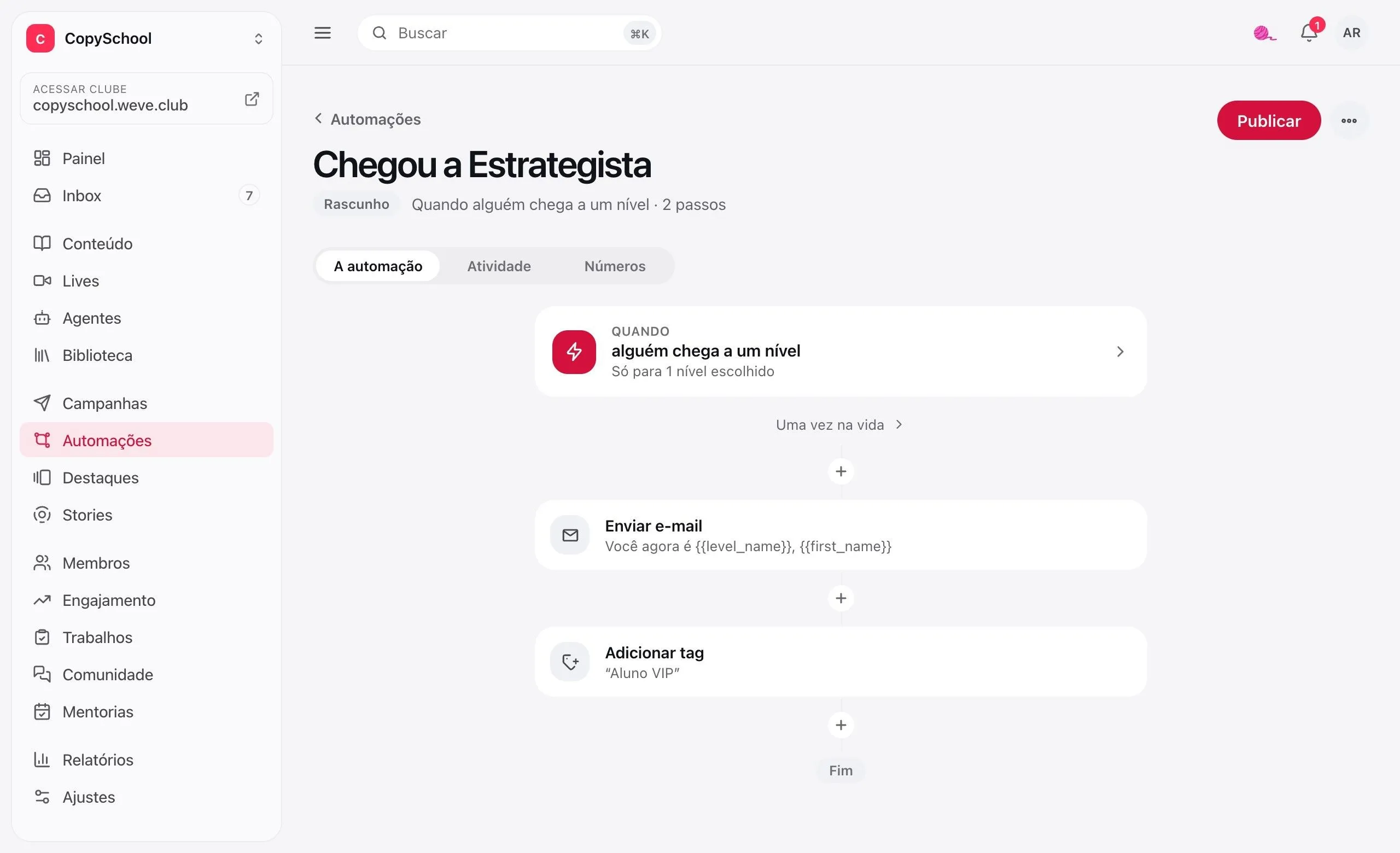
Reached a level
The automation trigger to send congratulations, a bonus or add a tag.
Give points
An automation step, or a manual adjustment on the student's profile, with the reason.
Campaign by level
Write only to those who are already Strategists, or to those who are still Beginners.
In Engagement
The week's points, where they came from, students per level and who scored the most.
Comes with the club.
Points, levels, badges and leaderboard, no add-on. Just turn it on in Settings.
Questions about gamification.
Do I have to pay extra for gamification?
No. Points, levels, badges and leaderboard come with the club. Just turn it on in Settings.
Does buying a course give points?
No. Points are for those who study and take part: finishing lessons and courses, passing a quiz, getting an assignment approved, commenting, posting in the community and joining a live.
Is there a daily streak?
No. The habit lives in the weekly pace: students choose 2 to 5 days a week and track it on the ring. Missing a day doesn't reset anything.
What if I turn it off later?
Points are kept. When you turn it back on, everyone picks up where they left off.
Can I create my own badges?
No. Badges are fixed and come from what the student did: the first lesson, the tenth, the first live. Level names and what each action is worth are up to you.
Make studying visible.
Create the club, turn on points in Settings and name your levels.