

The right email,
for the people already inside.
Campaigns to the list you choose and automations that write for you, with the club's name as the sender.
Build the email in blocks.
It arrives looking good.
Heading, text, button and image, one under the other. Weve makes sure the email opens well in any inbox.
In blocks
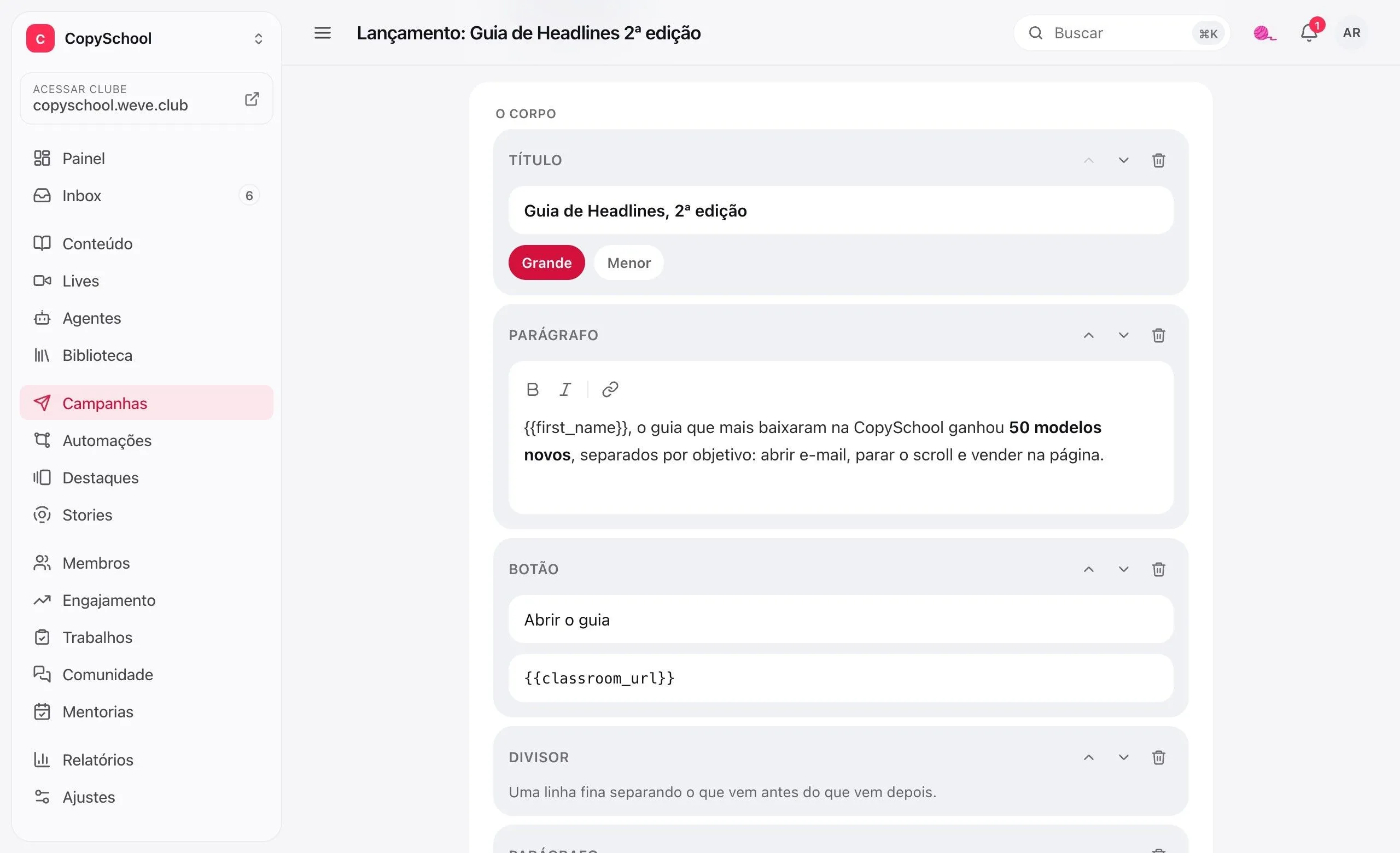
Heading, paragraph, button, image and divider. No HTML and no template to break.
With the student's name
Variables like {{first_name}} come from the menu and come out right in every email.
Preview and test
See the email as it arrives and send a test to your own address before it goes out.
Your sender
It goes out with the club's name, and replies go to the email you choose.
The right class.
At the right time.
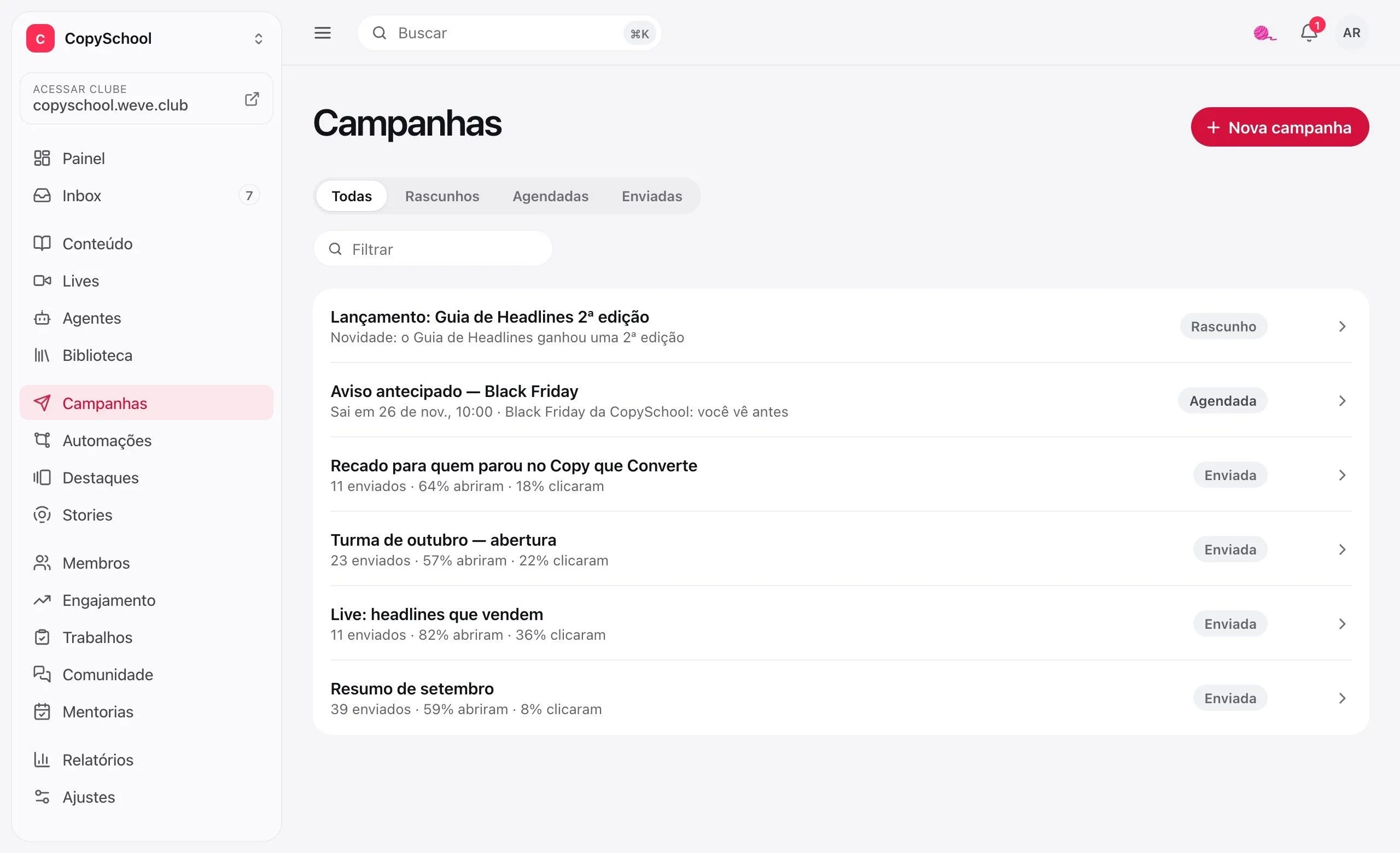
Choose who receives it based on what people have and do in the club, see how many they are and schedule it.
To the people who matter
By access, class, product, completed course, tag or level. And exclude who shouldn't get it.
Who stopped in the course
Started, didn't finish and hasn't studied in 7 days. Checked at send time.
The number before sending
The club shows how many people will receive it before you confirm.
Schedule it
Write it today and let it go out at the set time. You can pause halfway and resume.
It happened in the club,
the email goes out on its own.
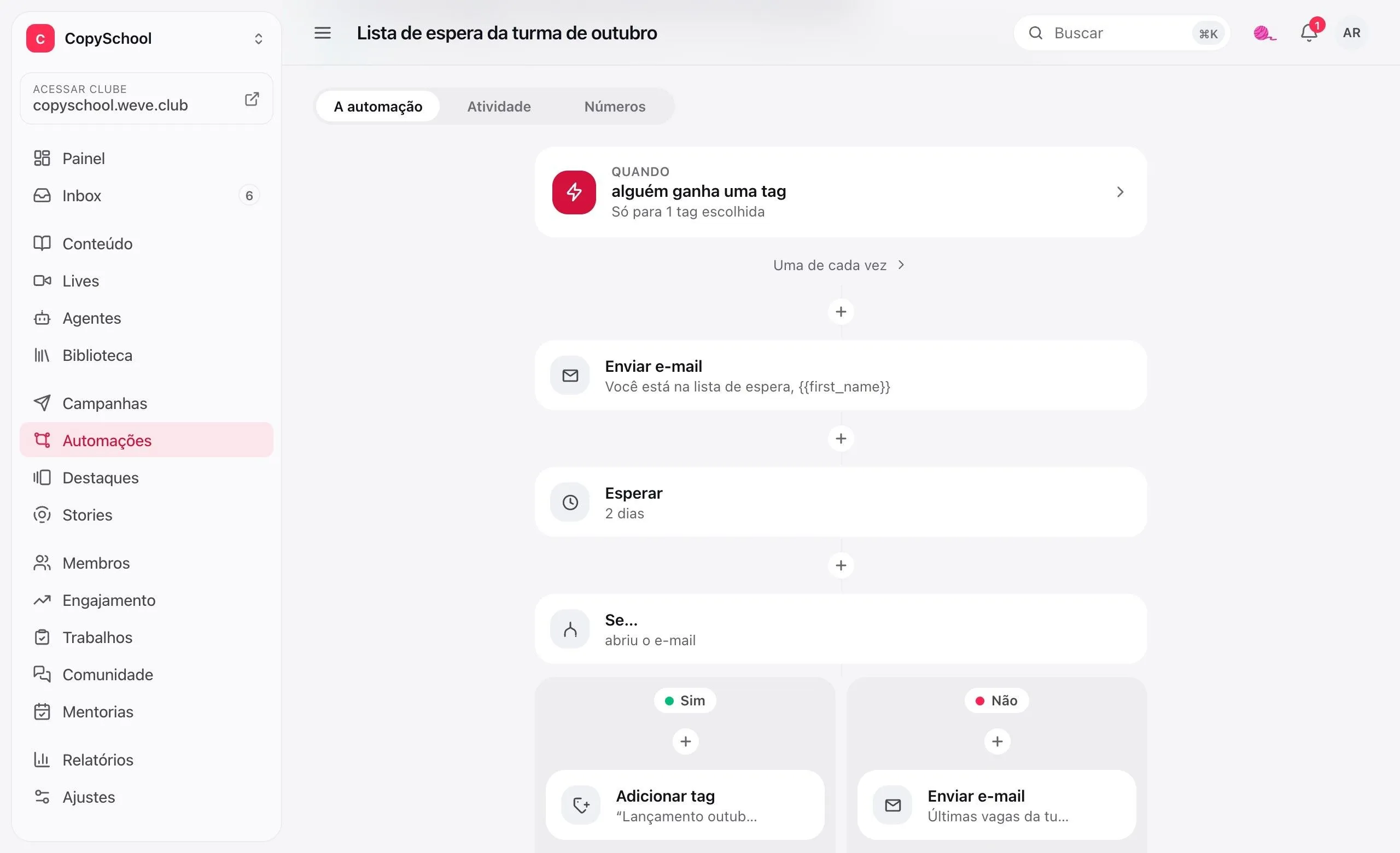
Choose the trigger and build the steps. A condition opens two paths, and each one follows its own.
The trigger
Got access, bought, asked for a refund, finished a lesson or a course, got a tag, leveled up.
If, else
Ask whether the person has access, made progress in the course, has a tag or opened the previous email.
Wait
Minutes, hours or days. Or until a few days before access expires.
And act
Send an email, add or remove a tag, give points or end right there.
Who opened.
Who went where.
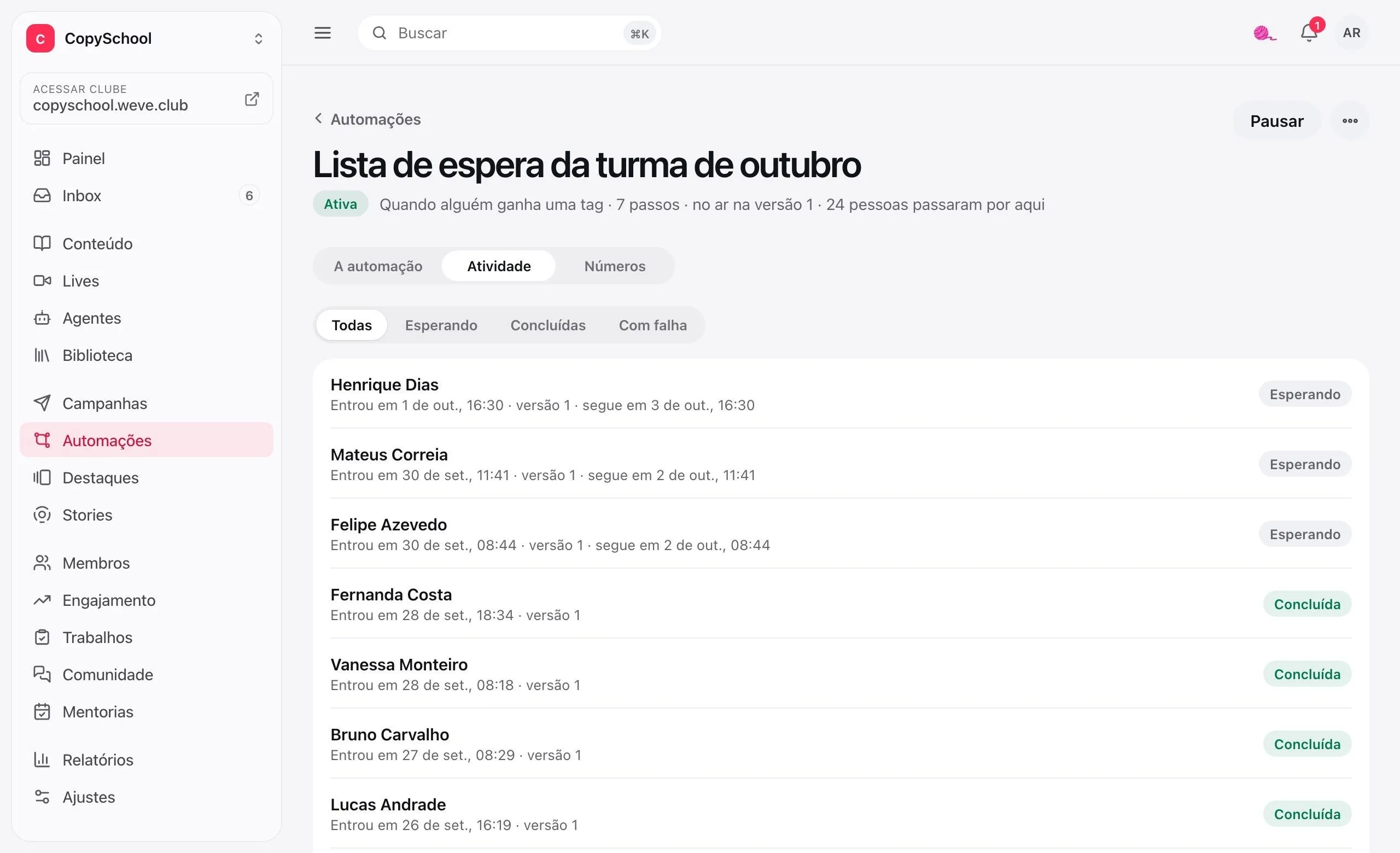
Each campaign shows who received, opened and clicked. Each automation, who entered, where they are and which way they went.
Opens and clicks
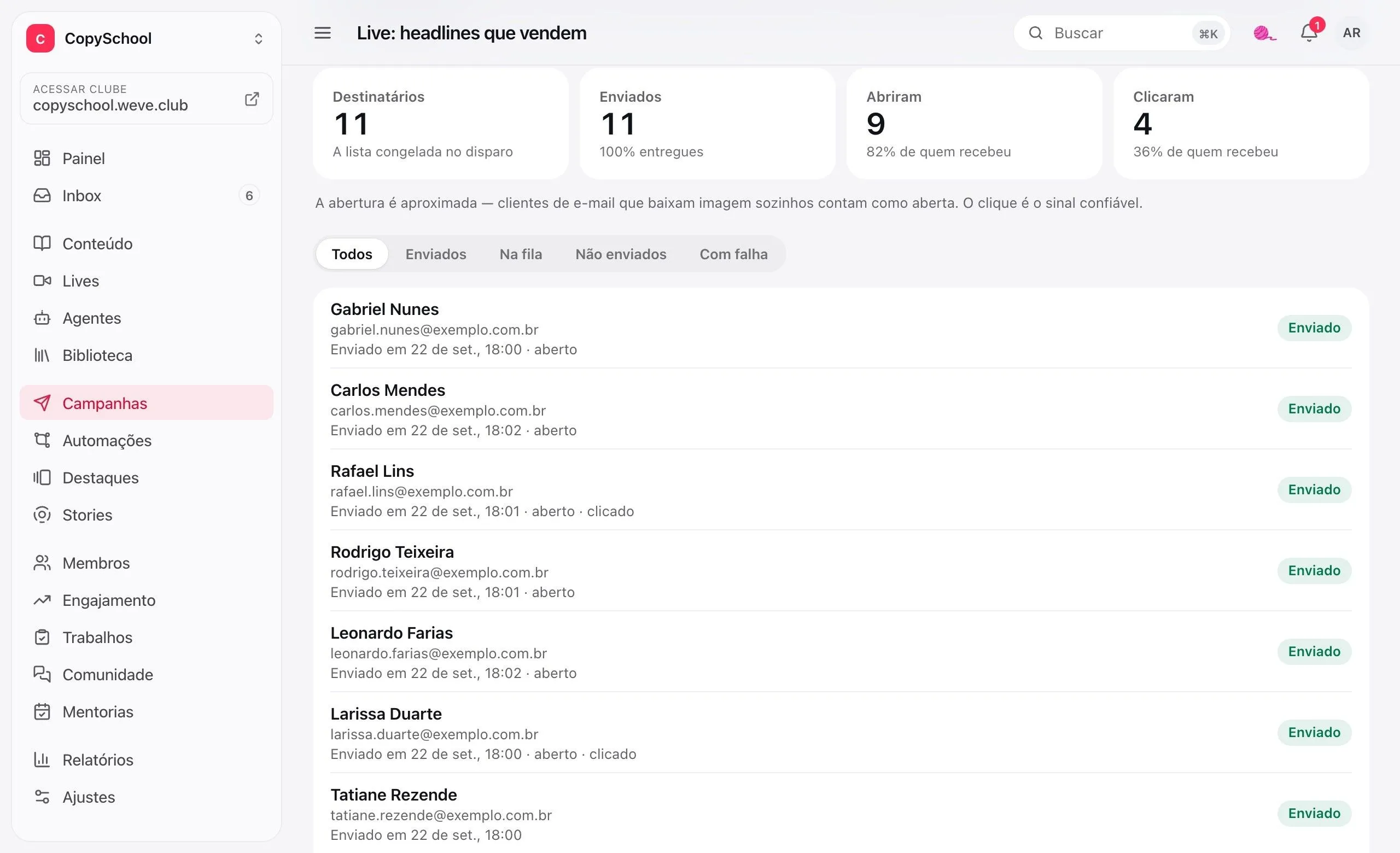
How many received, opened and clicked, counting people, not repeat clicks.
Name by name
The list of who received it, with the send time and whether they opened or clicked.
One-click unsubscribe
Every email carries the link to leave the list. Those who left don't get anything else, not even by mistake.
Step by step
How many went through each step, how many took the yes and the no, who opened the email.
Who's inside
Each person who entered, where they are now and when they move on.
Change it without disrupting
Editing is a draft. Whoever is already going through follows the version they entered.
A club add-on.
Campaigns is an add-on; the price comes up in the conversation with the expert. Automations already come with the club.
Questions about campaigns and automations.
Do I need the add-on to use automations?
No. Automations come with the club, and the emails they send don't depend on the add-on. The Campaigns add-on is for the emails you write and send to a list.
What address does the email come from?
From a Weve sending domain, separate from the login email, with the club's name as the sender. Replies go to the address you put in “Reply to”.
What if a student doesn't want to receive emails anymore?
Every email has the unsubscribe link and the one-click button in Gmail and other clients. Whoever leaves stops getting the club's campaigns and automation emails, and only that person can opt back in.
Can one automation trigger another?
Yes. Adding a tag, or giving points that make someone level up, triggers the automations waiting for that. An automation never triggers itself again through the same chain, so there's no loop.
The first email is a welcome.
Create the club, build the automation for new arrivals and set it live.