

Who stopped, where they got stuck
and what to do today.
The Dashboard opens with the club's week in one sentence, the numbers that matter and the list of what to solve.
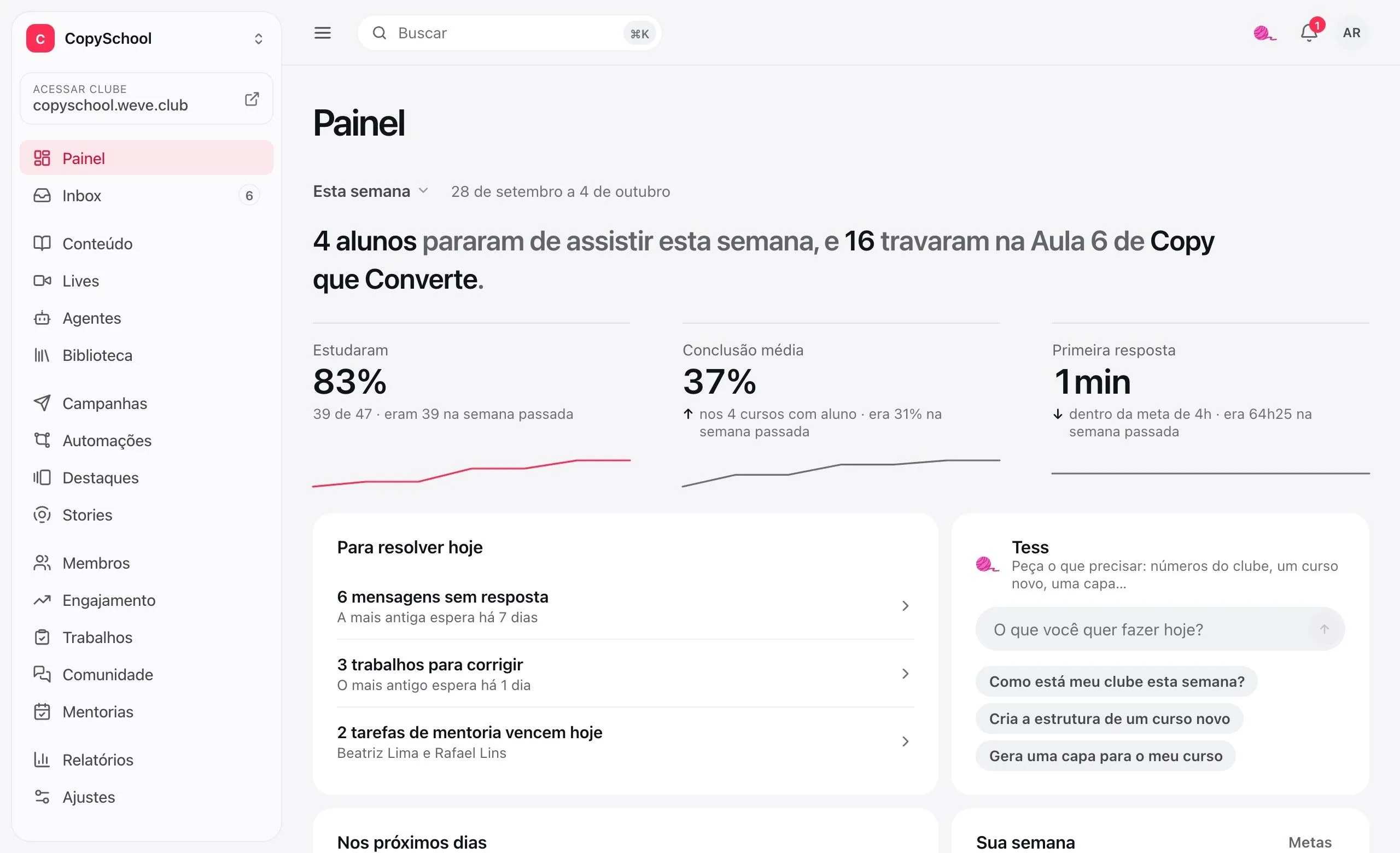
Open it in the morning.
Know where to start.
What needs you today comes first, in order of urgency. The week's goals sit alongside, and whoever got stuck is one click away from a nudge.
To solve today
Unanswered messages, assignments to grade, today's mentoring tasks and the sale that didn't turn into access.
In the next few days
Lives, mentoring sessions and scheduled lessons, in order.
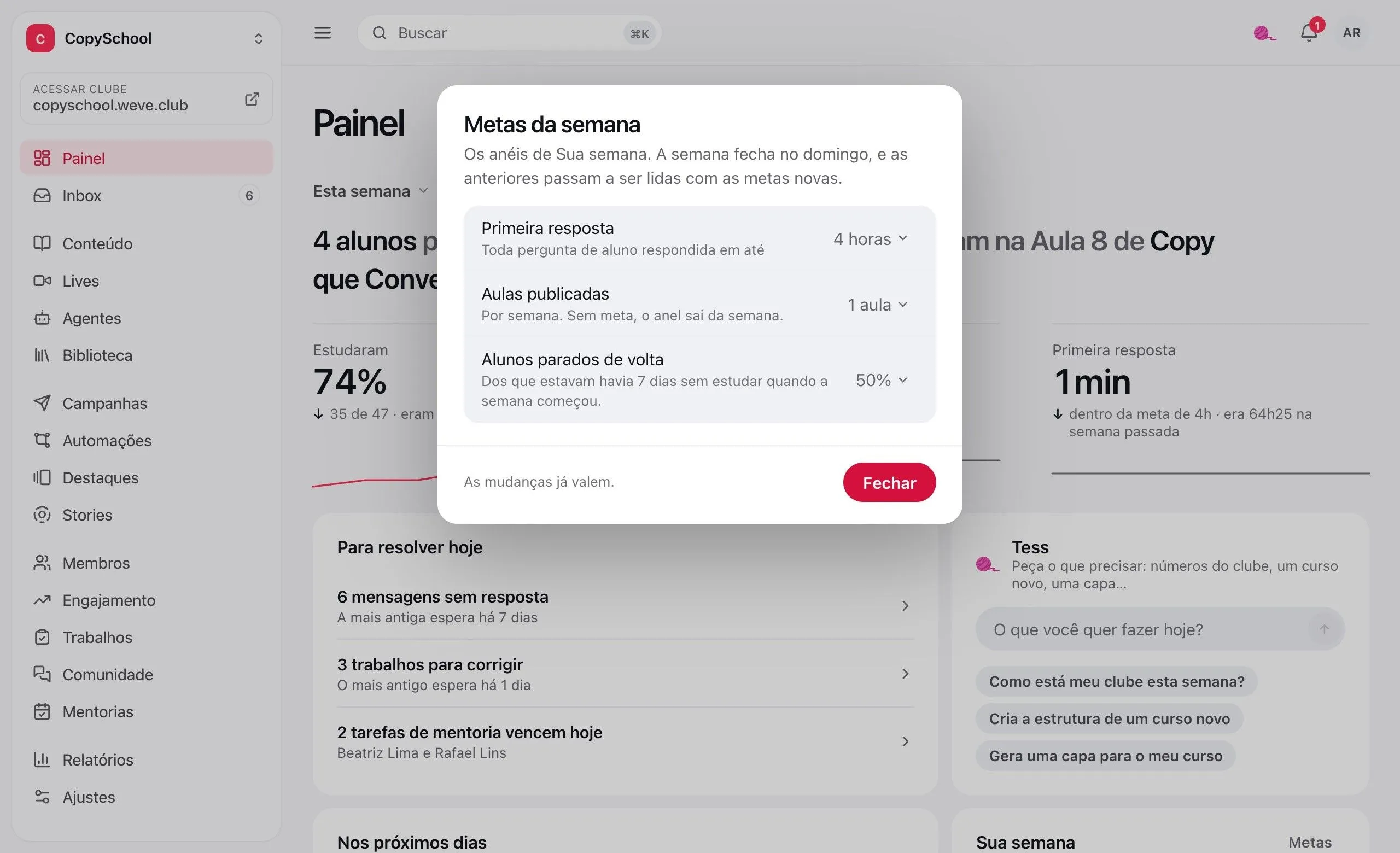
Club goals
First reply, lessons published and stalled students brought back. The week closes on Sunday, and the last four sit alongside.
Reach out to whoever got stuck
One click drafts the email for those who stopped in the course. The draft opens in campaigns, and nothing goes out without you.
See the lesson
where the class stops.
The funnel shows how many finished each module. Next to it, each course tells how many students are stalled and on which lesson.
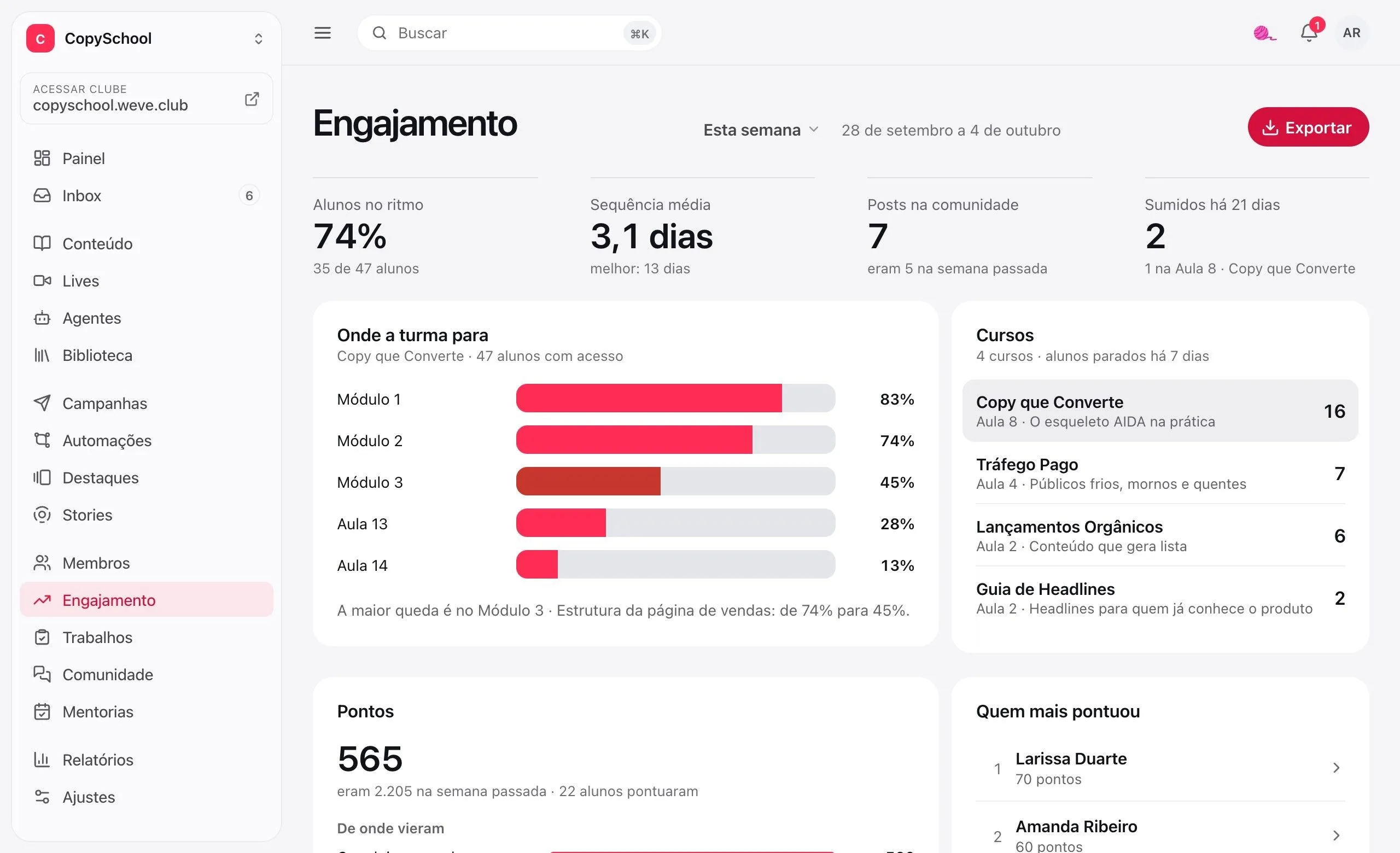
Where the class stops
How many finished each module. The biggest drop opens into lessons and shows in red.
Stalled for 7 days
By course, with the lesson where most of them stopped.
Gone for 21 days
Who has studied before and hasn't been back in three weeks, and which lesson they were on.
Study streak
Each student's days in a row, the class average and the club's best.
No question
goes unanswered.
Lesson comments and community posts become conversations in a single inbox, with what's still waiting for a reply flagged.
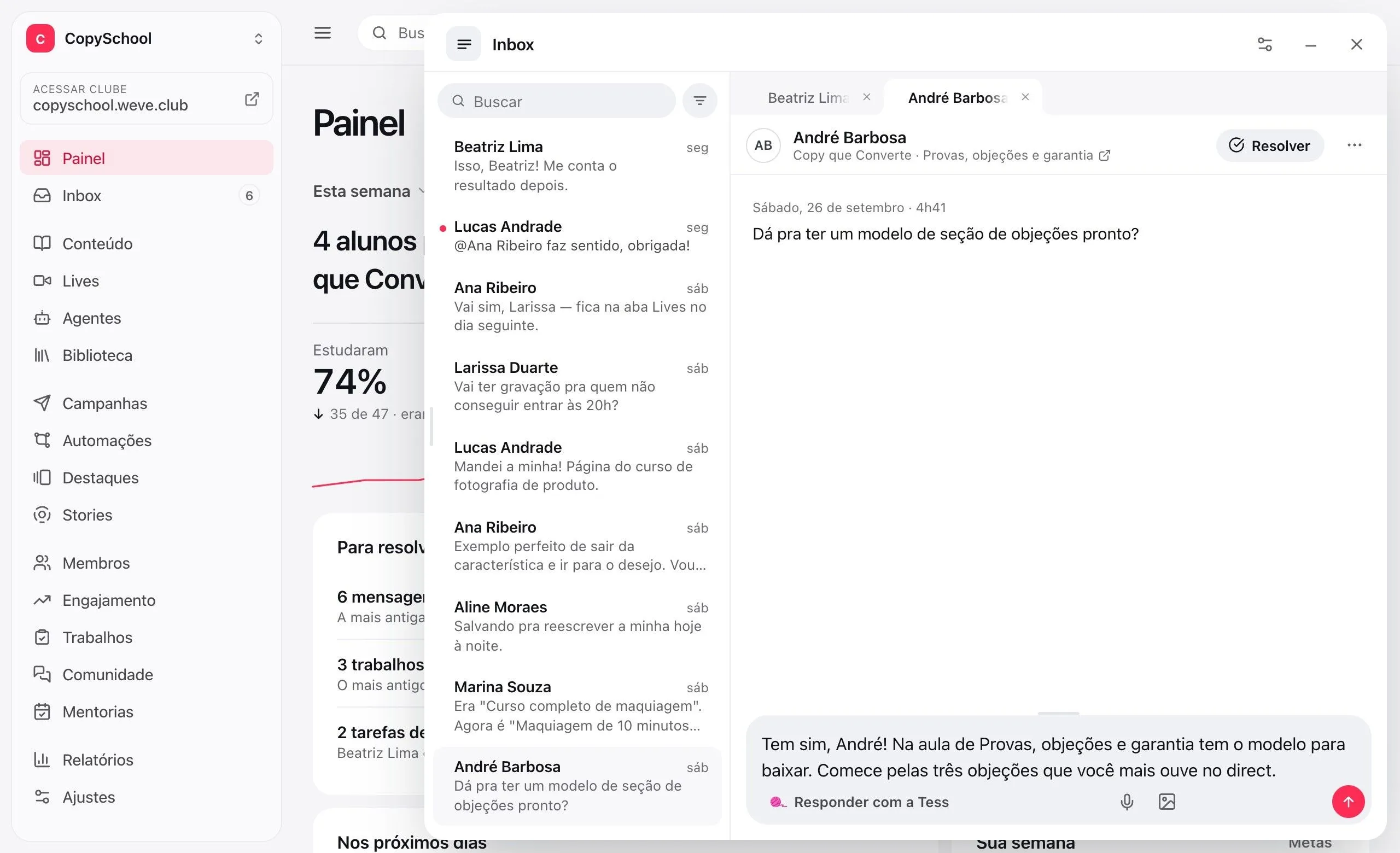
Lessons and community
Every conversation a student starts lands in the same place, with a link to where it came from.
One inbox for the team
Read by one, read by all. A resolved thread reopens on its own when the student writes again.
Opens on any screen
The Inbox opens on top of whatever you're doing, with several conversations in tabs.
The data is yours.
Take it whenever you want.
Students, enrollments and progress in a spreadsheet, or the whole club in a .zip. The file gets ready in the background and you get an email.
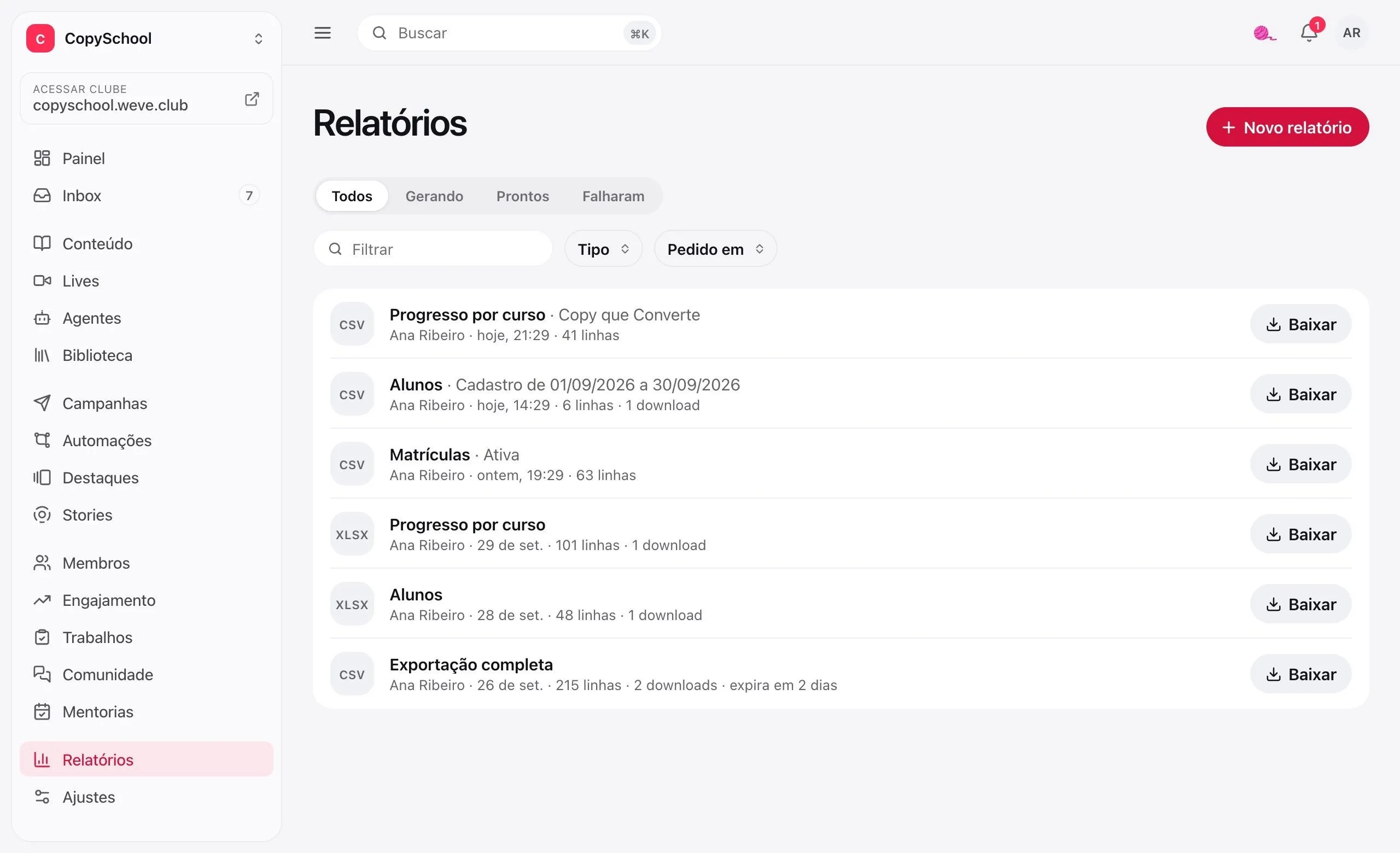
Students, enrollments and progress
Filter by period, status or course. The CPF comes along.
Full export
All of the club's data in a .zip, no filters. Before or after you cancel.
Opens right in Excel
CSV with accents, semicolons and São Paulo time zone dates, or XLSX directly.
It's on record
The file lasts 7 days, and the list shows who requested it and how many times it was downloaded.
Questions about the Dashboard.
Do the Dashboard and reports cost extra?
No. Dashboard, Engagement, Inbox and Reports come with the club. The Reach out button uses campaigns, which are an add-on.
Who on the team sees these numbers?
Whoever runs the club. Team members who don't admin it open their own schedule instead, with the lives they host and the mentoring sessions they lead.
Can I take my data with me if I leave Weve?
Yes. The full export brings students, enrollments and progress in a .zip, before or after you cancel.
Why don't the reports show sales?
Because the sale lives on your payment platform, and that's where it gets reconciled. Here you have what only exists here: who is in the club, what they can see and how far they've come.
Know who stopped before you lose the student.
Create the club, open the first class and follow the week from the Dashboard.