
Courses students finish.
Video, text and materials in the same lesson, with quizzes, certificates and release at your method's pace.
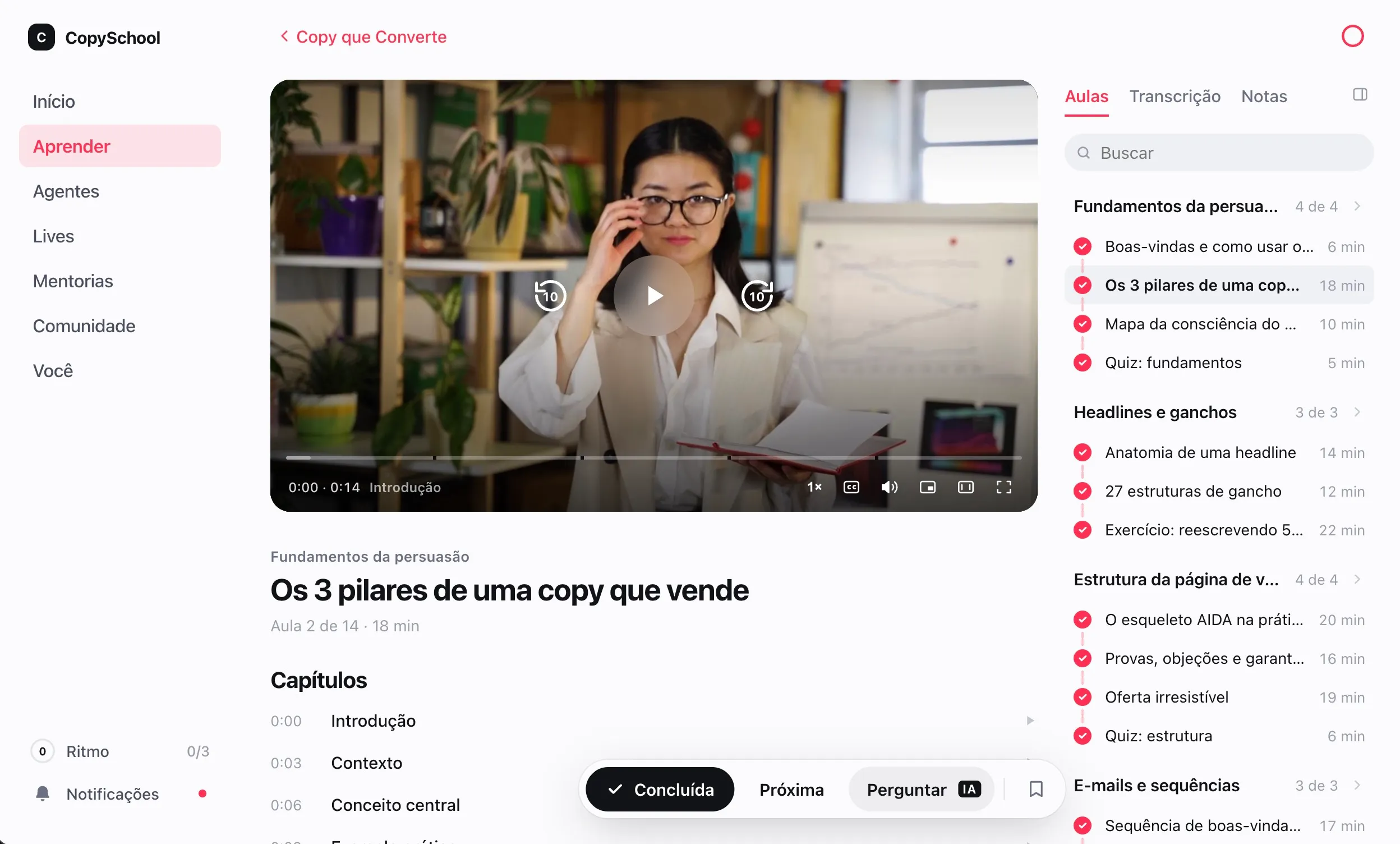
Video, text and materials.
On the same page.
Each lesson is built from blocks, in the order the content calls for. Students never have to leave it.
Video and audio
Hosted on Weve or brought in from YouTube and Vimeo, with chapters and transcripts.
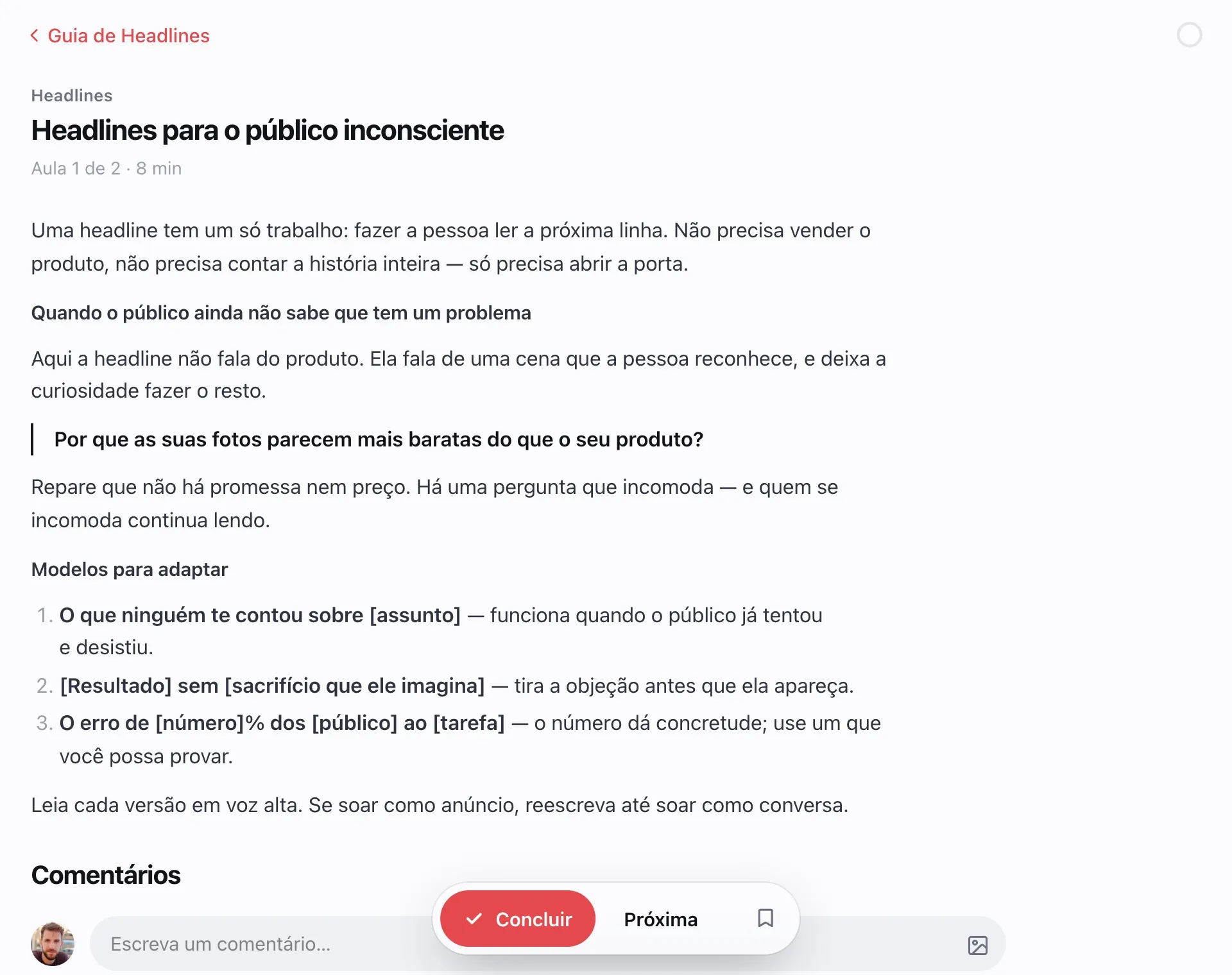
Real text
An editor with headings, lists and images. A written lesson reads as well as a good article.
PDFs and files
A handout to read in the lesson, and up to 20 downloadable files in each block.
Gallery and links
Up to 20 images in a single block, and the links the lesson recommends.
Did they learn it?
The lesson checks.
Quizzes grade on the spot, assignments go to your team and the certificate goes out on its own at the end.
Quizzes with a passing score
Multiple choice, graded on the spot. You decide whether the quiz holds back the next step.
Student assignments
Students submit their work in the lesson, and your team grades it all from a single queue.
Automatic certificate
Issued when the student completes every lesson, with your club's name and brand.
Public verification
Every certificate has a code. Anyone can check that it's authentic.
Course, ebook, masterclass
and repository.
Each piece of content in the format it's meant to be read in. All with the same entry, the same sale and the same access.
Course
Modules and lessons, in the order your method calls for.
Ebook
One full read, in text or PDF, with no modules in the way.
Masterclass
A single lesson, like the recording of a live session or a workshop.
Repository
Templates, spreadsheets and support materials on a searchable shelf.
Lots of content.
One path.
A learning path organizes what already exists, without changing anyone's access.
A ready-made path
Put courses and repositories in the order that makes sense, like From Zero to Your First Client.
In the student's Learn page
Each learning path becomes a row and gets its own page, with cards for its content.
Locked where it's missing
What the student doesn't have yet shows up locked, and shows what comes next.
Every lesson
at the right time.
By date, by time since joining or by what the student has already completed. The rules combine, lesson by lesson.
Days after joining
The lesson opens seven, fifteen or thirty days after access starts.
On a date
The new module opens on launch day, for the whole class.
After completing
The previous lesson, a module or a number of finished lessons unlocks what comes next.
Access with an end date
One year of access, or until a set date. It expires on its own, no side spreadsheet.
Getting back to the lesson
is easy.
The home page shows where they left off and what's new. Everything else stays saved for when they need it.
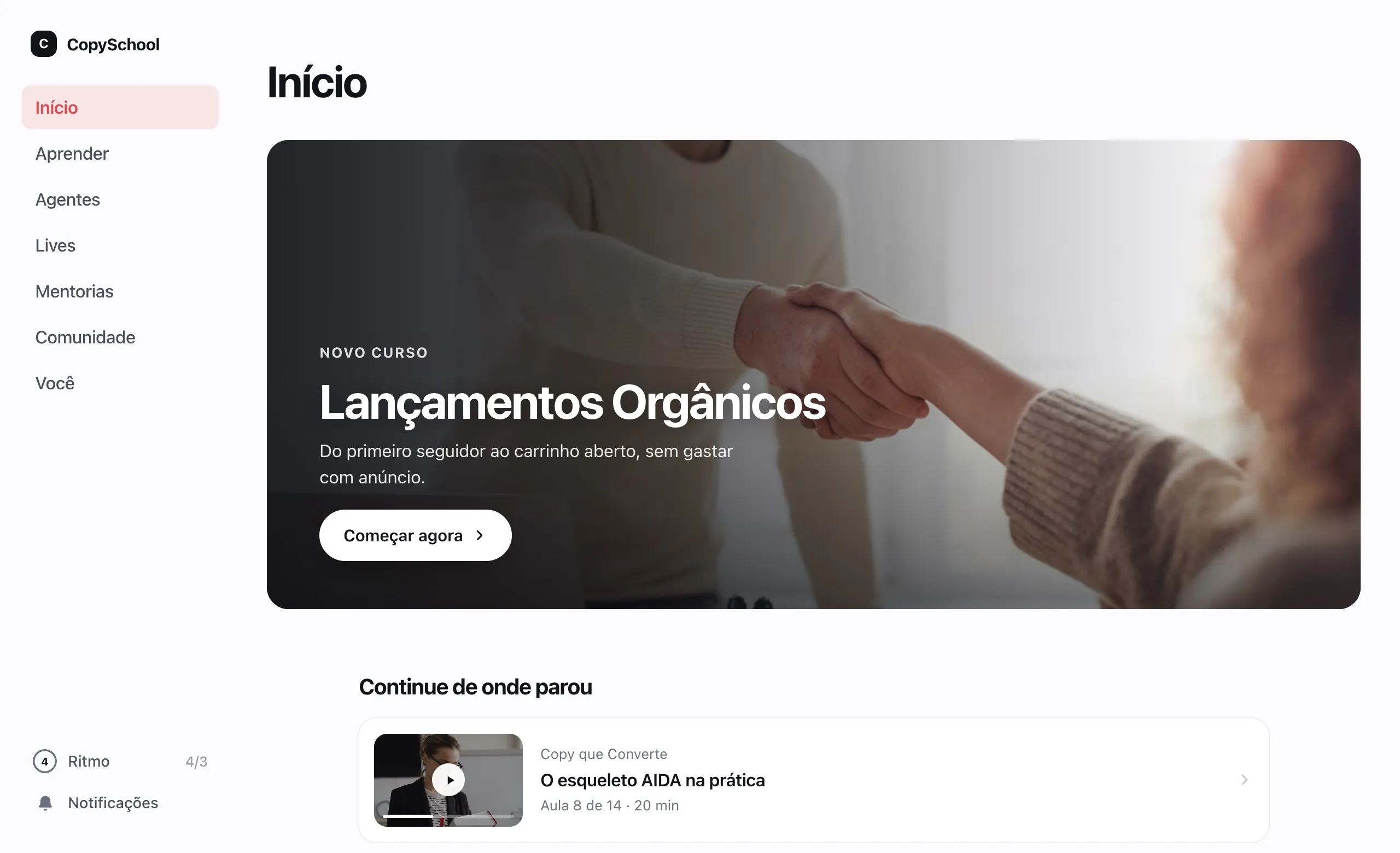
Pick up exactly there
Students return to the second they stopped, on any device.
Notes per lesson
Students' notes tied to the lesson, gathered on a single page.
Saved lessons
Whatever they want to revisit stays saved for later.
Search the whole club
One field, or ⌘K, finds courses, lessons, learning paths, mentoring and community posts.
Points and badges
Finished lessons, courses and quizzes turn into points, levels and a leaderboard, if you turn it on.
Whoever passes it on
gets identified.
No content is impossible to copy. Yours goes out marked with the name of whoever took it.
PDFs with the student's name
Every downloaded file goes out marked with the details of whoever downloaded it.
Details over the video
With SafeVideo or Panda Video, the student's details appear over the lesson as it plays.
Links that expire
File addresses only work for the session of whoever is watching.
Comes with the club.
Courses, ebooks, masterclasses and repositories, with no limit. Video hosting is an add-on.
Questions about courses.
How many courses can I create?
As many as you like: courses have no limit. The number of students and team members follows your club's plan.
Can I use videos I already have on YouTube or Vimeo?
Yes, at no extra cost: the lesson plays the outside video inside your club. Weve's hosting is an add-on, for those who want protected streaming, transcripts, captions in four languages and a summary of each lesson.
How do students get access?
Through the sale: Hotmart, Kiwify, Eduzz and Guru grant access to the course on their own when the purchase is approved, and other platforms connect by webhook. You can also import a spreadsheet of students or grant access by hand.
Does the certificate carry my brand?
It carries your club's name and brand, and a code anyone can use to check that it's authentic.
Publish your first course today.
Talk to an expert, build the first lesson and invite a student to take a look.