

Who's studying.
And who went missing.
The student list measures each one's engagement. Select several and grant access, add a tag or change the expiration at once.
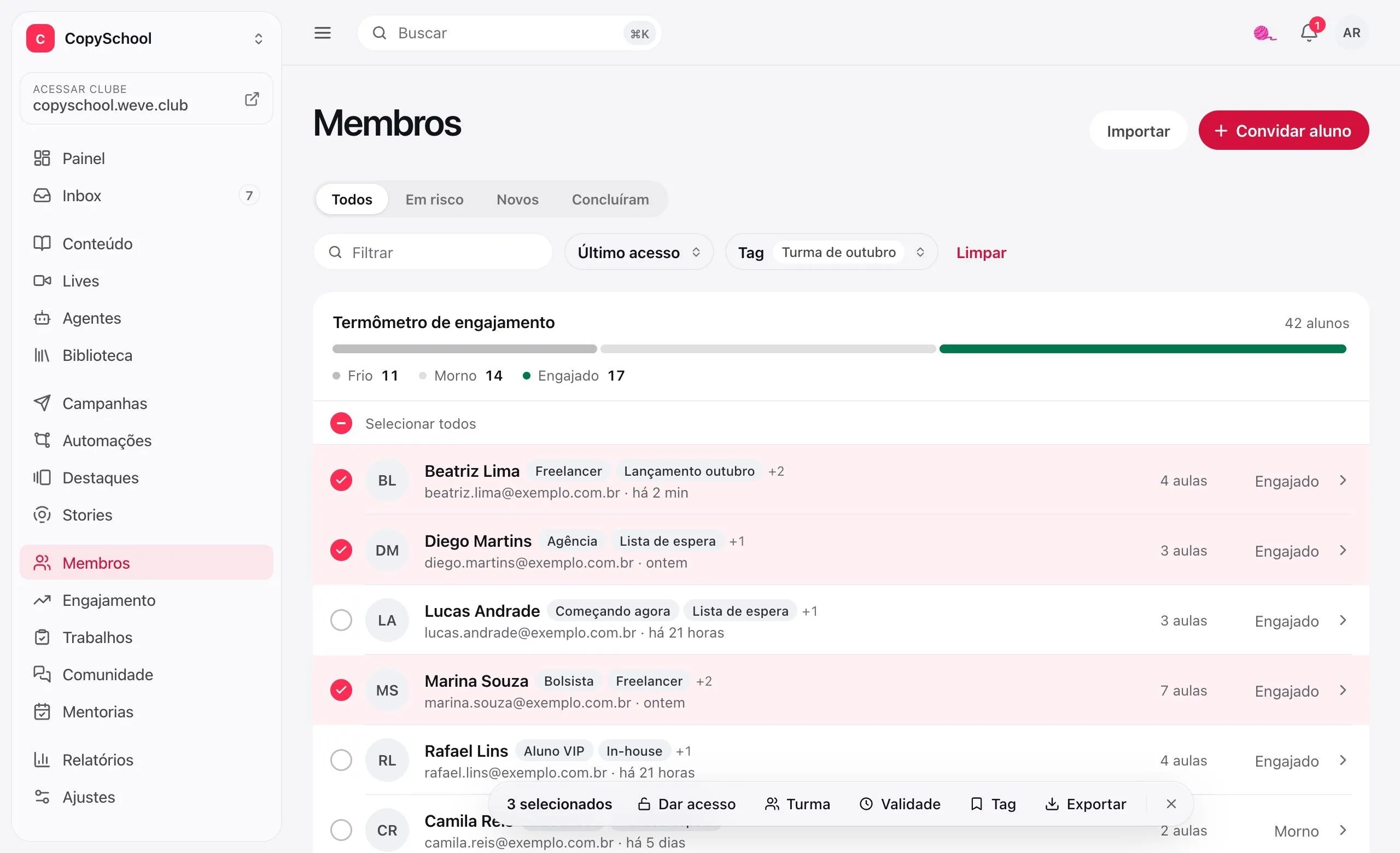
Know who cooled off
before they give up.
The thermometer shows the whole club. Each student's page shows where they stopped.
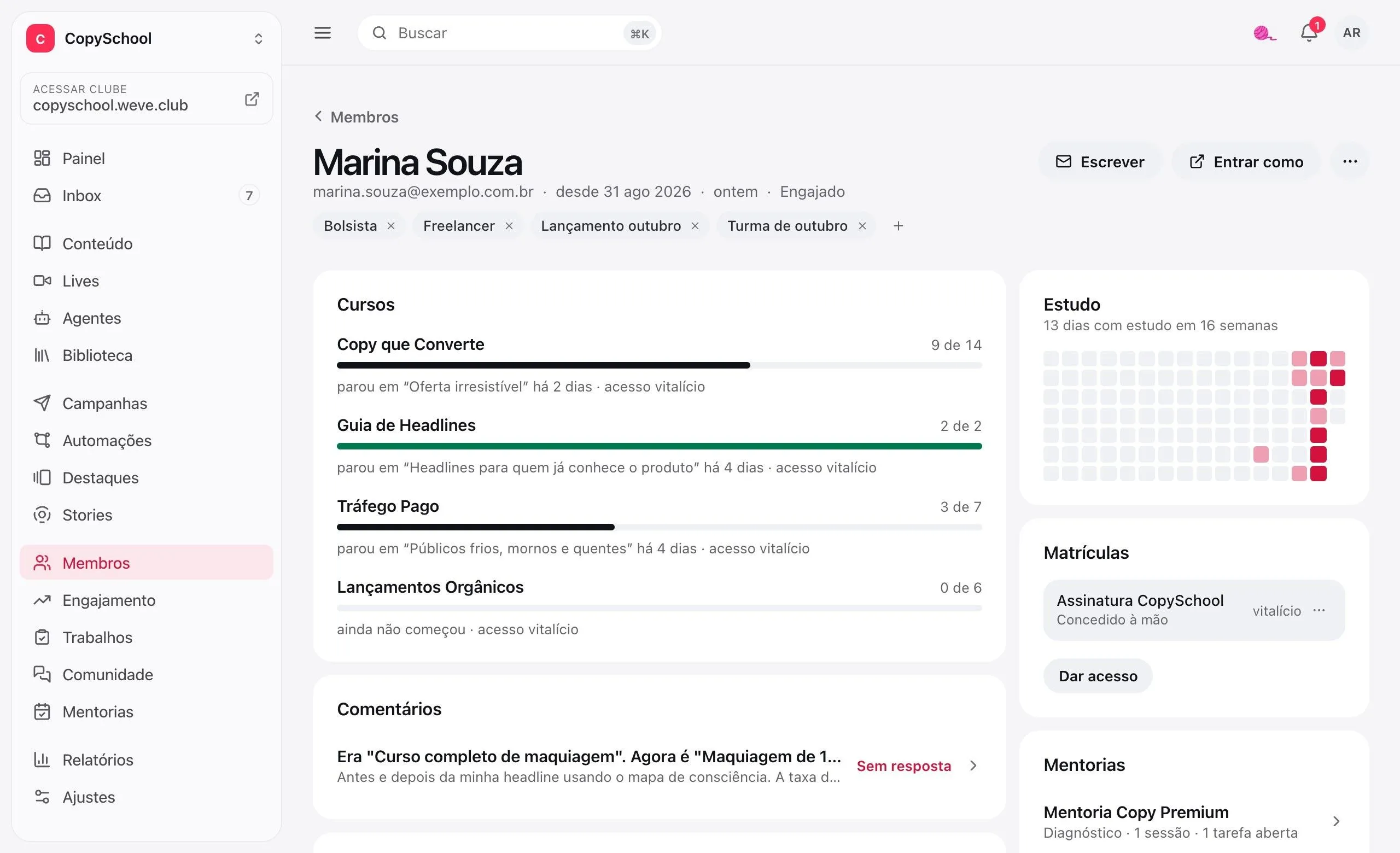
Club thermometer
Cold, warm, active or engaged, based on the last visit and the lessons finished this week.
At risk, first
One tab with who cooled off, another with who arrived this week and another with who finished a course.
Where they stopped
The student's page shows each course, the last lesson watched and the days they studied.
Log in as
Open the members area the way the student sees it, to check what they're telling you.
Bring the whole class.
Check before saving.
Upload the spreadsheet from your old platform and see where each row goes before importing.
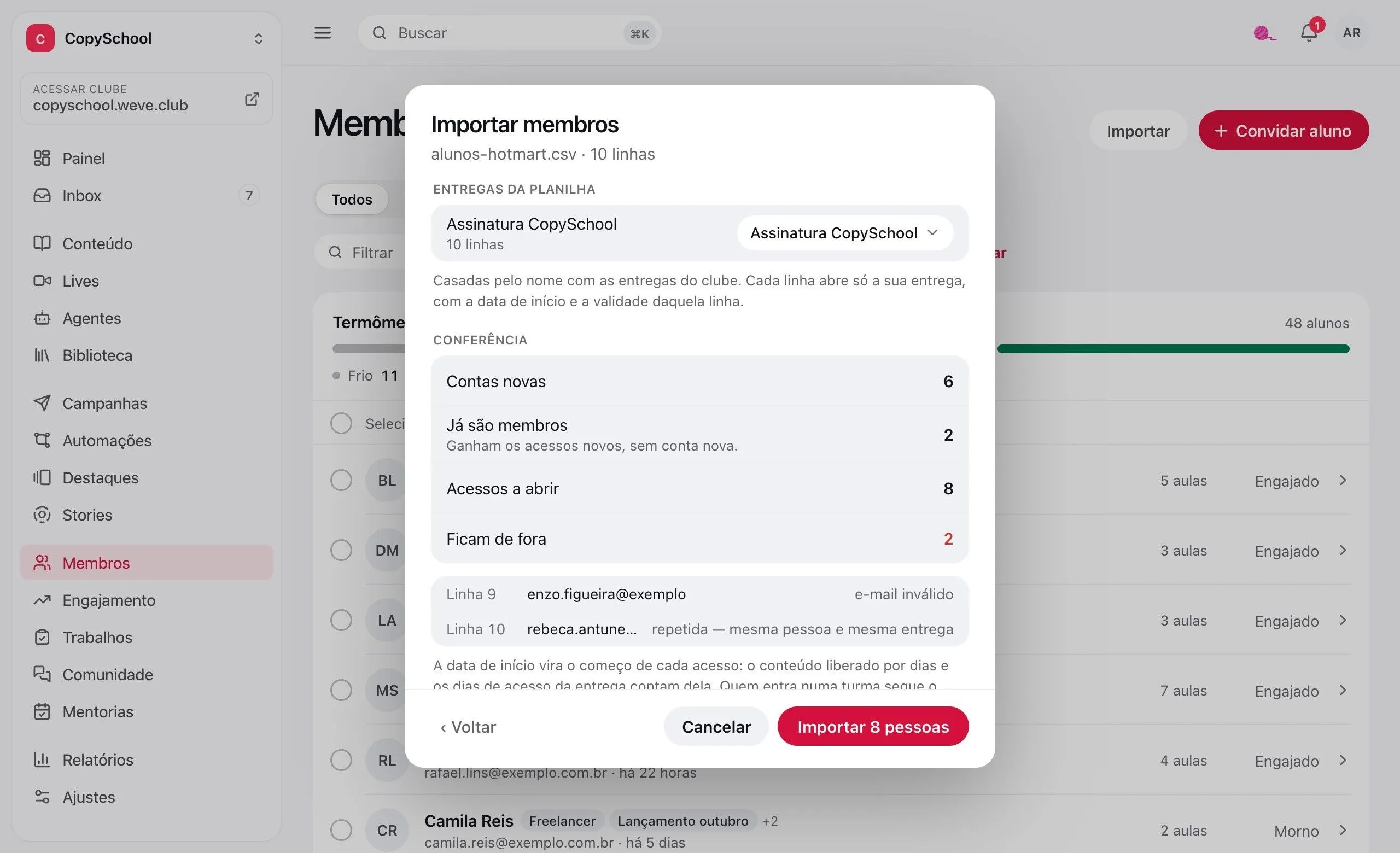
Check before saving
The preview tells who is new, who is already a member and which row is left out, and why.
Each one from where they were
Each row's start date becomes the start of access. Drip release counts from it.
Sign-up links
One address that creates the account and opens the content. With seats, a deadline and a switch to turn it off.
Classes and deadlines
Select several students and grant access, put them in a class or change the expiration at once.
Day one,
the way you want it.
First-time visitors watch a video of yours, answer a few questions and end up in the course you picked.
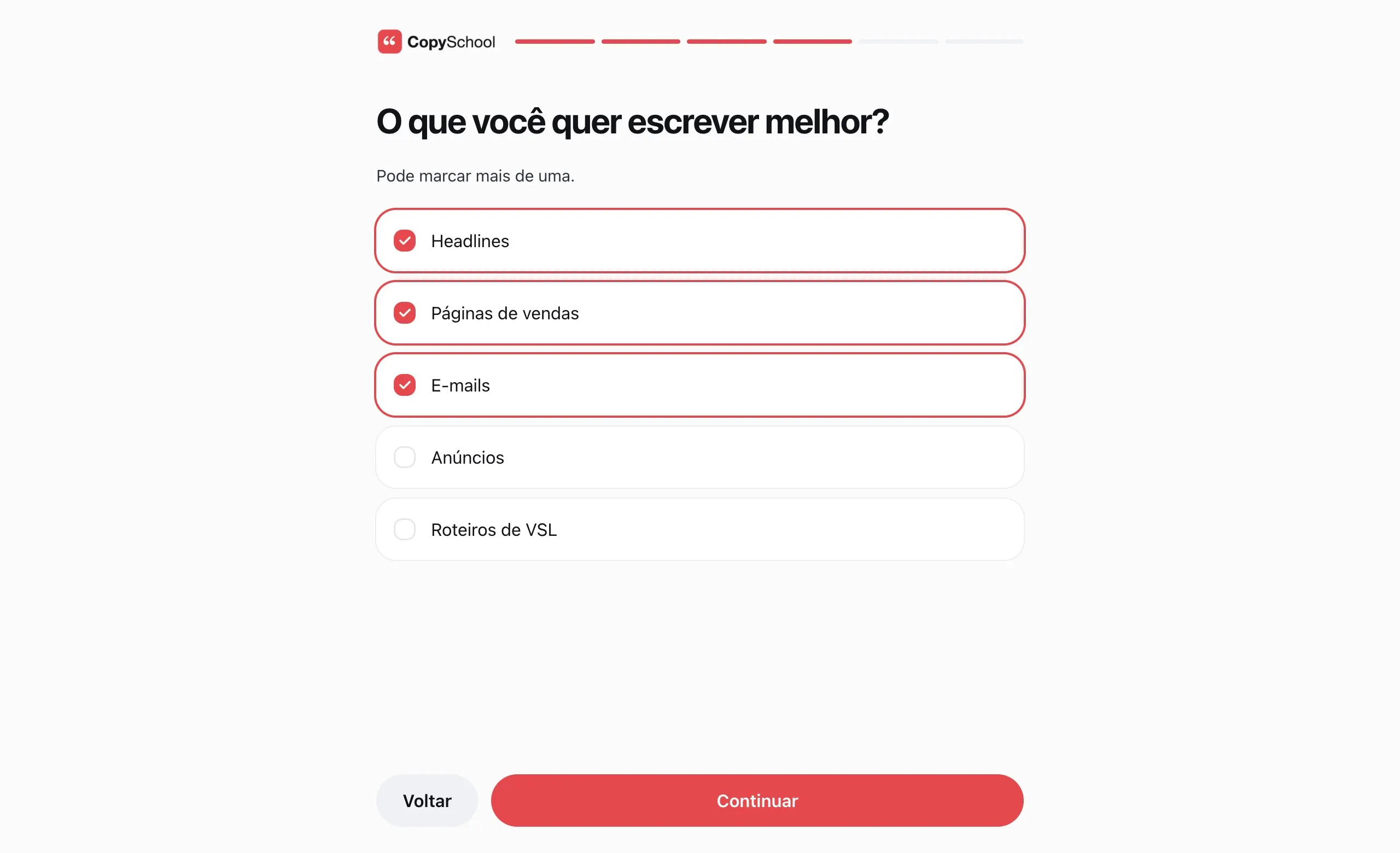
Before the first page
The steps take the whole screen on the first visit, after the terms, when the club has any.
The answer becomes a tag
Each option can add a tag, and the tag can start an automation.
New students only
Turn on the welcome in a busy club without blocking those who were already studying.
Ends where you want
On Home, in a course or in the community.
Build it in steps.
See it as the student does.
Text, video, questions, a link and the profile photo, in whatever order you drag them.
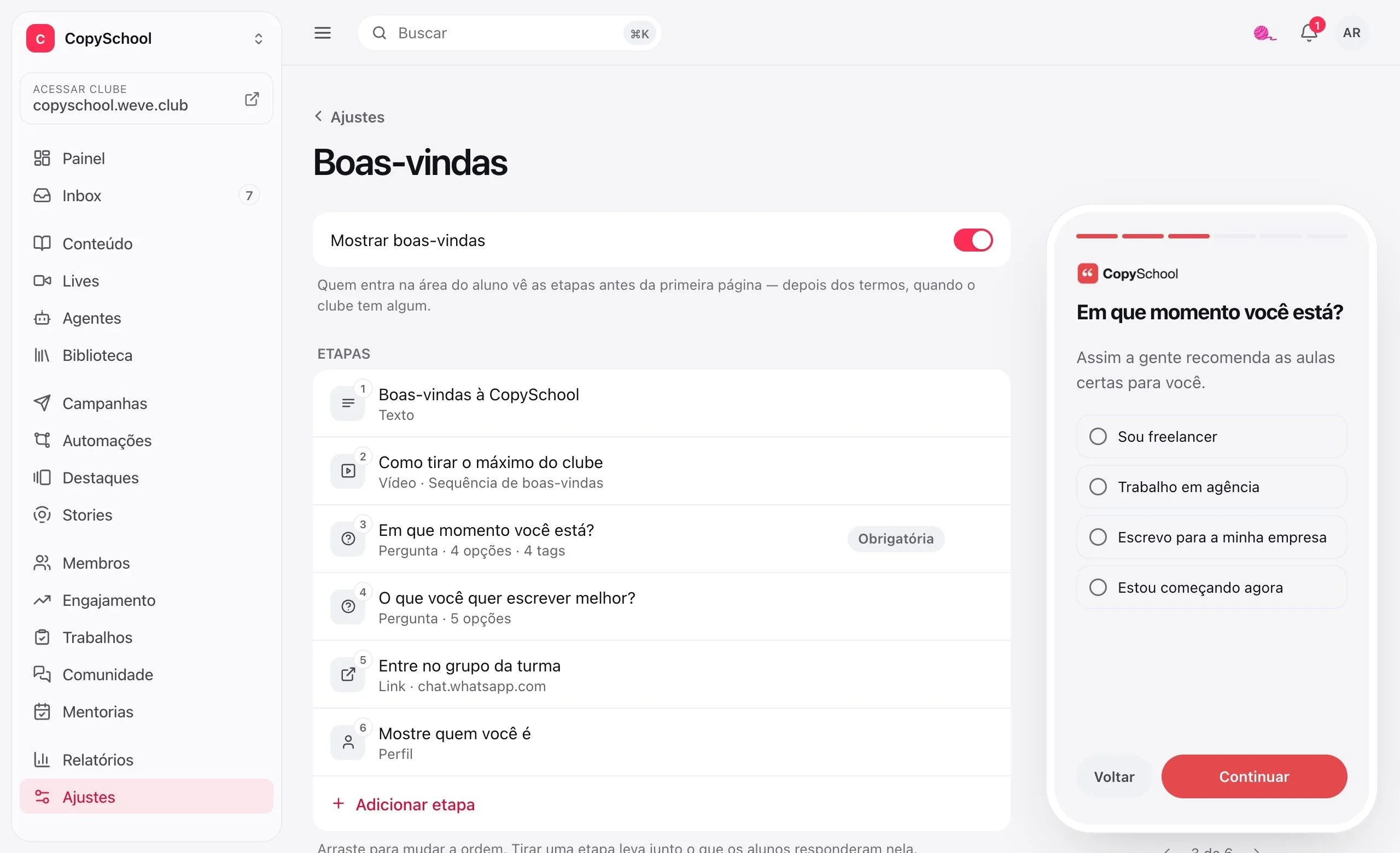
Five kinds of step
Text with an image, a video from the library, a question, an outside link and a photo with a bio.
Preview alongside
The phone in the dashboard shows each step the way the student will see it.
Required or not
A required question holds the student until they answer. The others they can skip.
Answers on the student's page
What each person answered stays on their welcome card.
Questions about members and access.
Do I have to pay extra for this?
No. Members, tags, import, sign-up links, welcome and terms come with the club.
Can I bring students from another platform?
Yes. Export a CSV spreadsheet — from Excel or Google Sheets works — with name and email, and if you want, CPF, delivery, start date and expiration. The preview shows where each row goes before saving, and importing the same spreadsheet again doesn't duplicate anyone.
Does an imported student get an email?
If you want them to. Those who don't have a password yet get a link to create one. Without the notice, the account is created silently and you send the link later, from the student's page.
Can I require students to accept the terms?
Yes. There are four: Terms of Use, Privacy Policy, Cookie Policy and Data Processing. A required one locks the members area until it's accepted, and publishing a new version asks everyone to accept again.
Can other people run the club with me?
Yes. The invite goes by email and stays on the list until the person accepts. The team size follows the club's plan.
What happens when I remove a student?
Name, email and CPF are deleted, sessions end and access is revoked. The record stays, without the personal data, because enrollments and history point to it.
Your students, in one place.
Create the club, upload the spreadsheet and see who's already there.