

Ask.
Tess does it.
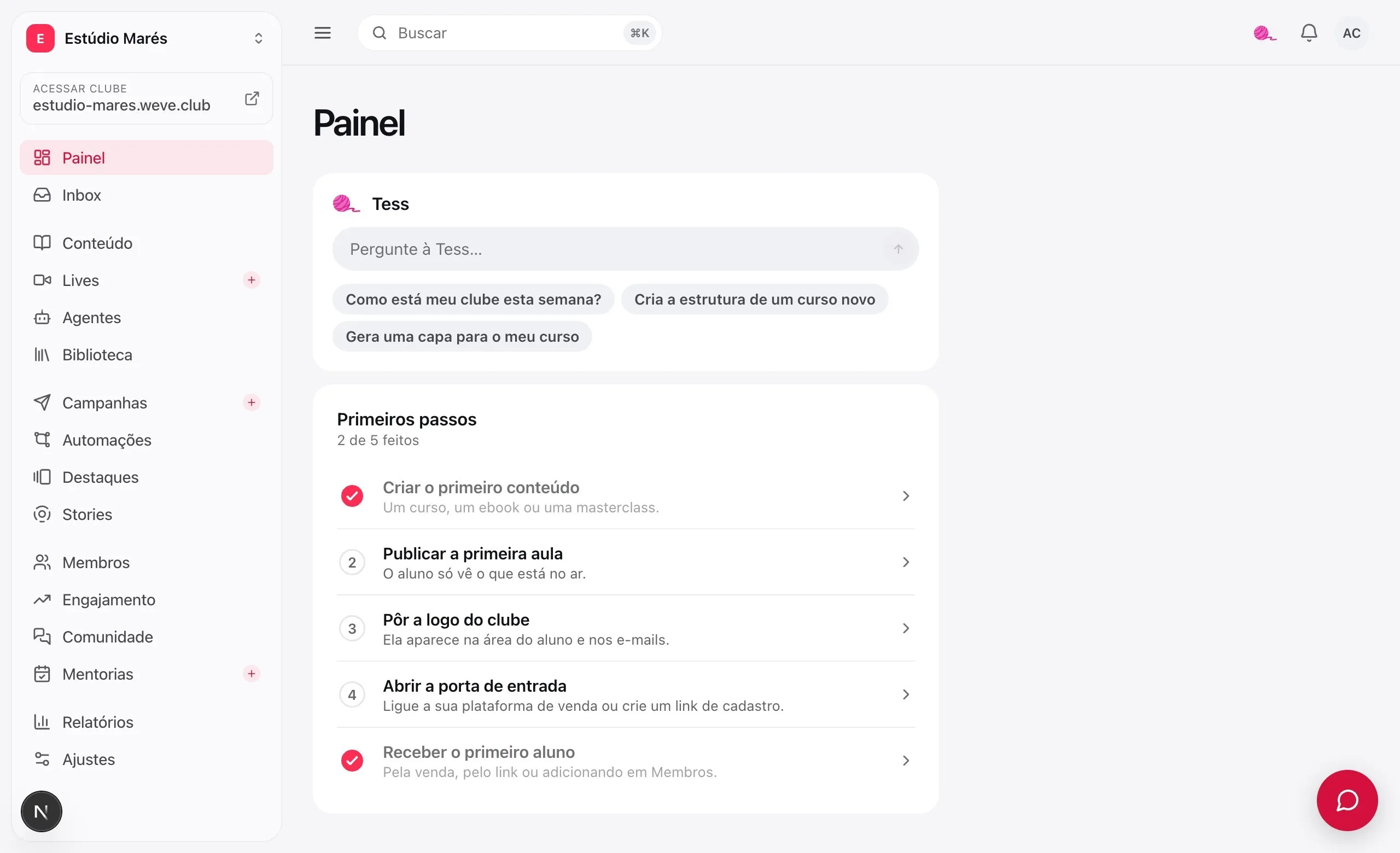
Your club's assistant. She talks to you in the dashboard and gets things done: creates the course, answers the student, writes the lesson, designs the cover.
Talks like you.
Acts like you.
Everything the dashboard does, Tess does through conversation, with your account and your role on the team. She shows each step as it happens.
Ask about the club
How many students studied this week, who stopped, where the class gets stuck. She looks it up and answers.
Ask and she does it
Create a course with modules and lessons, give a student access, schedule a campaign. The same actions as the dashboard.
Checks before what students feel
Publishing, sending an email, removing access: she asks, with buttons, before doing it.
Shows what she's doing
Every step shows up in the conversation as it happens, and the conversation is saved.
Reply with Tess.
Write with Tess.
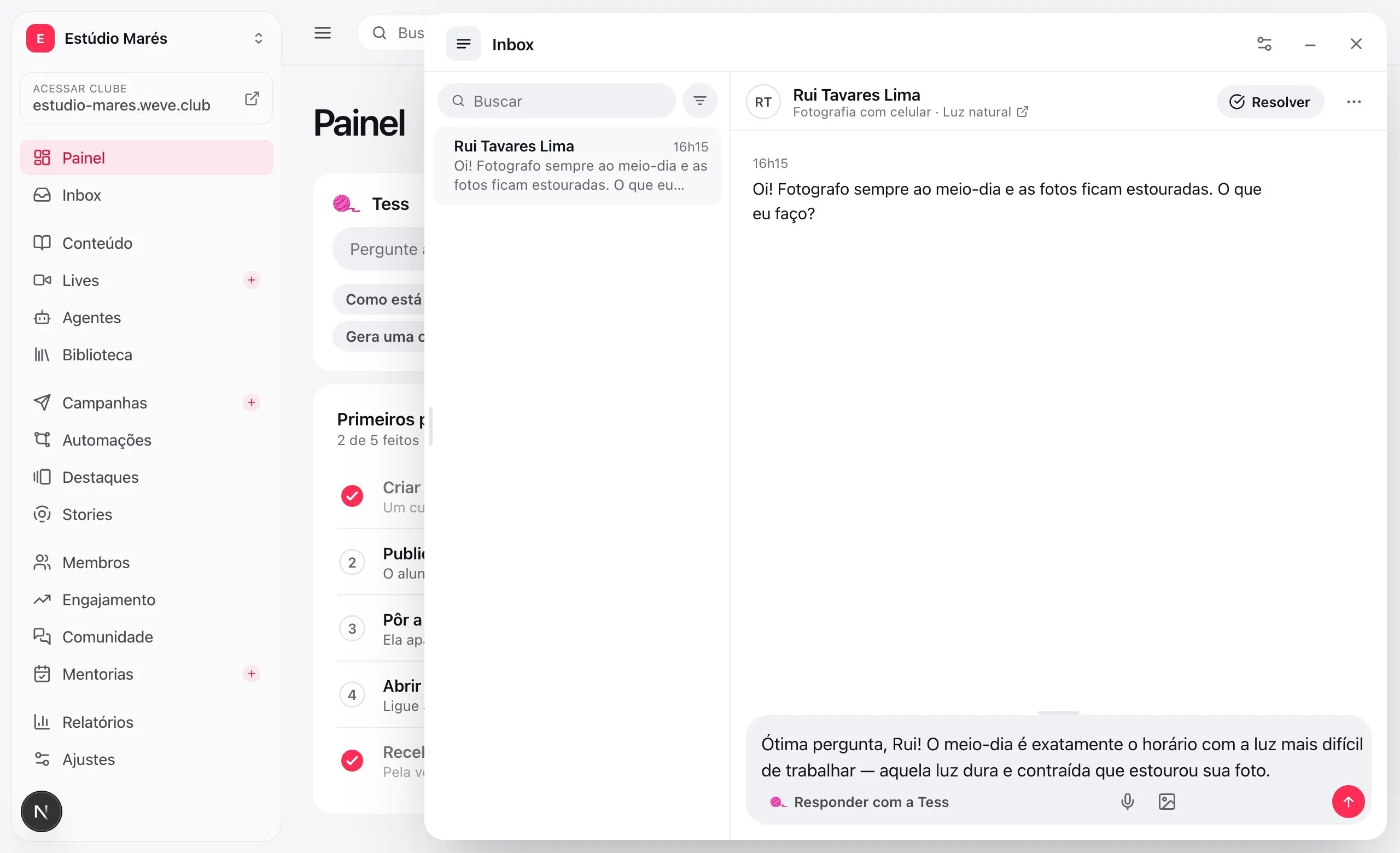
A button where the work is: in the Inbox, in the lesson, on the content list. She suggests, you review, and the text goes into the field with one tap.
Reply with Tess
In the Inbox, she reads the comment and the lesson and suggests a reply. One tap, and the text goes into the field for you to review.
Write with Tess
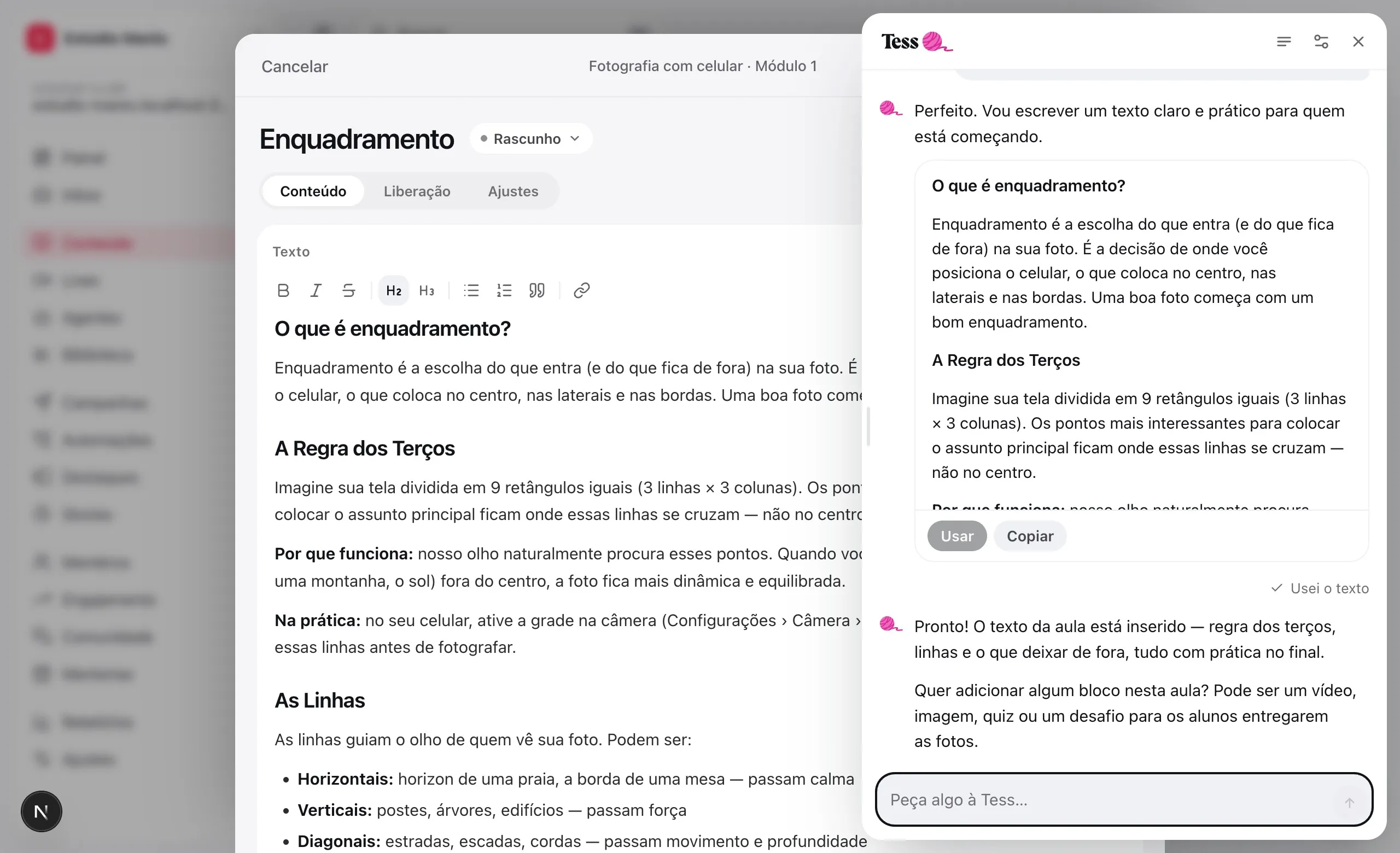
In a lesson, she writes the text with subheadings and lists. Accept it, and it becomes a block in the draft.
Create with Tess
On an empty content list, she asks for the topic and builds the structure of your first course.
The lesson, written.
The way you asked.
Tell her the focus and the level. The text arrives with subheadings and lists, and goes into the lesson as a draft block — nothing goes live until you hit Save.
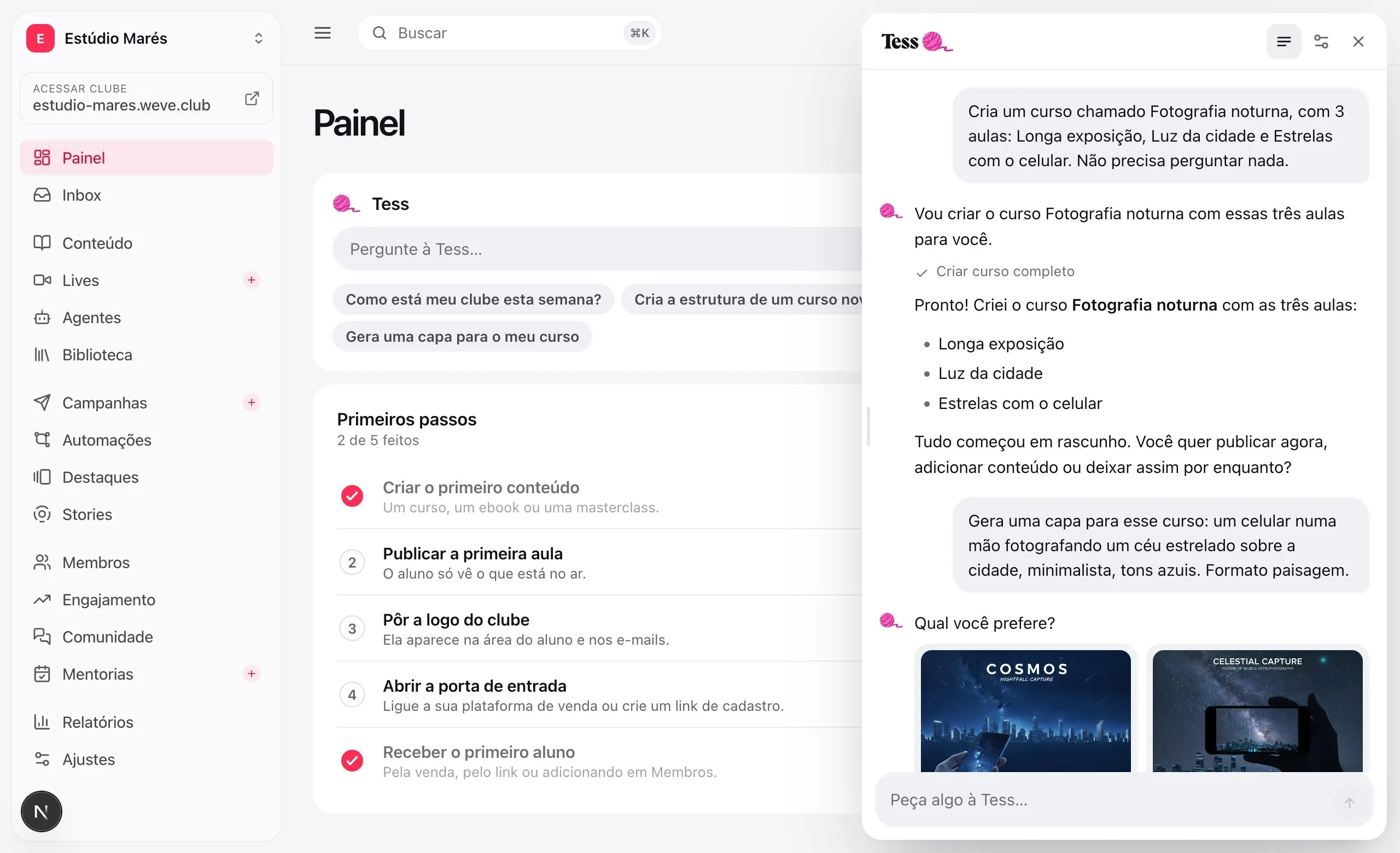
Describe the cover.
Pick the best one.
Two options per request. The one you keep goes to the library, and Tess puts it on the course if you ask.
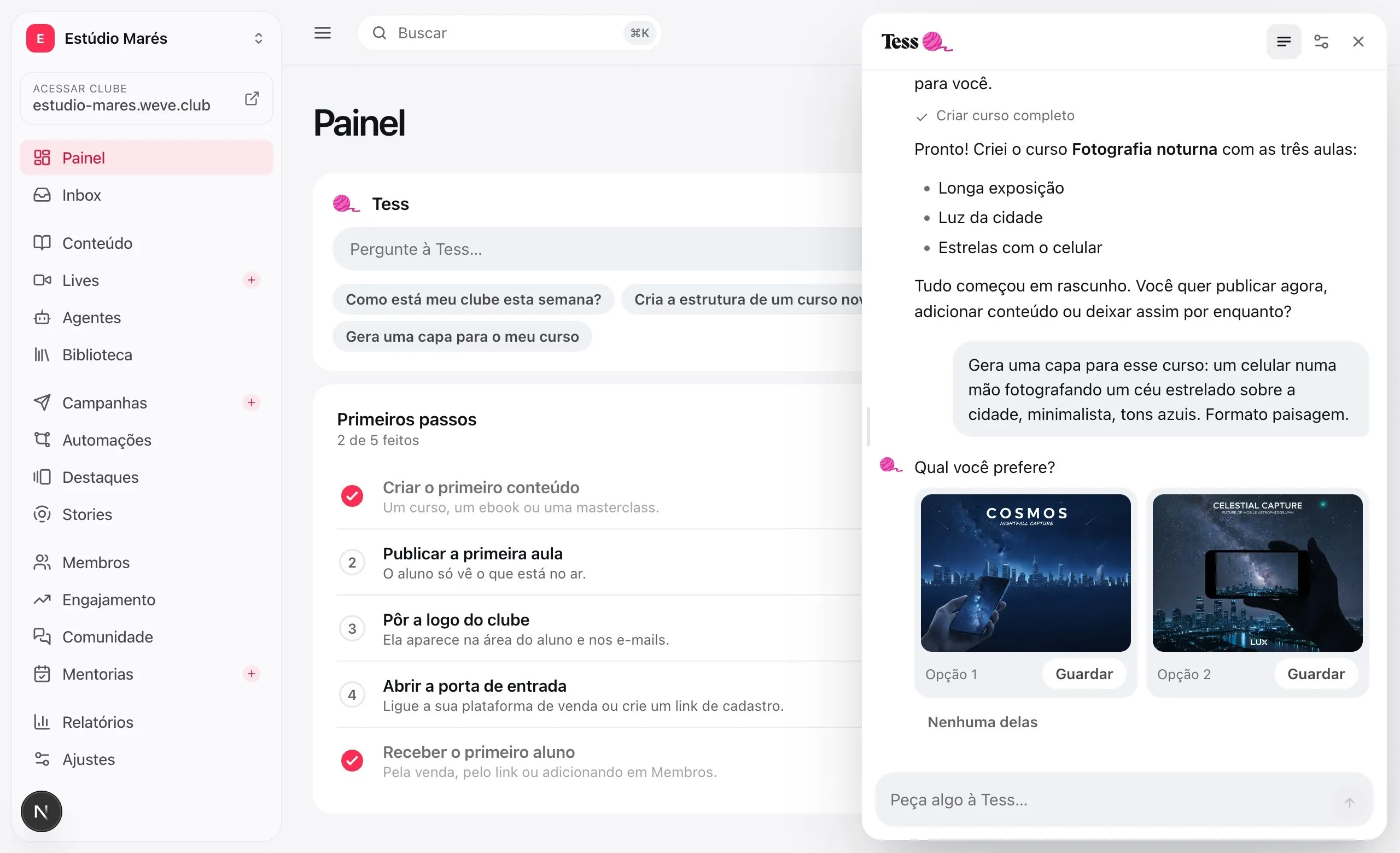
Two options per request
Describe the cover and she draws two. Pick one, or ask for something different.
In the library with one tap
The one you pick goes to the club's library, like any image of yours.
And right on the course
Ask her to apply it and she puts the cover on the course, in the same conversation.
Does what you can.
Nothing more.
Tess has no power of her own: she uses your account, checks with you before anything students feel and can't reach what's sensitive.
Acts as you
She only does what your account can do in the club, with your role on the team.
Hands off what's sensitive
Billing, team, domain and credentials are out of her reach, by design.
The house style
Admins write instructions that apply to every conversation: what to call the class, what to prefer.
Your conversations are yours
Each person on the team has their own conversations. Nobody reads a colleague's.
Questions about Tess.
Does Tess cost extra?
No. Tess comes with the club. The AI add-on is something else: the agents and the course assistant that answer your students.
Can she do something I didn't want?
She only does what your account can do in the dashboard, and before actions students feel — publishing, sending an email, removing access — she checks with you. Billing, team, domain and credentials are out of her reach.
Does the text she writes go straight to the student?
No. The comment reply and the lesson text go into the field on the screen as a suggestion. You review it, change what you want and then send or save.
Does Tess read my students' conversations with the agents?
No. Tess talks to you about the club and uses the same screens and actions as the dashboard. Students' conversations with the agents are a separate thing, and they stay where they were.
Which AI is behind it?
Models from Anthropic for the conversation and from Google for the covers, chosen by Weve. There's nothing for you to set up.