

The club in your pocket and on your desk.
For admins.
Answer students and publish a story from your iPhone. On the computer, the dashboard in a window just for Weve.
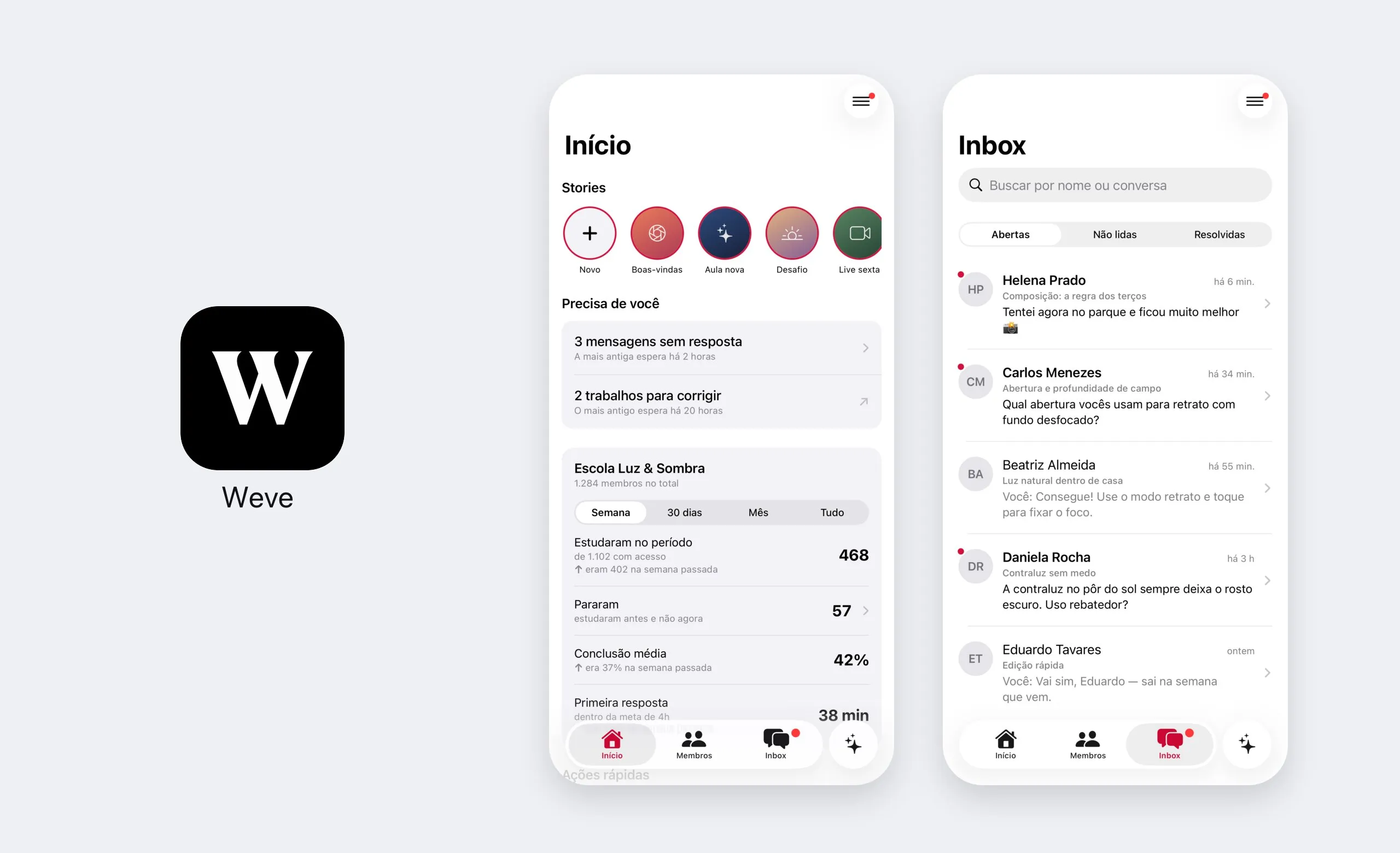
Open the app,
see what's pending.
What's waiting for you comes first. Below, the club's week in four numbers.
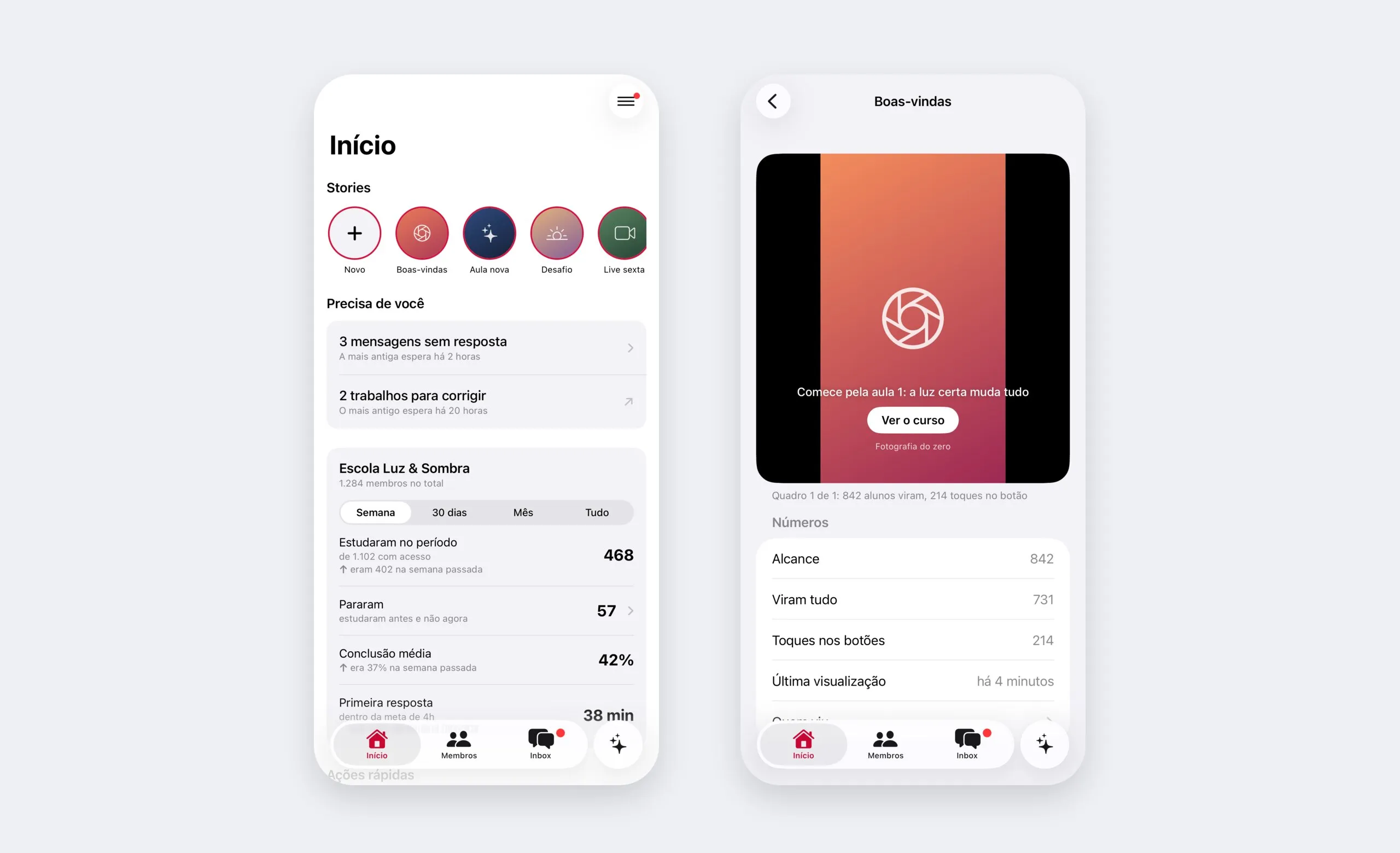
Needs you
Unanswered messages and assignments to grade, with whatever has been waiting longest.
The club's week
How many studied, how many stopped, the average completion and your team's first response time.
Who stopped
Tap the number and see who used to study and disappeared, so you can bring them back.
Stories from your phone
Record or pick from your gallery, add the caption and the button, and publish. The numbers come along.
A question came in.
The answer goes out from here.
Students' questions on lessons, in the same queue as the dashboard. Replying from your phone counts the same as from your computer.
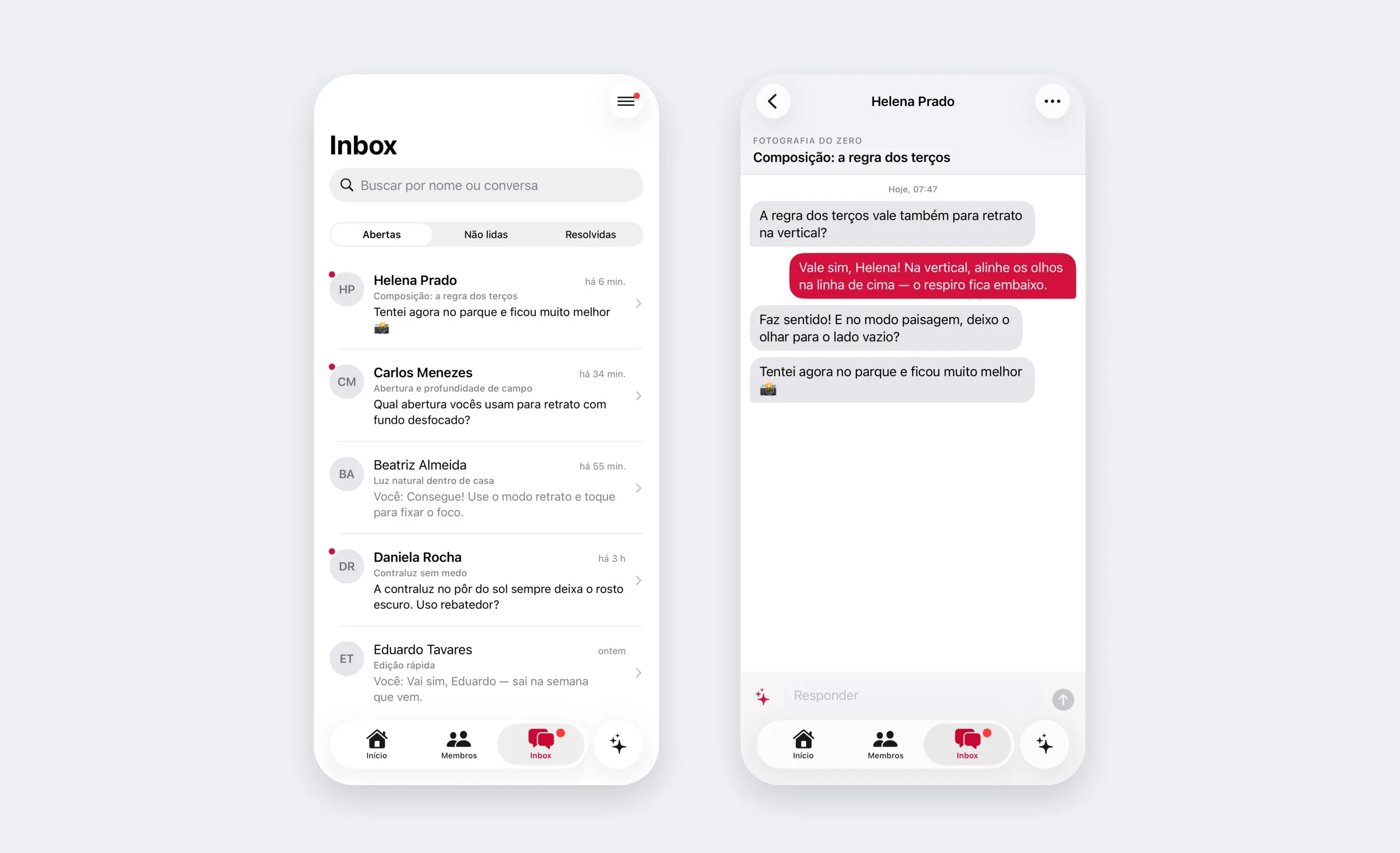
The lesson alongside
Each conversation shows which course and which lesson the question came from.
Open, unread, resolved
Reply, resolve and reopen. A resolved conversation comes back on its own when the student writes.
With Tess
Call Tess from inside the conversation to help with the reply.
Student can't get in?
Fix it in one tap.
Find the member, send the access link, unlock the course. And if you need us, Support is in the menu.
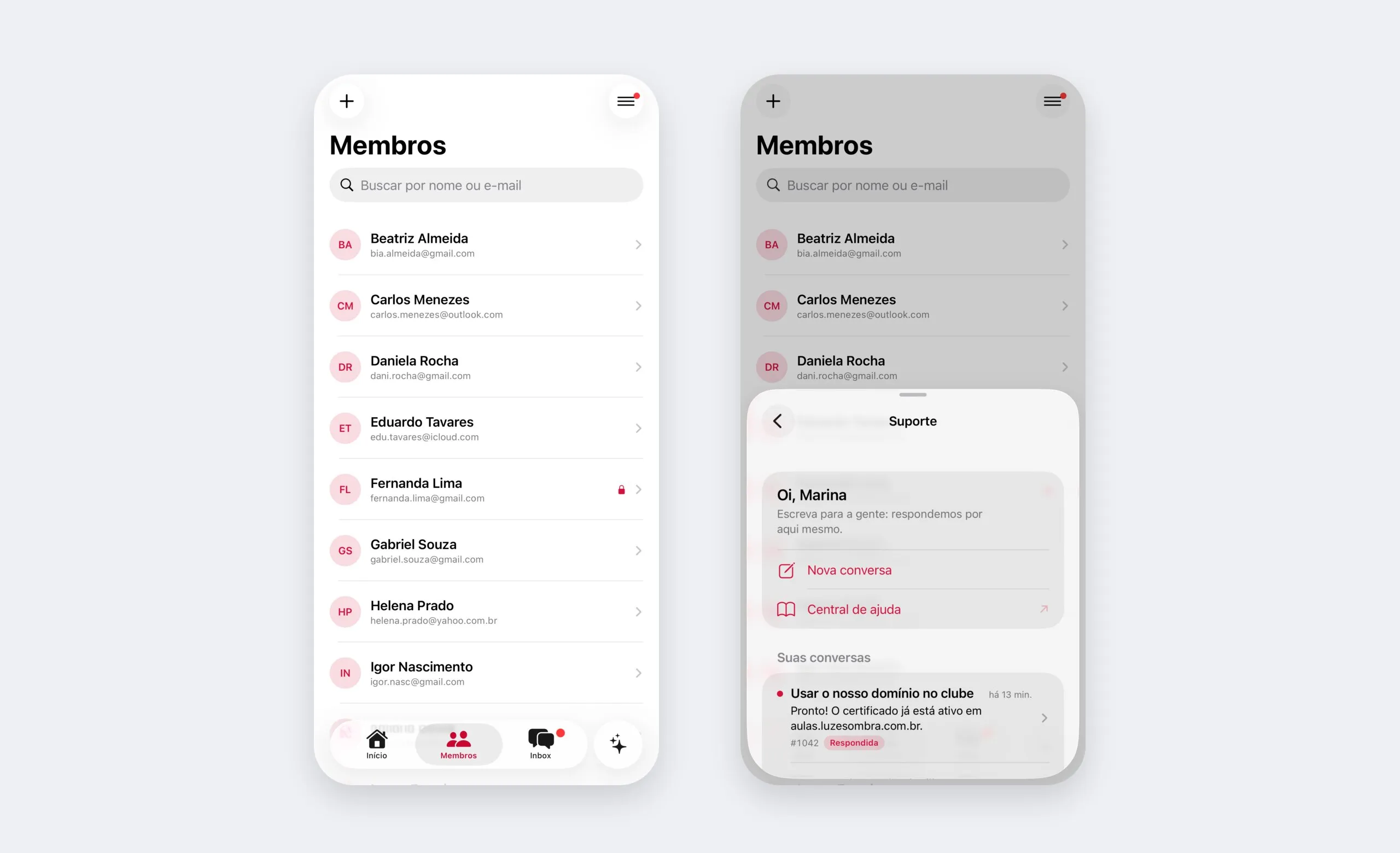
Search and invite
Find people by name or email, or invite someone new: the invitation arrives by email.
Access link
For those who can't get in: a link to set a password and sign in.
Grant and revoke access
Unlock a course, with or without an end date, or revoke what the member has.
Weve support
Talk to us and follow your ticket right in the app.
The dashboard got
a window of its own.
The desktop app is the dashboard you already use, outside the browser: with tabs, an icon in the Dock or taskbar and automatic updates.
The whole dashboard
Everything the dashboard does, in a window just for Weve, away from your browser tabs.
Tabs
Members in one tab, the course in another. On Mac, the system's own tabs.
Links in the browser
Anything outside Weve opens in your browser, like any app.
Always up to date
New versions arrive on their own and kick in when you reopen the app.
Comes with the club.
The apps are for your whole team, no add-on needed.
Questions about the apps.
Do the apps cost extra?
No. The Weve apps come with the club, for everyone on the team.
How is the desktop app different from the dashboard in the browser?
Not at all in what you can do: it's the same dashboard. The app just gives Weve its own window, with tabs, an icon in the Dock or taskbar and automatic updates.
Which computers does it run on?
Mac, with Apple Silicon or Intel, and Windows 10 and 11. On Windows, the first download may show a SmartScreen warning: just click More info and then Run anyway.
Do students use these apps?
No. These are the apps for admins. Students get into the club from the browser or from the club's app, with your club's name and icon.
How do I sign in?
With the same email as the dashboard, using your password or a six-digit code, which arrives on WhatsApp if your phone number is confirmed, or by email.
I have more than one club. Do I need another account?
No. Switch clubs from the menu, on the same account.
Can I do everything from the app?
From the iPhone app, the day-to-day: replying, taking care of members, publishing stories and following the numbers. Building courses, campaigns and club settings stay in the dashboard, in the browser or in the desktop app.
The club doesn't wait for you to get to your computer.
Create the club in the dashboard and sign in to the apps with the same email.