

Team training.
Somewhere they actually open.
The company's courses in a club with your brand, on computers and phones. And you see who has finished and who hasn't started yet.
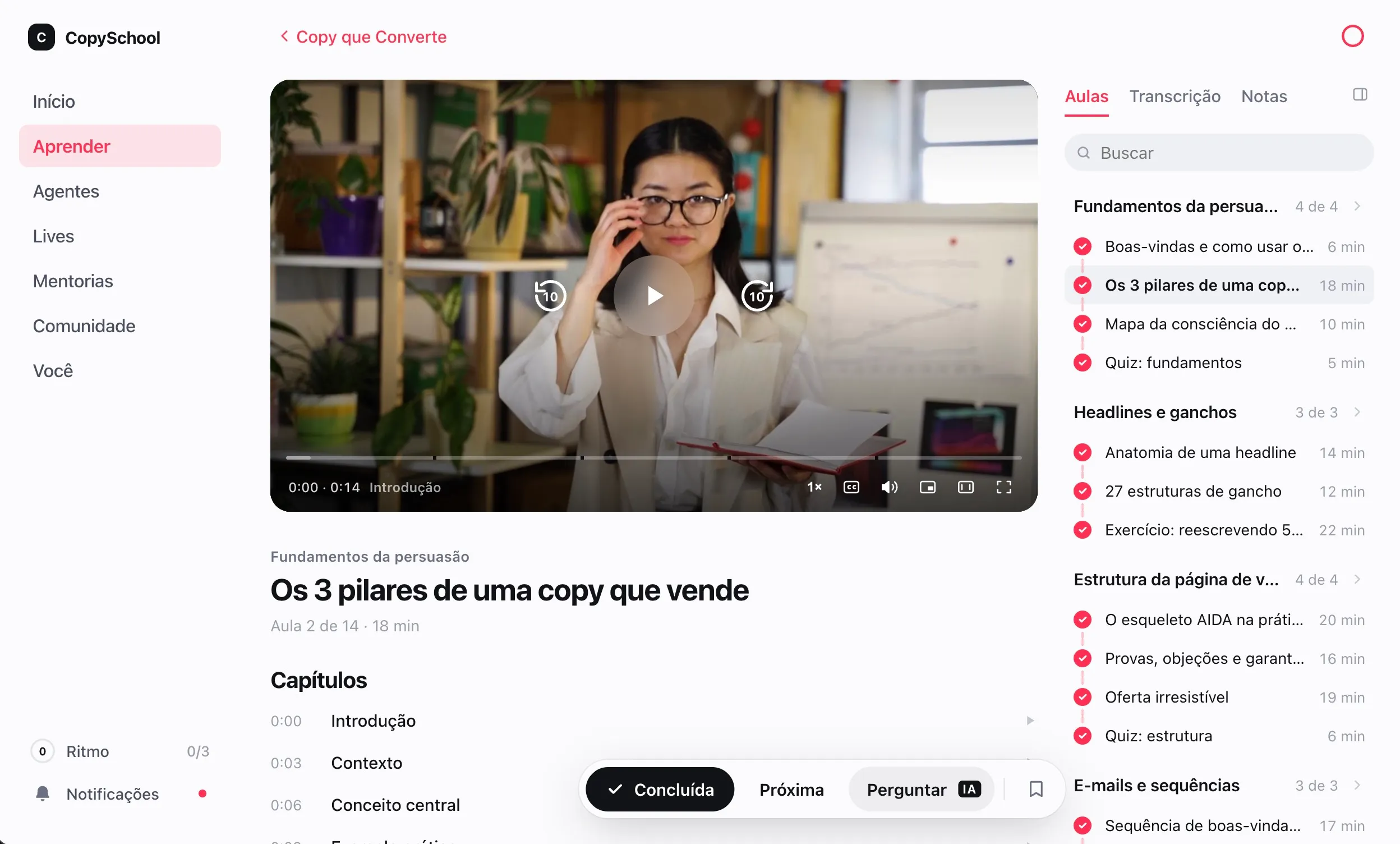
The whole team in.
On day one.
Upload the HR spreadsheet, split by department and release one module at a time.
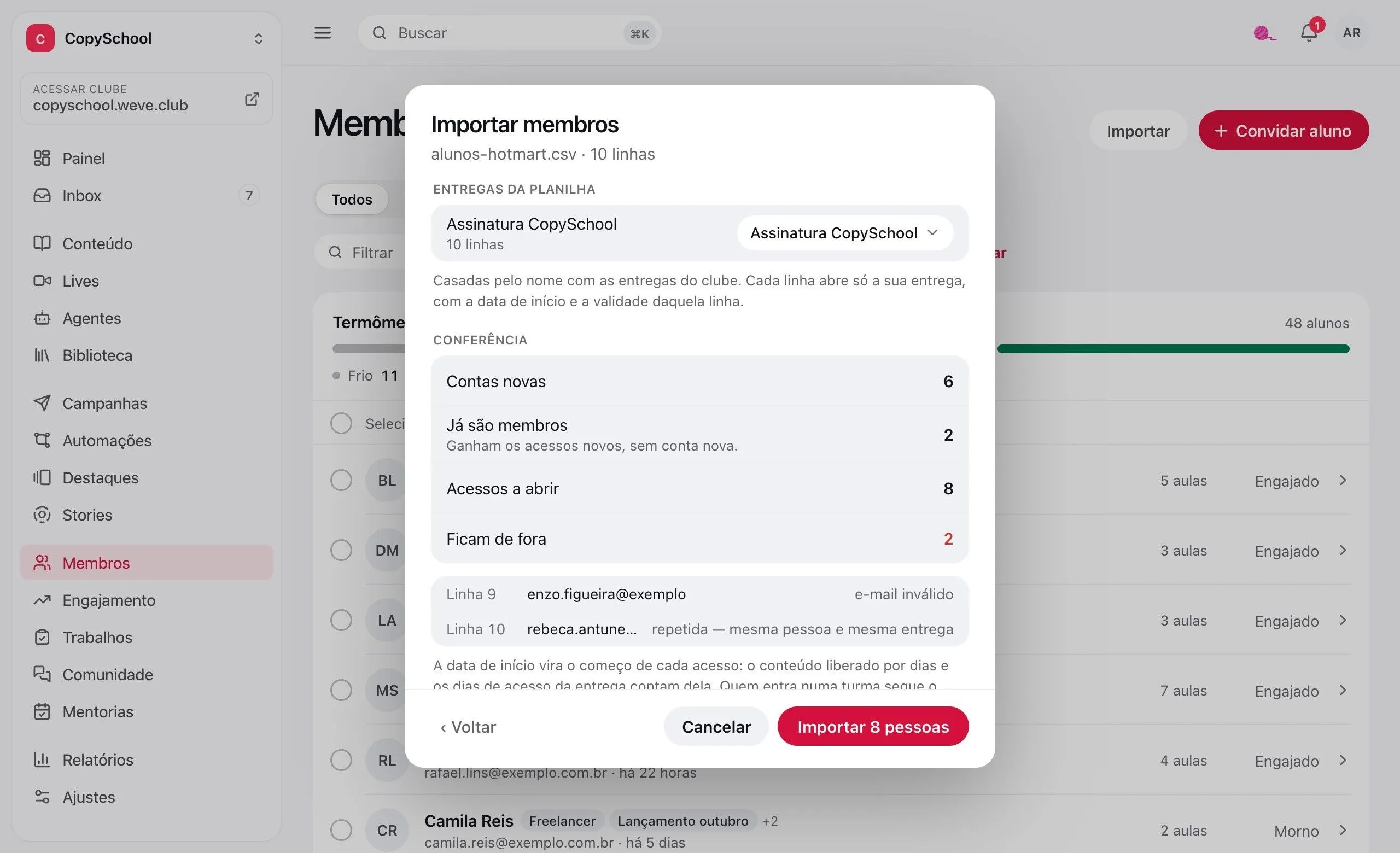
The HR spreadsheet
Upload everyone's name and email. The preview shows who's coming in, who was already there and which row is left out, and why.
A link for new hires
An address that creates the account and opens the training. With a seat limit, a deadline and a button to turn it off.
One class per department
Sales, support, leadership: each class sees its own courses. Tags handle the rest.
One module at a time
Release counts the days since each person joined. Module two opens in the second week.
Who's done.
Who hasn't even started.
Each person's progress, the point where the class gets stuck and a reminder for those who never signed in.
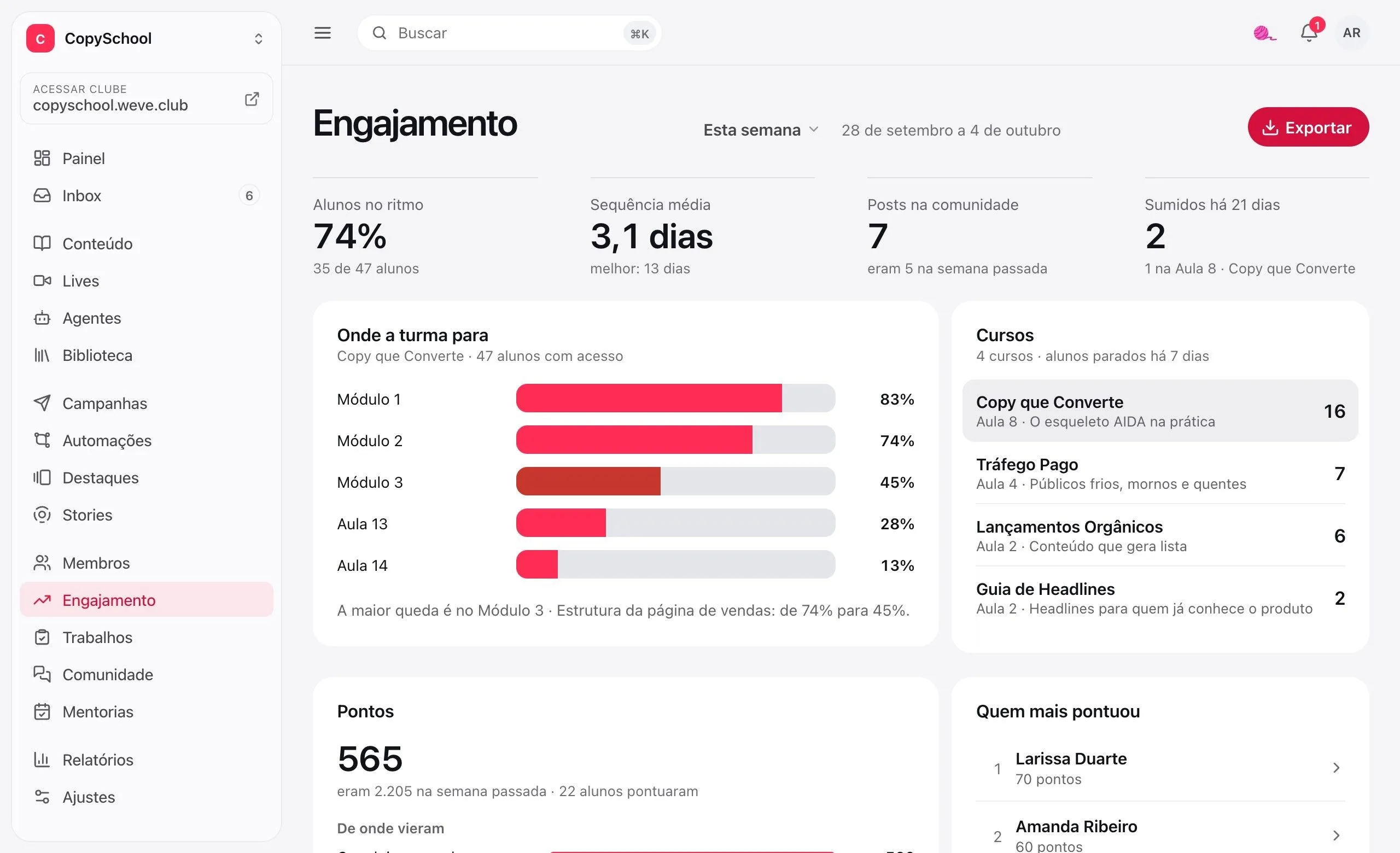
Where each person stopped
Each person's page shows their courses, the last lesson watched and the days they studied.
Where the class gets stuck
Each course's funnel shows how many make it from one module to the next, with the biggest drop highlighted.
A reminder for those who haven't started
Anyone who got access and never signed in gets a reminder email, with your text.
In a spreadsheet
Progress per course exports to CSV or Excel, to add to the report HR already puts together.
Watched isn't learned.
Here you can tell.
Quizzes that hold the next step, certificates anyone can verify and terms accepted before the first lesson.
Quizzes with a passing grade
Graded instantly. You decide whether they hold the next step until the person passes.
Certificates
Issued automatically when the course is finished, with a code anyone can verify.
Terms with acceptance
The club's terms show up before the first lesson. A new version asks for acceptance again.
The PDF says whose it is
Every downloaded material carries the details of whoever downloaded it.
With the company's look.
At the company's address.
Your team signs in at training.yourcompany.com and finds the logo and colors they know.
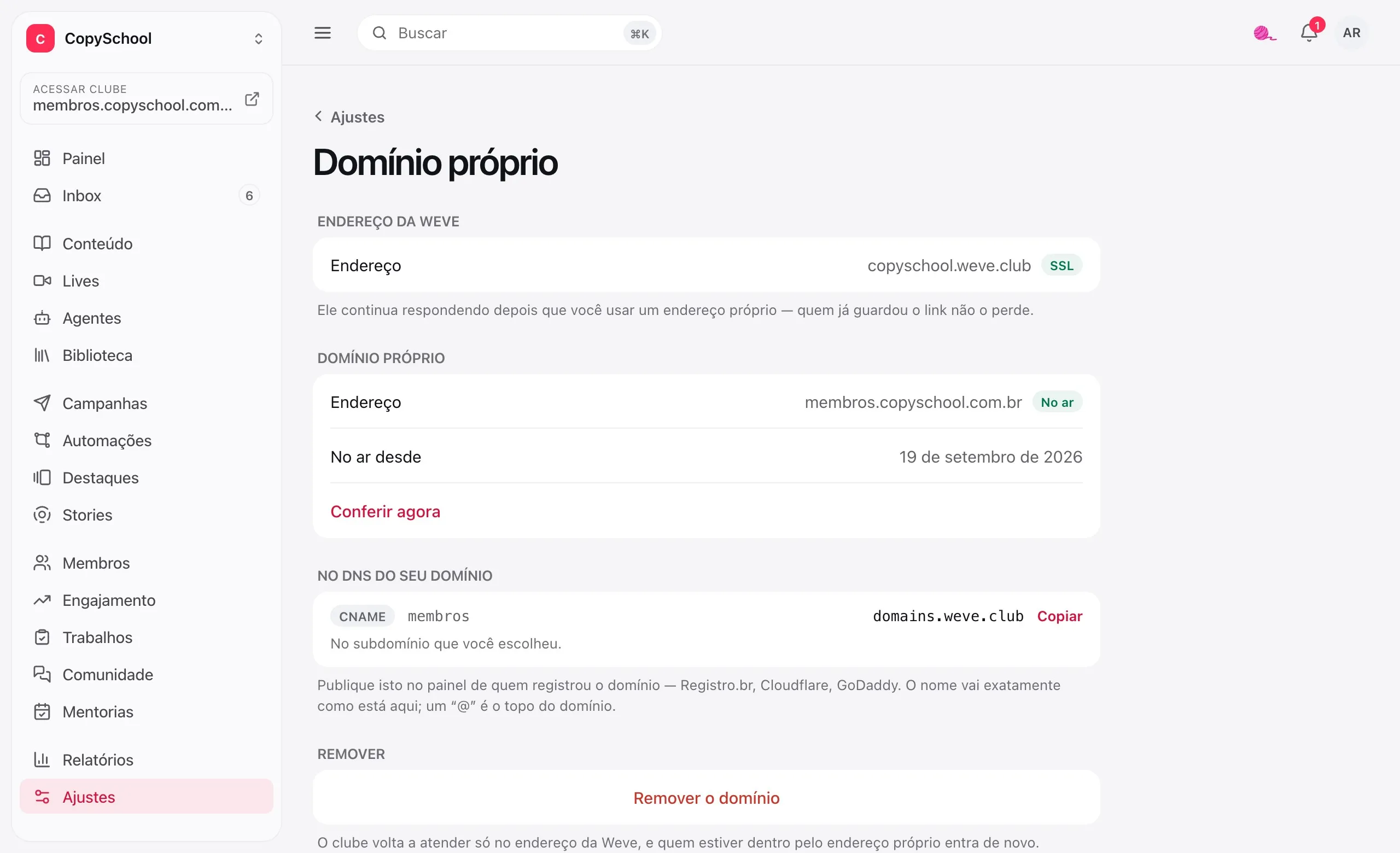
With the company's brand
Logo, colors and the club's name, in lessons, certificates and emails.
At the company's address
training.yourcompany.com. Weve takes care of HTTPS.
On phones
The club installs from the browser, with its own name and icon. No app store, no IT.
Questions from people who train teams.
How much does it cost?
It depends on the number of people in the club. We put the proposal together with you in the conversation with the expert.
Do I need someone from IT?
No. Everything is done in the dashboard, in the browser. The only technical step is a custom domain, which needs one DNS record — and the screen tells you which.
Can people sign in with the company's Google or Microsoft account?
Not yet. Each person signs in with their email and a password they create. If signing in with the company account is the deal-breaker, let us know.
Can I set a deadline to finish the training?
Access can expire, and those who haven't signed in get the reminder email. A completion deadline that chases late people on its own doesn't exist yet.
I have people in other countries. Does it work?
It does. Each person uses the club in Portuguese, English, Spanish or French, and gets emails in the same language. The training shows up the way you wrote it, and the admin dashboard is in Portuguese.
Who builds the courses?
You do, with video on YouTube, on Vimeo or hosted on Weve, and PDFs alongside. If the training already lives on another platform, our team handles the move.
What about the team's data?
Weve handles the data as a processor, under the LGPD (Brazil's data protection law), and only to keep the club running. The rules are in the data processing document.
Tell us how training works today.
We'll show you Weve with your company's courses and set up the club with you.