

Mentoring without spreadsheets.
Scheduling, sessions, goals and follow-up on every mentee — in the same club as your content and your community.
Mentoring shouldn't
be this much work.
The more mentees, the more open tabs. A spreadsheet here, a calendar there — and the full picture nowhere.
A tracking spreadsheet
Out of date since last week. Nobody knows which stage each mentee is at.
Scheduling over WhatsApp
“Does Tuesday work? No, Wednesday.” Ten messages to book a one-hour session.
Scattered tools
Calendar in one place, tasks in another, recordings in Drive. Every piece a separate subscription.
No view of the whole
Who's stuck? Who's been gone for two weeks? You only find out when it's too late.
Every mentee
on one board.
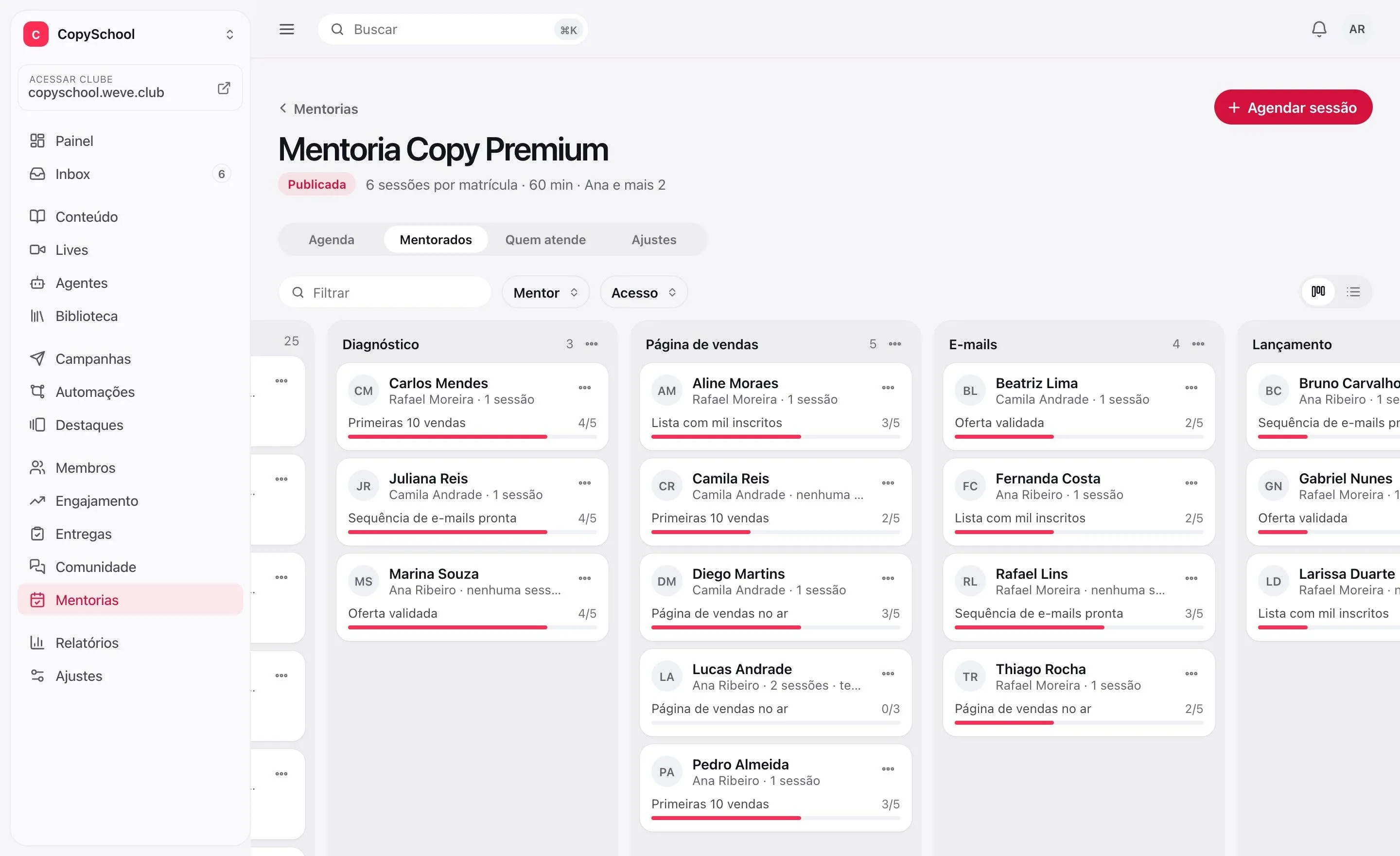
Each one at the stage they're in. Whoever needs attention shows up without you opening a spreadsheet.
Your method's stages
Diagnosis, execution, launch — the board follows your process.
Drag to move forward
New phase, drag the card. The date they entered the stage is saved.
The goal on the card
Each mentee shows the goal in progress and how many tasks they've closed.
Sessions booked
without the ping-pong.
Mentees see the mentor's open slots and book on their own. Confirmation and reminder for both.
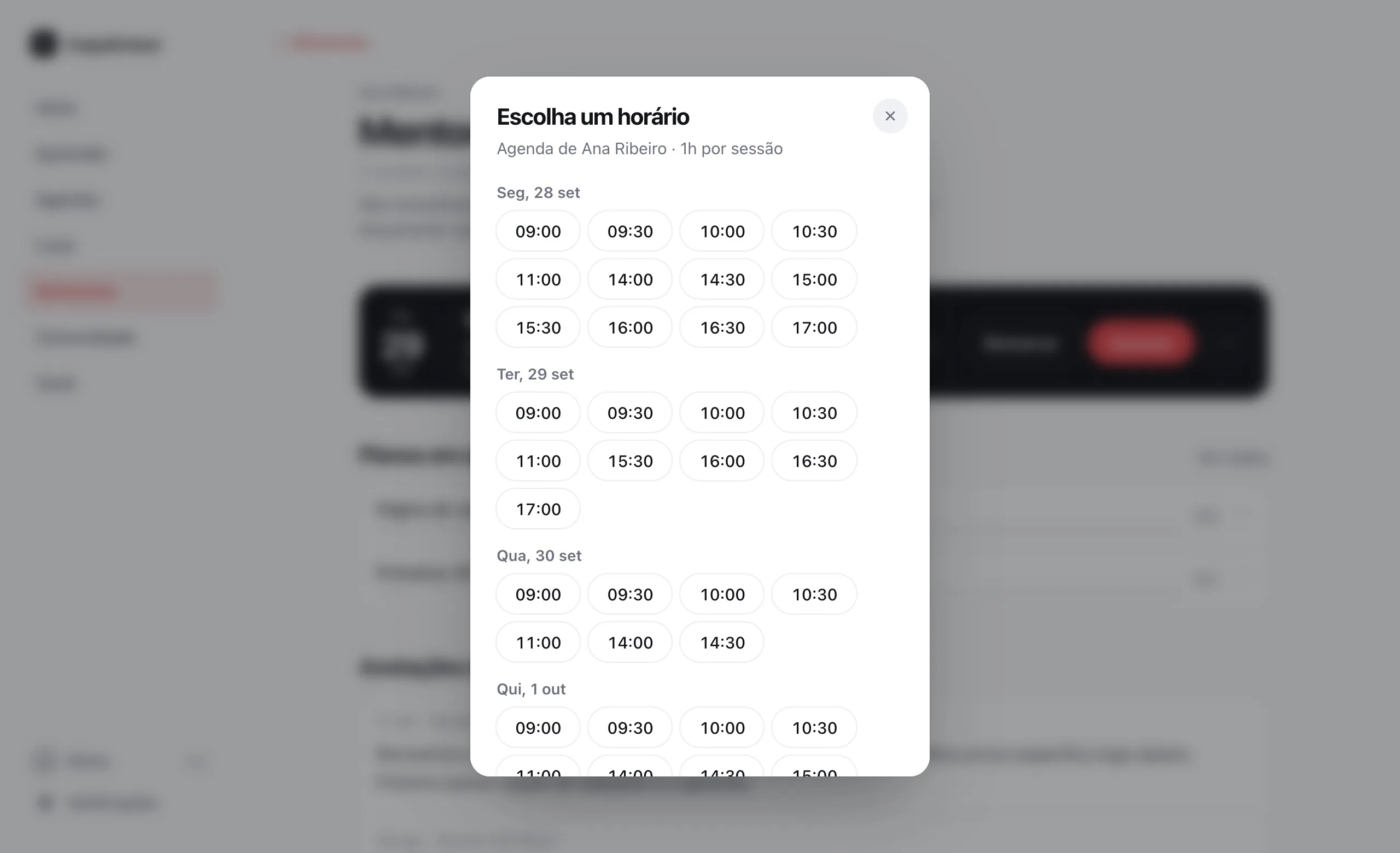
Mentees book on their own
They see the mentor's open slots and pick one. No back-and-forth.
Reminder and invite
Confirmation and reminder by email, with an invite for their calendar.
Sessions that count
A fixed package, a monthly quota or unlimited. No-shows and last-minute cancellations use up the session.
A room that records
The meeting happens in Weve's room, which records it — or on the link you already use.
Clear goals.
The next step in sight.
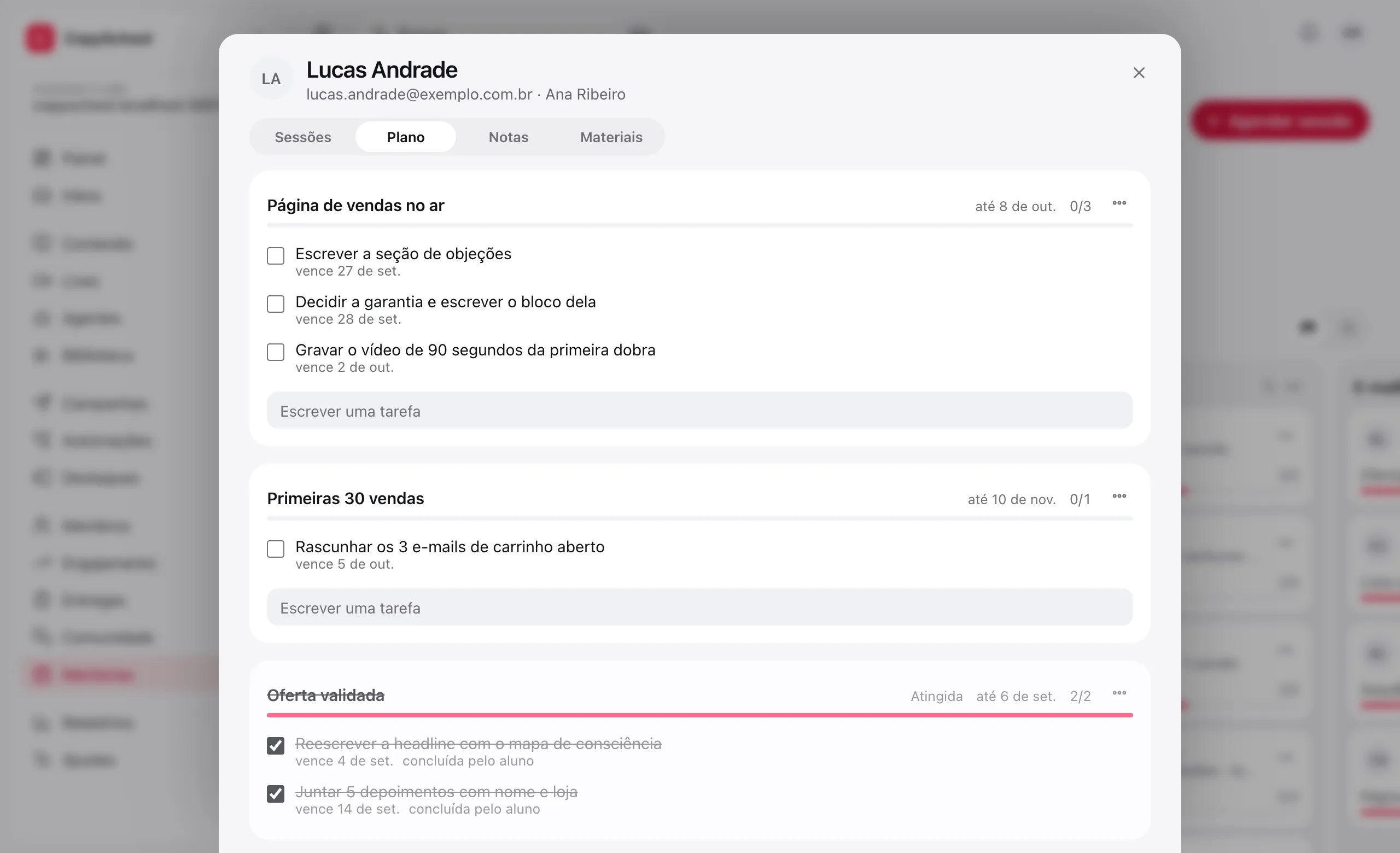
Each mentee's plan, with goals, tasks and deadlines — built by hand or from your method's playbook.
Playbooks
Build your method's roadmap once and apply it to every new mentee, with the deadlines already worked out.
Goals and tasks
Mentees check off what they've finished; you see their progress without asking by message.
Private notes
Each mentee's file is for the team only. The mentee reads the session summary.
One mentor
or a whole team.
Each mentor with their own calendar, their own mentees and a rating for every meeting.
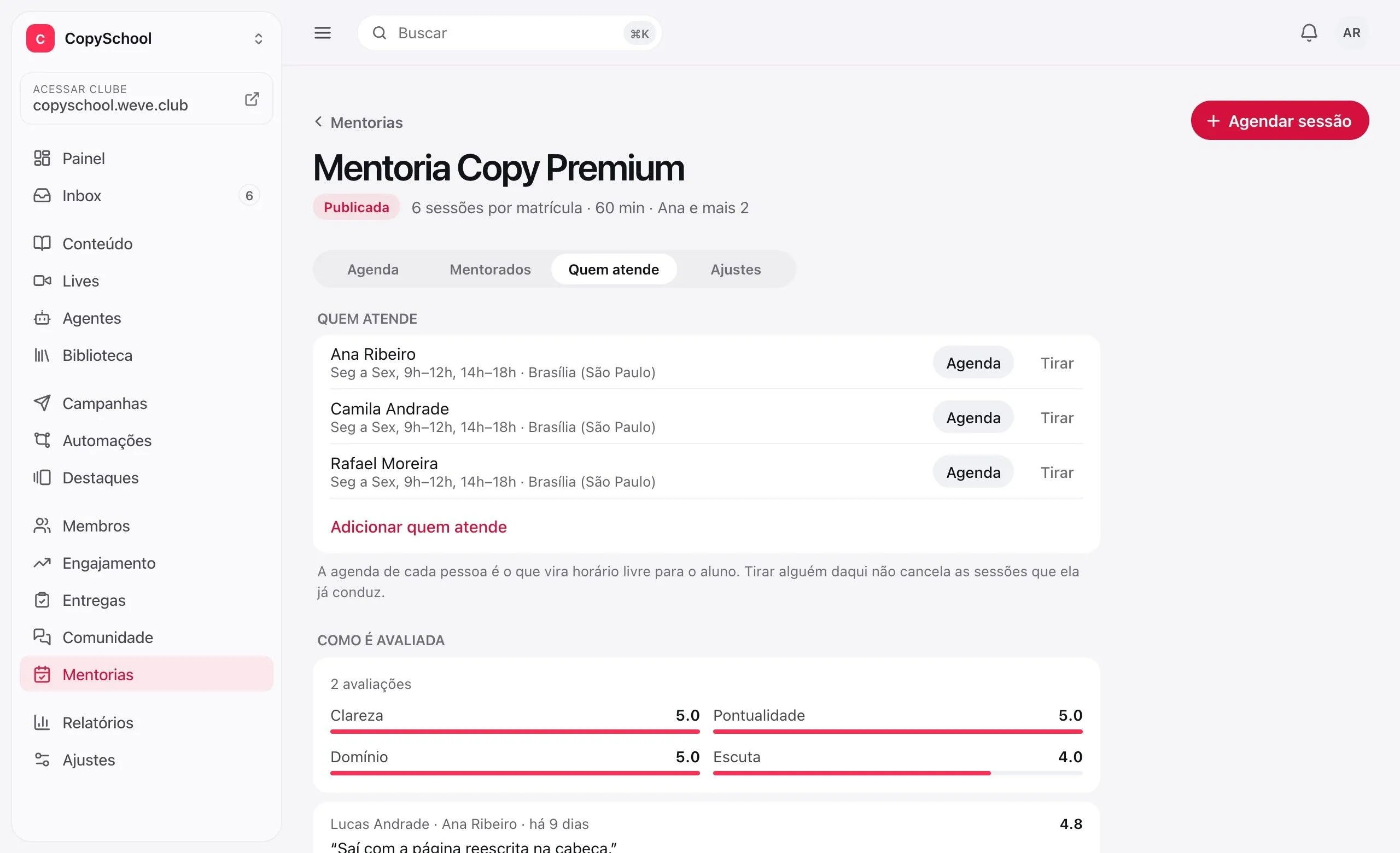
Everyone's own calendar
Each mentor sets the days and times they're available, in their own time zone.
Each with their own
A mentor sees only the mentees assigned to them.
Session ratings
Clarity, punctuality, expertise and listening, from 1 to 5, after every meeting.
Worth what
the mentee paid.
Each mentee has their own area in the club, with everything they need to move forward without waiting on a message.
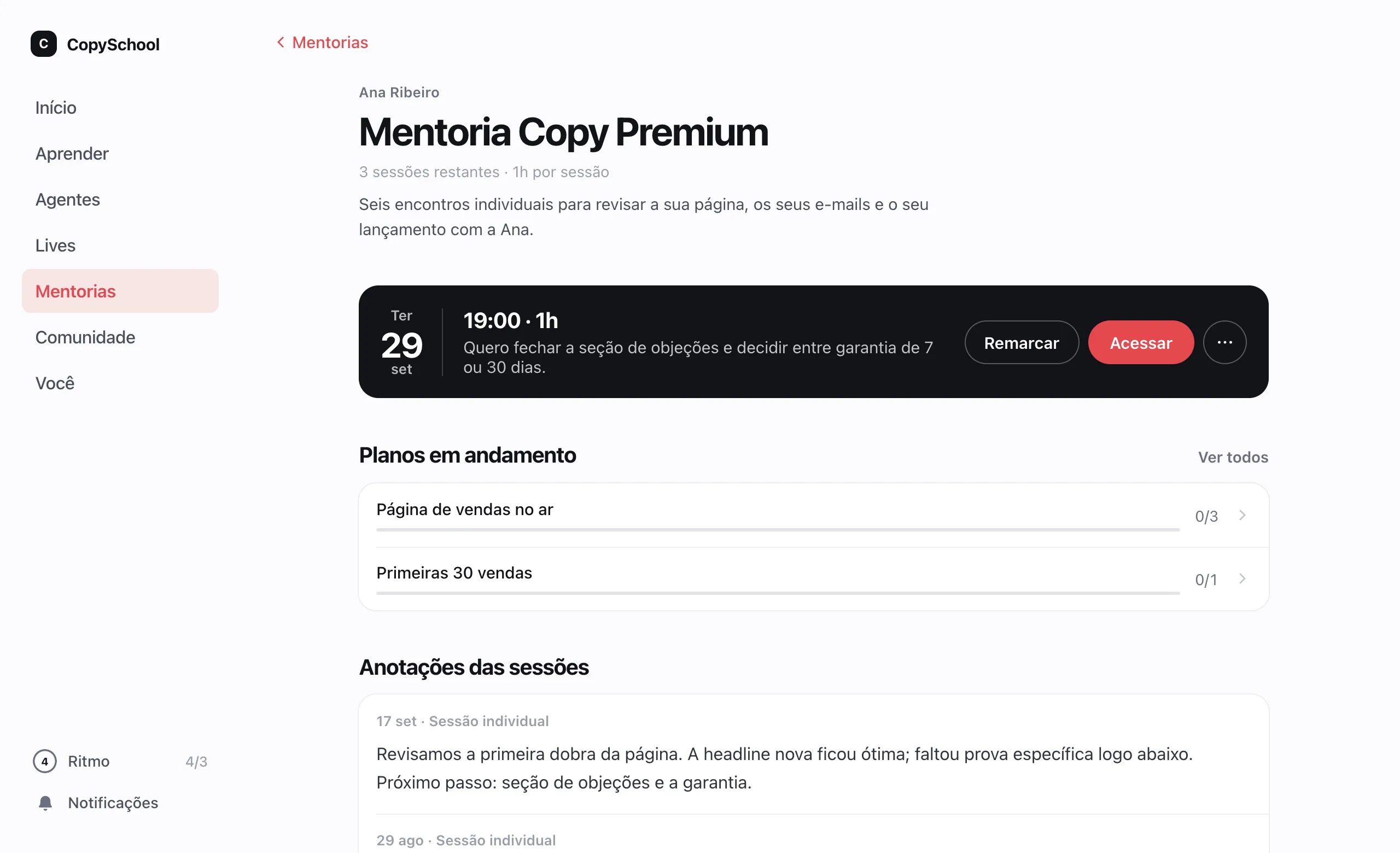
The next meeting in sight
The booked session, with the agenda they wrote themselves, and the button to join.
Their plan
Goals, tasks and deadlines, with what's still due always at the top.
Recommended lessons
You point them to the right lesson for the moment, and they watch it with the same login.
Everything from each session
Summary, recording and files stay with the session — nothing lost in WhatsApp.
All in the same club.
Mentoring doesn't live on an island: mentees enter the club and find your content and your community with the same login.
One access, one login
Mentoring lives in the same members area as your content and your community.
Content that helps
Recommend your own lessons at the right point in each mentee's journey.
Fewer subscriptions
Retire the scheduling tool, the spreadsheet and the task board.
A club add-on.
Mentoring is an add-on. The price comes up in the conversation with the expert.
Questions about mentoring.
Do I need a course to use mentoring?
No. You can use Weve just for your mentoring program. If you have content, it helps: you recommend lessons to each mentee at the right moment in their journey.
How many mentors and programs can I have?
Programs, as many as you like. Mentors, as many as your club's team allows. Each mentor has their own calendar.
How does a mentee book a session?
In their area of the club: they see the mentor's open slots and pick one. Both get the confirmation by email, with a calendar invite, and a reminder before the meeting.
Where does the meeting happen?
In Weve's video room, inside the club, which can record the session — the recording is available to the mentee. If you prefer, each mentor can use their own meeting link.
How do I grant access to people who bought the mentoring?
The way you already sell: Weve receives sales from Hotmart, Kiwify, Eduzz and Guru, and from any platform by webhook, and grants access on its own. You can also grant it by hand.
Does mentoring come with the club?
It's a club add-on; the price comes up in the conversation with the expert. Mentees don't pay Weve anything.
Take mentoring off the spreadsheet.
Create the program, add the mentors and invite your first mentee today.